BRUSH CUTTER EXCELION 2 LH
53_154421-A
Note
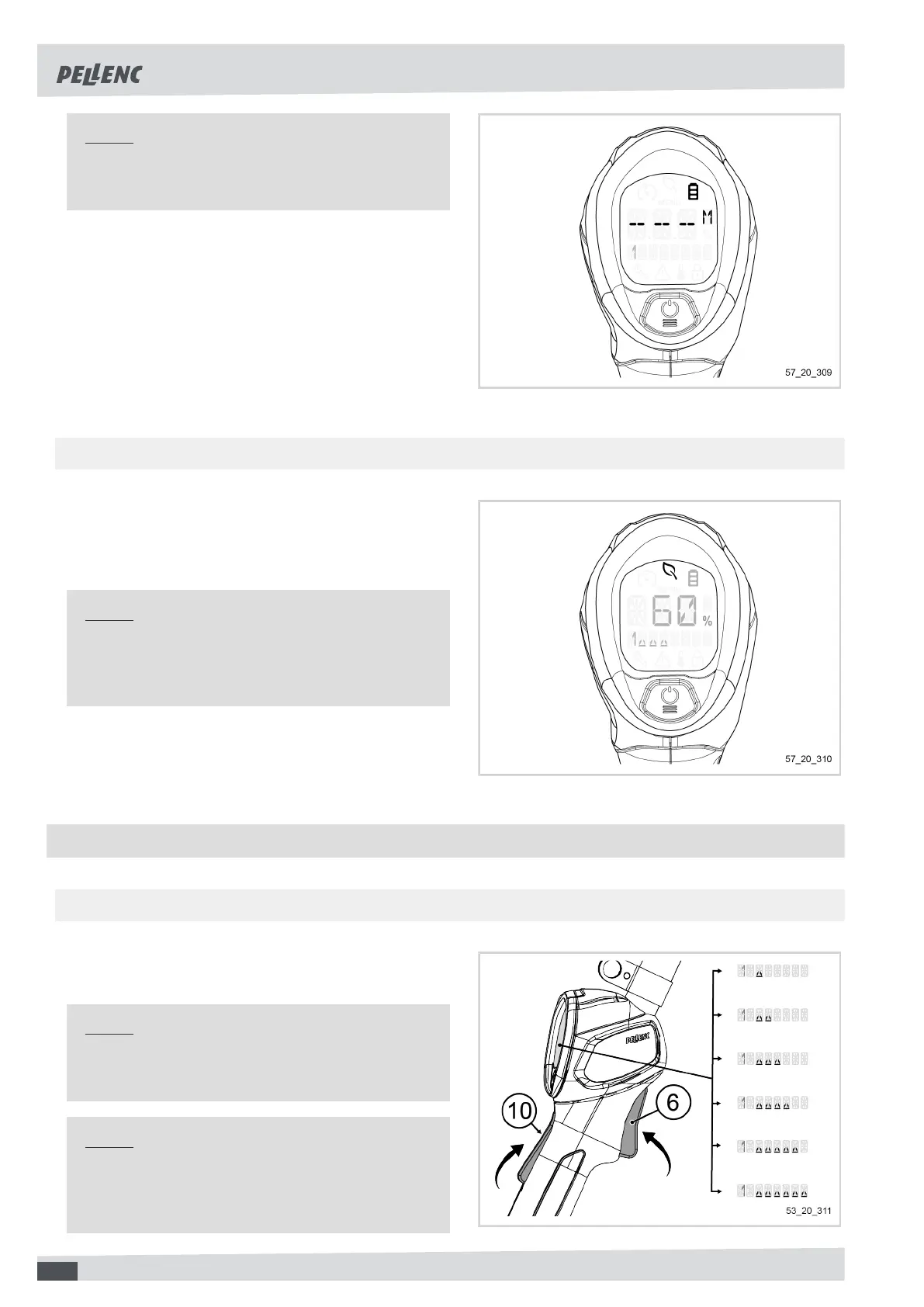
When less than 10 minutes of battery life remain,
the screen indicates "- - -".
5.3.2. “ENERGY SAVING” PICTOGRAM
In use, when the motor consumption is less than or equal
to 500W, a pictogram of a leaf symbol is automatically
displayed. It means that the tool is working in energy sav-
ing mode.
Note
The energy saving mode only works when the tool
is equipped with the blades / mulching blade or the
CITY CUT.
5.4. ADJUSTING TOOL SPEED
5.4.1. ACCELERATION
1. Press the safety throttle (10) on the tool handle.
2. To increase tool power, squeeze the trigger (6).
Note
During the first seconds of acceleration, the display
will show the currently selected mode.
Note
The tool adapts its acceleration according to the po-
sition of the trigger (6): the more the trigger is de-
pressed, the greater the rotational speed.
44


 To Next Page