EasyManua.ls Logo

pellenc EXCELION 2 LH - User Manual

pellenc EXCELION 2 LH
84 pages
Print Icon
To Next Page IconTo Next Page
Loading...
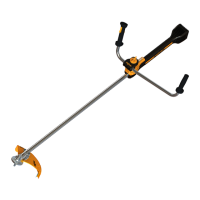
BRUSH CUTTER
EXCELION 2 LH
Operating instructions
53_154421-A
04/2021
ENG
Translation of orig-
inal user guide
READ THE USER GUIDE CAREFULLY BEFORE USE
.

Table of Contents

Questions and Answers

Summary

INTRODUCTION

SAFETY

GENERAL POWER TOOL SAFETY WARNINGS

Read all safety warnings, instructions, illustrations and specifications.

ELECTRICAL SAFETY

Use adapted connectors, avoid earthed surfaces, do not expose to rain or wet conditions.

PERSONAL SAFETY

Stay alert, use PPE, avoid accidental starting, keep footing and balance.

BATTERY TOOL USE AND CARE

Recharge with specified charger, use designated battery packs, keep away from metal objects.

SAFETY WARNINGS FOR GRASS CUTTER;BRUSH CUTTER

General safety warnings specific to grass and brush cutters.

PRECAUTIONS AGAINST KICKBACK

Kickback is a sudden sideways, forward or backward movement of the machine.

SAFETY MEASURES FOR BATTERY AND CHARGER

Refer to the instructions supplied with the PELLENC battery and charger.

SAFETY SIGNAGE

Explains various safety pictograms and their meanings.

PERSONAL PROTECTION EQUIPMENT

Lists required PPE like helmet, visor, gloves, shoes, ear protection, goggles.

DESCRIPTION AND TECHNICAL CHARACTERISTICS

TOOL DESCRIPTION

Illustrated diagram showing the components of the brush cutter.

TECHNICAL FEATURES

Lists technical specifications like power, voltage, weight, dimensions, speeds.

CHARGERS AND BATTERIES COMPATIBILITY

Table showing compatible batteries and chargers.

COMMISSIONING

PACKAGE CONTENTS

Lists all items included in the brush cutter package.

FITTING;DISMOUNTING THE ROUND HANDLE

Instructions for attaching and removing the round handle and distancing bar.

FITTING;DISMOUNTING SAFETY GUARDS

Instructions for fitting and removing safety guards.

ASSEMBLY;DISASSEMBLY OF THE SAFETY GUARD

Instructions for fitting and removing the standard safety guard.

FITTING;DISMOUNTING CUTTING HEADS

Instructions for attaching and removing various cutting heads.

TRI-BLADE;TWIN-BLADE FITTING;DISMOUNTING

Detailed procedure for attaching and removing tri-blade or twin-blade cutting heads.

MULCHING BLADE FITTING;DISMOUNTING

Steps for fitting and removing the mulching blade.

TAP CUT 2; TAP CUT 3 FITTING;DISMOUNTING

Instructions for fitting and removing the TAP CUT 2/3 cutting heads.

CHISEL-TOOTH SAW FITTING;DISMOUNTING

Instructions for fitting and removing the chisel-tooth saw blade.

CITY CUT FITTING;DISMOUNTING

Steps for fitting and removing the CITY CUT head.

CONNECTING PELLENC BATTERIES TO THE TOOL

Important notes on checking battery life and connector care.

DISCONNECTING THE BATTERY

Steps for safely disconnecting the battery from the tool.

ADJUSTING THE WORKING POSITION

Importance of adjusting harness and machine for comfort and safety.

HARNESS ADJUSTMENT AND CARRYING STRAP FITTING

Adjusting harness length for vertical position and balance.

CARRIER RING MOVEMENT FOR CENTRE OF GRAVITY

How to adjust the carrier ring position for best balance.

USING THE TOOL

POWERING THE TOOL ON AND OFF

Instructions for turning the brush cutter on and off.

STOPPING THE TOOL

Procedure for switching off the brush cutter.

UNLOCKING THE TOOL

How to unlock the tool using the trigger and safety throttle.

HMI DISPLAY SCREEN PRESENTATION

Explains the icons and indicators on the HMI display.

REMAINING BATTERY LIFE

How battery life is displayed in percentage and hours/minutes.

ADJUSTING TOOL SPEED

How to adjust the tool's speed and power.

ACCELERATION

How to increase power and adjust speed using the safety throttle and trigger.

CHANGING SPEEDS

How to cycle through the 4 working speeds using the POWER/MENU button.

BOOST MODE

How to activate boost mode for maximum speed for 10 seconds.

SETTINGS VIA HMI MENU

How to access and navigate the HMI menu.

ACTIVATION OF CUTTING HEAD VIA HMI MENU

How to select the installed cutting head (CITY CUT, TAP CUT, BLADE).

INFORMATION MENU AND ACCESS TO MACHINE SETTINGS

How to access the information menu for settings and working time.

WORKING TIME (HOURS) DISPLAY

How working time is displayed in hours and minutes.

AVERAGE POWER USAGE DISPLAY

How average power consumption in watts is displayed.

ENERGY CONSUMPTION DISPLAY

How energy consumption in kilowatt-hours is displayed.

TIME REMAINING BEFORE MAINTENANCE SERVICE

Displays time until next maintenance service is required.

LANGUAGE SELECTION

How to select the display language for the tool.

TIPS FOR USE AND WORKING TECHNIQUES

General advice for using the tool effectively.

CHOOSING THE RIGHT CUTTING HEAD

Guidance on selecting the appropriate cutting head for different tasks.

OPTIMIZING THE BATTERY

Tips to maximize battery autonomy by adapting rotational speed.

Mowing on slopes

Safety and technique for mowing on slopes.

Working with the clearing saw

Precautions and techniques for using the clearing saw.

EMERGENCY RELEASE

Describes the quick release system for emergencies.

SERVICE

MAINTENANCE ADVICE

General advice on maintenance, disconnecting battery, product recommendations.

MAINTENANCE TABLE

Table detailing maintenance tasks and their frequency.

CLEANING THE TOOL

How to clean the brush cutter after each use.

CHANGING THE CITY CUT BLADES

Procedure for dismounting, changing, and fitting new blades for the CITY CUT.

INCIDENTS AND TROUBLESHOOTING

TABLE OF INCIDENTS AND BREAKDOWNS - TROUBLESHOOTING

Troubleshooting guide for common symptoms, causes, checks, solutions, and repairers.

SUMMARY OF DISPLAY SCREEN MESSAGES

Explains fault messages displayed on the HMI screen.

STORAGE AND TRANSPORT

STORAGE

Important advice for storing the tool and battery.

TRANSPORTING THE TOOL

Important notes for safely transporting the machine and battery.

STORING THE TOOL

Instructions for storing the tool on a wall.

ACCESSORIES AND CONSUMABLES

CUTTING TOOLS

Details on available cutting heads and blades.

WEED CONTROL

Details on TAP CUT heads and weed control blades.

MULCHING

Lists mulching blade and mulching kit.

CHISEL-TOOTH SAW

Lists sawing kit and safety guard for chisel-tooth saw.

URBAN WEED CONTROL

Lists CITY CUT cutting head, bowl, safety guards, and blades.

OTHER ACCESSORIES

Lists items like battery harness, adapter cables, protective bag.

CONSUMABLES

Lists consumable items like strimmer wire.

WARRANTIES

GENERAL WARRANTIES

Covers statutory and commercial warranties.

STATUTORY WARRANTY

Details latent defects warranty and legal warranty of conformity.

COMMERCIAL WARRANTY PELLENC

Explains the commercial warranty terms and duration.

PAID AFTER-SALES SERVICE

Information on after-sales service for malfunctions and wear parts.

COMPLIANCE STATEMENTS

CE STATEMENT OF COMPLIANCE: EXCELION 2 LH

CE declaration of conformity for the EXCELION 2 LH.

UK DECLARATION OF CONFORMITY CA: EXCELION 2 LH

UK declaration of conformity for the EXCELION 2 LH.

pellenc EXCELION 2 LH Specifications

General IconGeneral
Brandpellenc
ModelEXCELION 2 LH
CategoryBrush Cutter
LanguageEnglish

Related product manuals