BRUSH CUTTER EXCELION 2 LH
53_154421-A
Note
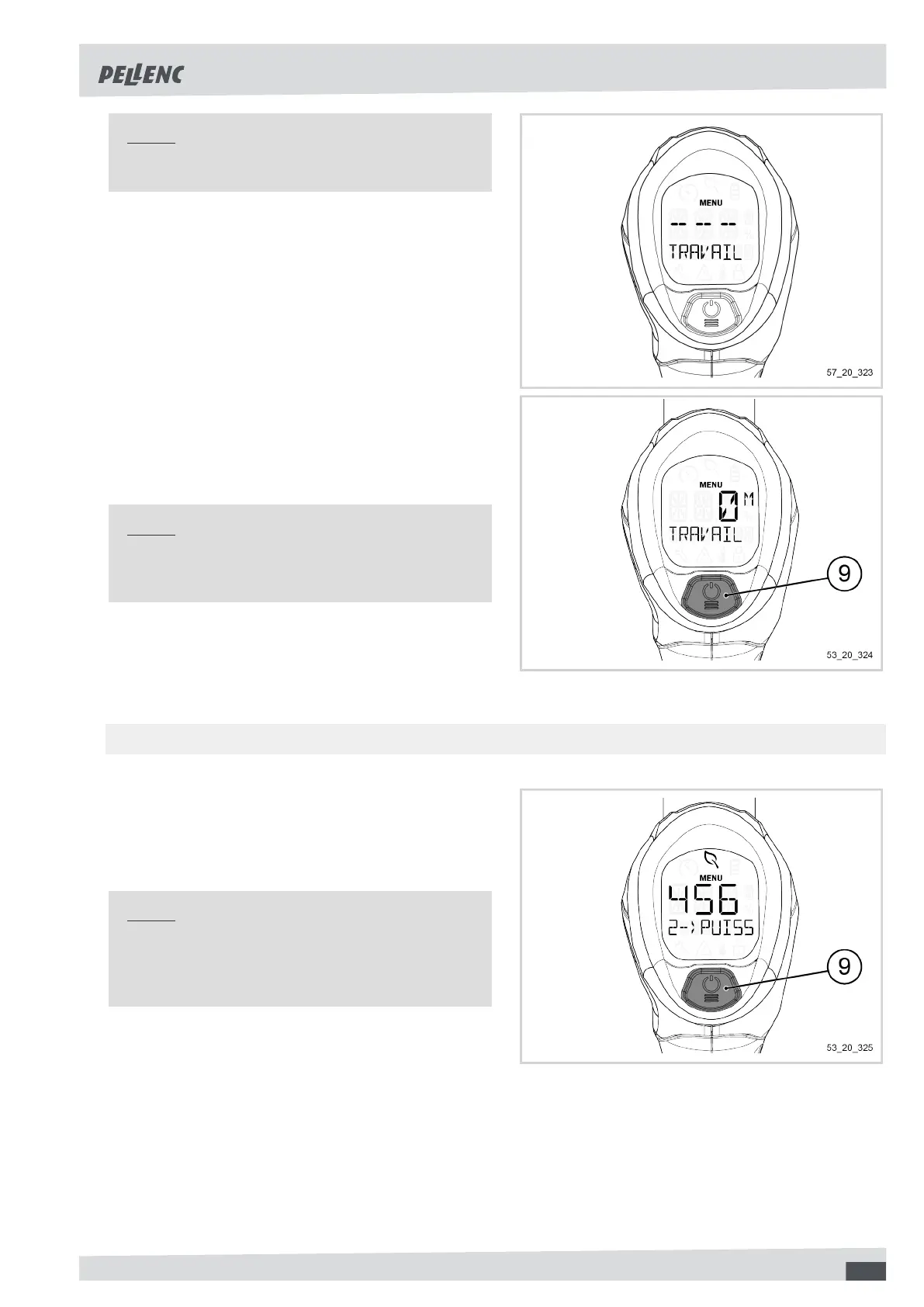
Below 10 minutes worked, the display shows "- - -".
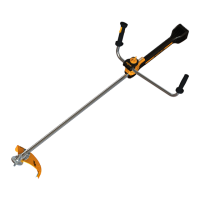
Resetting working time
1. Press and hold the MENU/POWER button (9) for 1
second to reset the value.
2. An action on the trigger exits the menu.
Note
Resetting the working time also resets the average
power and the consumed energy.
-
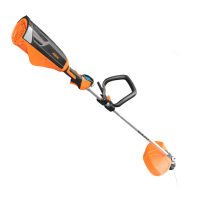
5.5.3.2. DISPLAY OF THE AVERAGE POWER USAGE
1. Click on the POWER / MENU button (9) to access
the menu "2--AVERAGE POWER-W".
The display shows a value in watts (W).
Note
If the average consumption is below 500W, the
screen displays the "Energy saving" pictogram (re-
fer to Section 5.3.2, ““Energy saving” pictogram”).
49


 To Next Page