10
1. Connect your HD2 to the computer while the
HD2 is turned o;
2. It will mount as a removable drive;
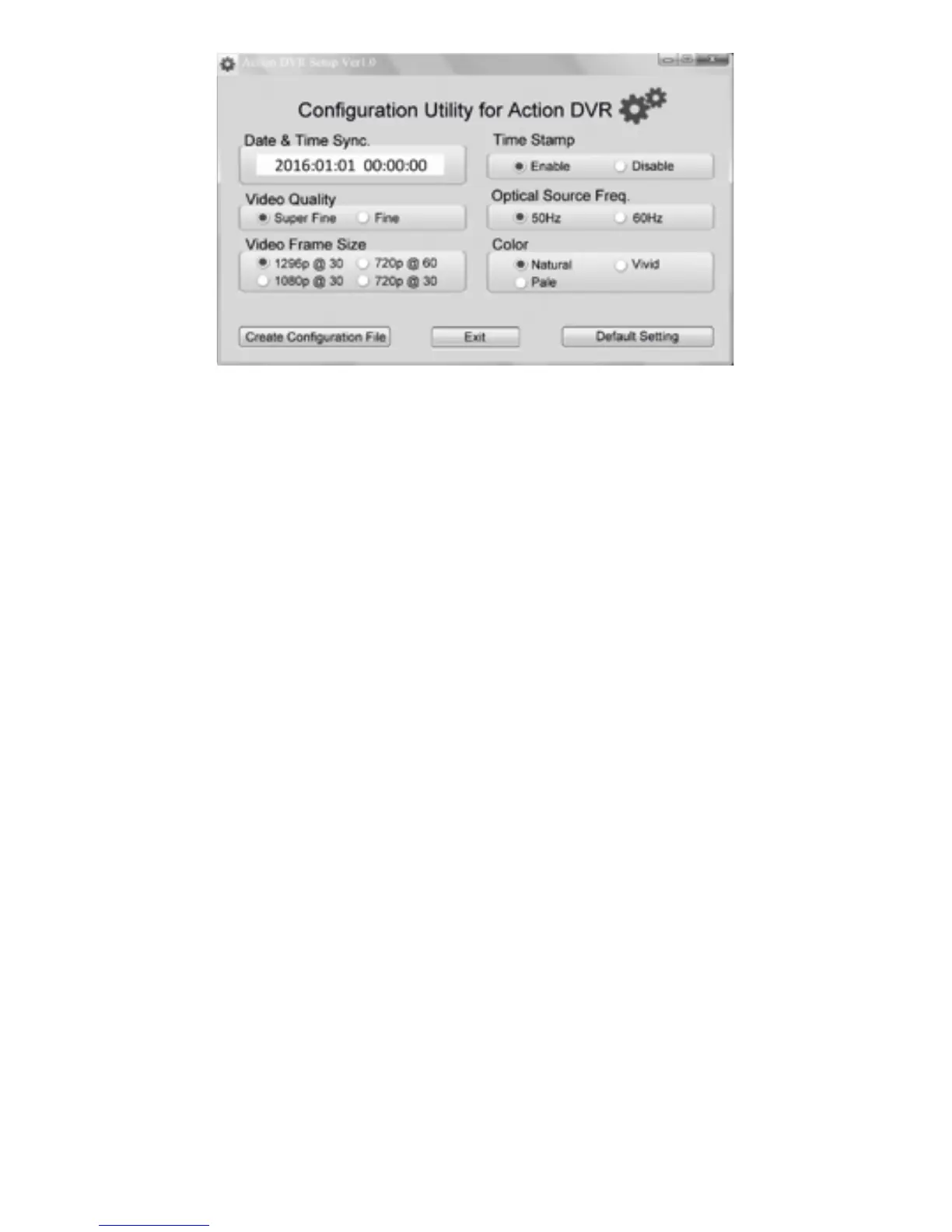
3. Open the removable drive and open the
program called “PowerCam Setup.exe” located in
the root/main folder;
4. Change the settings to your desired time/
date, click “Create Conguration File” and close
the program;
5. Un-plug the HD2 from the computer. The
next time you record a video, the updated time/
date will take aect;
B. TURN ON/OFF TIME/DATE STAMP (MAC &
WINDOWS):
1. Connect your HD2 to the computer while the
HD2 is turned o;
2. the HD2 will automatically connect to your
computer as a removable drive;
3. Open the “Settings” folder, and open the le
named “usercfg.txt”;
4. Locate the line item “TimeStamp=” the
number after the “=“ sign indicates the setting;
5. Input a number between 0-3 for your desired


 To Next Page