EasyManua.ls Logo

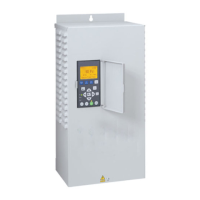
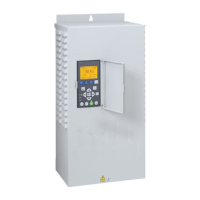
Pentair Pentek Intellidrive PID10 - User Manual

Pentair Pentek Intellidrive PID10
64 pages
Print Icon
To Next Page IconTo Next Page
Loading...
pentair.com
PN957 (06-25-20) ©2020. All Rights Reserved.
INSTALLATION AND
OPERATION MANUAL
ENGLISH: 1-21
FRANCAIS: 22-42
ESPANOL: 43-63
6714 1112
INTELLIDRIVE
PID10-01
PID20-01
PID30-01
PID50-01

Questions and Answers

  • J
    Julie GreenAug 8, 2025
    What to do if my Pentair Pentek Intellidrive PID10 DC Drives show Temp Derate?
    • S
      Steven BurkeAug 8, 2025
      If your Pentair DC Drives show a Temp Derate, it could be due to plugged vents, a non-functional fan, high ambient temperature, or high power draw. Try improving ventilation, verifying the fan is working, providing shade, and verifying proper temperature, and ensure it's not in direct sunlight.
  • D
    Dr. James JohnsonAug 11, 2025
    What to do if my Pentair Pentek Intellidrive PID10 DC Drives have an Internal Fault?
    • K
      Kelly DunnAug 11, 2025
      If your Pentair DC Drives display an Internal Fault, it indicates that internal voltages are out of range. You can attempt to clear the fault by pressing the Fault Reset button and then try to operate the pump. If the fault persists, the Intellidrive may need replacement.
  • A
    Alyssa StevensAug 16, 2025
    Why my Pentair Pentek Intellidrive PID10 DC Drives cannot start motor?
    • S
      Samantha HowardAug 16, 2025
      If your Pentair DC Drives motor won't start, it might be due to entering the wrong Service Factor Amps. Review the motor parameters in the main menu to ensure they are correct.
  • M
    Maurice DavisAug 20, 2025
    What to do if my Pentair DC Drives show Hardware Fault?
    • S
      shelby54Aug 21, 2025
      If your Pentair DC Drives display a Hardware Fault, it suggests an internal hardware failure. You can attempt to clear the fault by pressing the Fault Reset button and then try to operate the pump. If the fault continues, the Intellidrive may need replacement.
  • W
    William ParkerAug 25, 2025
    What to do if my Pentair Pentek Intellidrive PID10 DC Drives show DC Undervoltage?
    • R
      Richard TerryAug 26, 2025
      If your Pentair DC Drives display DC Undervoltage, it indicates low voltage on the DC Bus, potentially caused by heavy loading, low incoming voltage, or unbalanced output current. Check the wiring for shorts, imbalance, and verify proper grounding.
  • R
    Renee CarpenterAug 29, 2025
    What to do if my Pentair Pentek Intellidrive PID10 DC Drives show Low Amps?
    • T
      tommybraunAug 29, 2025
      If your Pentair DC Drives display Low Amps, it might be because the thermal protector is open in a 1-phase motor. Wait 20 minutes, then restart the pump.
  • K
    Kathy KingSep 2, 2025
    What to do if my Pentair Pentek Intellidrive PID10 are ungrounded?
    • P
      Paula BaileySep 2, 2025
      If your Pentair DC Drives are ungrounded with the ground detection parameter disabled, disconnect the power and use an ohmmeter to verify which pipe the Intellidrive’s transducer is connected to. Also, verify that the input ground wire is at the same potential and that the input ground is connected all the way back to the electrical panel.

Pentair Pentek Intellidrive PID10 Specifications

General IconGeneral
BrandPentair
ModelPentek Intellidrive PID10
CategoryDC Drives
LanguageEnglish

Related product manuals