77420 - 74/107 -
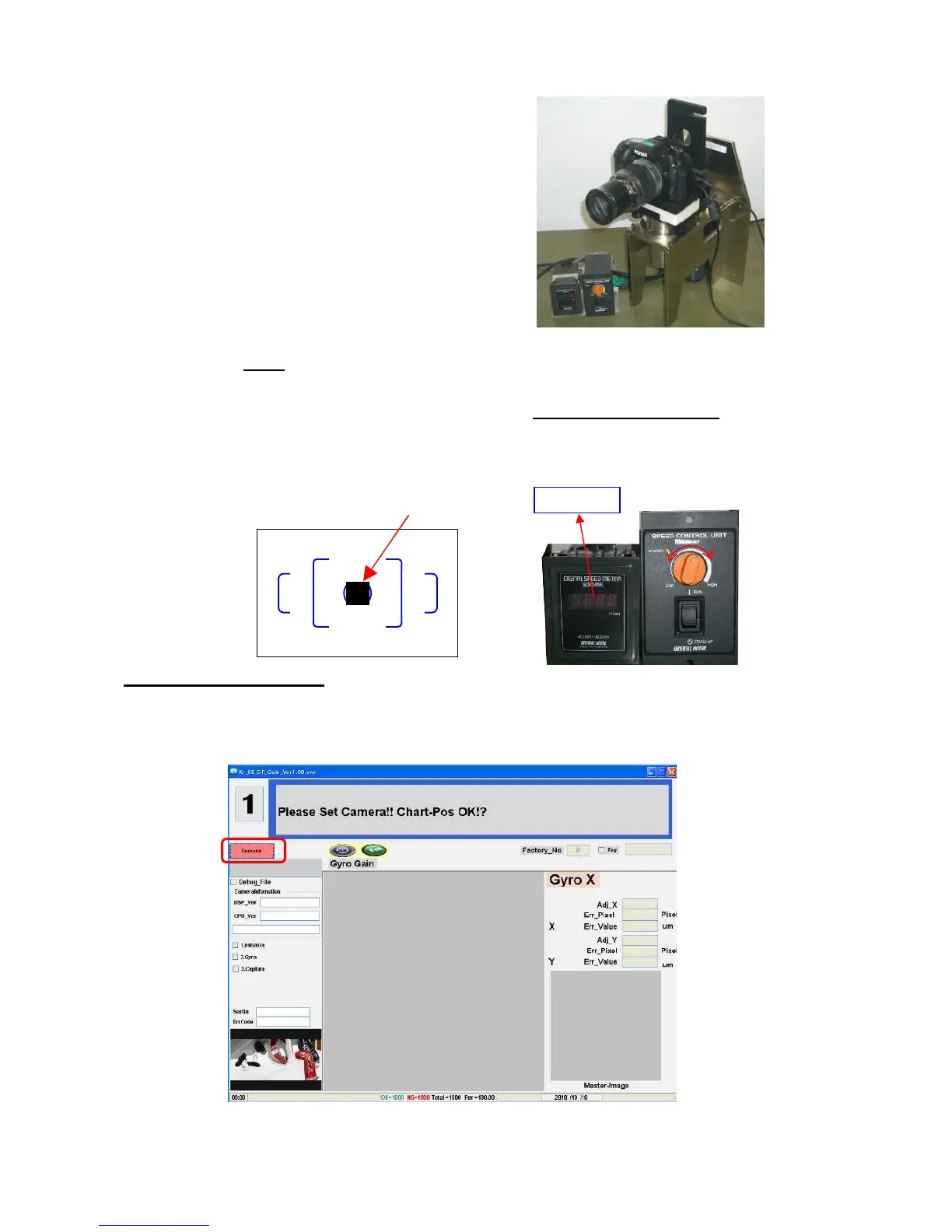
⑥ Attach camera to the driving stage.
⑦ Fix with two knobs properly.
⑧Set the camera 2.00m
away from the chart and match the chart (■)with frame of spot measurement in the
view finder. [Confirm] Reconfirm distance at 2.00
⑨Turn the power of the controller ON and adjust the meter to 1.000 rpm (1,000 turn/min)
by turning
controller dial. Then turn OFF the controller.
⑩Connect the camera and computer via USB cable and then turn ON the camera.
7-3. Adjustment procedure
①Double click [K-r_SR_Gain_ver.exe] in [K-r_SR_Gain] folder to start up software.
Adjustment screen will be displayed
②Press [Execute] button to start adjustment.
(Go to the next page)
1,000rpm


 To Next Page