7
2. NOMENCLATURE, CONTROLS AND FUNCTIONS
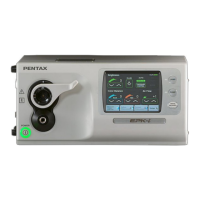
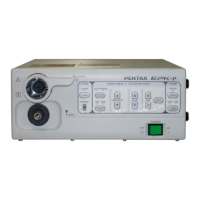
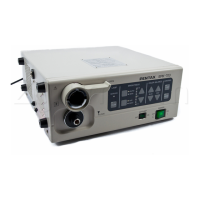
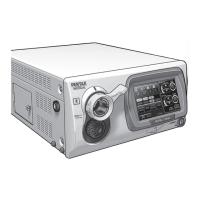
2-1 VIDEO PROCESSOR
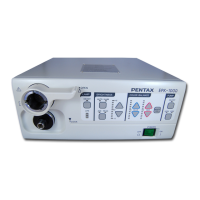
(1) MAIN BODY
No. NAME FUNCTION
1 Ventilation Grid allows for adequate ventilation and cooling lamp/unit. Do NOT block the grids.
2 Water Bottle Receptacle accepts air pipe from PENTAX water bottle assembly.
3 Lamp Housing Cover provides access to replace lamp cartridge.
4 Light Guide Attachment AE-P1 adapter for standard PENTAX endoscopes. Port accepts video endoscope or
fiberscope light guide. Adapter can be changed for use as light source for other
manufacturer’s endoscopes or for use with fiberscope video adapter module.
5 Endoscope Electrical accepts Color video endoscope electrical connector or fiberscope video adapter module
Connector electrical connector.
- Always turn ON the power switch after connecting an endoscope. Also,
remove the endoscope from the processor after turning OFF the power switch.
- When you take the light guide out of this socket, the sleeve of the light guide might be hot.
Take the light guide out of the socket with caution.
6 Scope Locking Lever Open the lever before setting or removing an endoscope.
After connecting the endoscope to the processor, close the lever.
- After connecting the endoscope to the EPK-1000 video processor, always make
sure that the endoscope is firmly secured to the scope receptacle by turning the locking
lever to the “lock” position.
7 Front Panel See the section 2-1- (2)
8 Power Switch The processor is turned | : ON, or O : OFF.
Switch lights green when switched ON. Switch should not be hit with objects like
endoscope light guides, when being switched ON or OFF.
- Always turn ON the power switch after connecting an endoscope. Also, remove
the endoscope from the processor after turning OFF the power switch.
- Before turning the EPK-1000 power ON, ensure the air flow vents are not obstructed.
-Aside from the pre-use inspection of the equipment, the lamp in the video
processor should be turned OFF when the video system is not clinically used.
9 Water Bottle See the section 2-2.
NOTE
NOTE
NOTE
CAUTION


 To Next Page
 Loading...