13
(3) CONNECTING THE ENDOSCOPE
- Always turn ON the processor after connecting an endoscope. Also, remove the endoscope from the processor after
turning OFF the power switch.
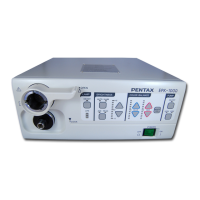
1. Check to ensure that the appropriate light guide adapter is mounted to the video processor. The adapter, AE-P1 is already
attached to the video processor.
- Connecting a video endoscope without a light guide adaptor in place will reduce light output at the endoscope distal
end. Attempting to connect a fiberscope without a light guide adapter and/or an appropriate light guide sleeve in place will
damage the fiberscope and the video processor.
2. Check to ensure that the scope locking lever is open.
3. Connect the scope firmly into the processor until it clicks
into position.
4. Close the scope locking lever
- After connecting the endoscope to the EPK-1000
video processor, always make sure that the endoscope is firmly
secured to the scope receptacle by turning the locking lever to
the “lock” position.
- If using the fiberscope video adaptor module, make
sure the eyepiece of the fiberscope is properly connected to the
module (use adapters as required). Connect the electrical
connector of the module to the electrical connector of the video
processor, lining up the red dots on each.
5. Connect the water bottle Air/ Water connector to the
Air/Water receptacle on the endoscope’s umbilical connector.
6. Connect the suction tube of the suction device to the suction
nipple on the umbilical connector of the endoscope.
(4) CONNECTING THE PERIPHERAL EQUIPMENT
1. Referring to the rear panel diagram, connect a TV monitor
and other required equipment such as hard copy equipment,
VCR, etc., to the processor.
- When used in clinical or residential areas near
radio and TV receiver units, this equipment may be subjected
to radio interference.
- To reduce electromagnetic interference, do NOT keep turning
ON the main POWER SWITCH of the equipment while a
videoscope is connected but not ready for use.
- To avoid and resolve adverse electromagnetic effects, do NOT
operate this equipment near the RF energy equipment.
: FOR EUROPE
- This equipment is a Class B Medical Equipment (specified
EN55011) and is intended for hospital or health care districts.
- Use the connection cables as specified below.
Composite Video Cable (1.5m), RGB Video Cable (1.5m), Y/C Video Cable (1.5m), Control (1,2) Cable (1.5m), RS-232C
Cable (1.5m), Serial Bus Cable (1.5m).
- Do NOT connect a printer simultaneously to RS232C and Control terminal located on rear panel of the processor.
- Do NOT connect two or more processors to a computer.
CAUTION
CAUTION
CAUTION
NOTE
NOTE
NOTE
●
●
●
●
CAUTION
CAUTION


 To Next Page
 Loading...