81
5
Playback/Deleting
Printing Service Settings (DPOF)
You can print the images on the CF card using a DPOF (Digital Print
Order Format) compatible printer, or at a printing service.
Set the following items for each image.
• Copies: Set the number of prints up to 99.
• Date: Specify whether or not to imprint the date on the image.
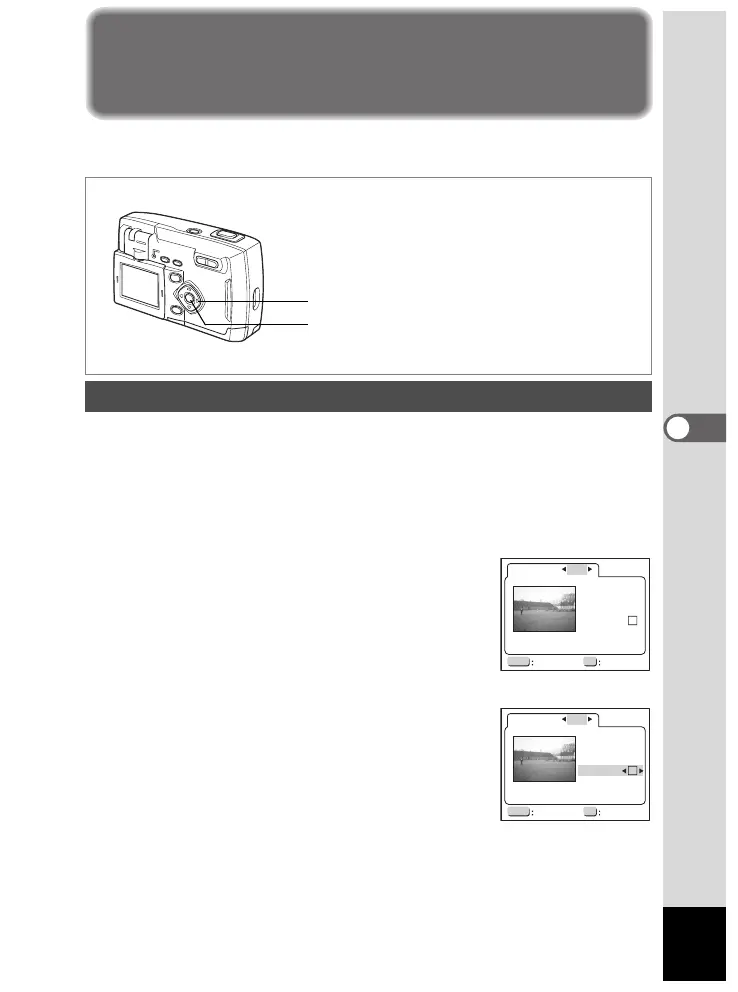
1 In Playback mode, use the four-way controller (45) to
select the image for DPOF settings.
2 Press the four-way controller (2).
The DPOF screen is displayed.
3 Use the four-way controller (45) to
select [ONE], and press the four-way
controller (
3).
The frame will move to Number of Prints.
4 Press the four-way controller (45) to
select the number of prints, and
press the four-way controller (
3).
The frame will move to Date.
5 Press the four-way controller (45) to
select
O or P.
O The date will be printed.
P The date will not be printed.
Single Image Settings
Four-way controller
OK button
OKMENU
DPOF
Copies
ONE
Date
00
Exit
100-0107
Ok
OKMENU
DPOF
Copies
ONE
Date
01
Exit Ok
100-0107













 To Next Page