EN-30
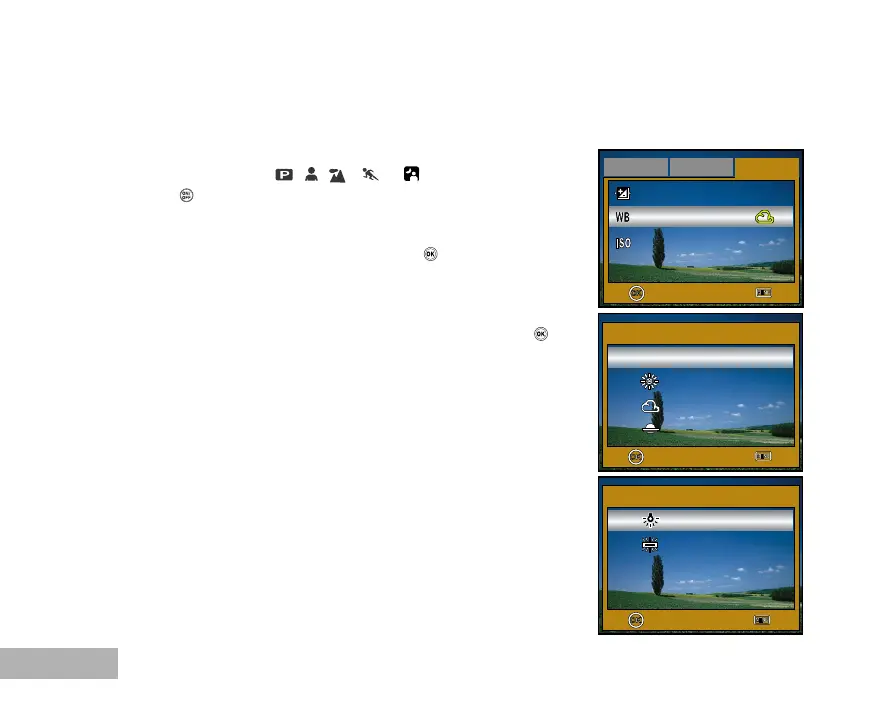
Setting White Balance
This feature lets you make adjustments to compensate for different lighting types according to your
shooting conditions.
1. Rotate the mode dial to , , , or .
2. Press the button to turn on the power.
3. Press the MENU button, then toggle X to select the [Mode3]
menu.
4. Use T to select [White Bal.], then press the button.
5. Use S or T to select the desired setting, then press the
button to confirm.
6. To exit the menu, press the MENU button.
OK :
Exit :
Mode1
Mode2
Mode3
EV Comp.
White Bal.
Sensitivity
+2.0
200
2 / 3
OK :
Exit :
White Bal.
Auto
Daylight
Cloudy
1 / 6
Sunset
OK :
Exit :
White Bal.
Tungsten
Fluorescent
5 / 6



 To Next Page