EN-48
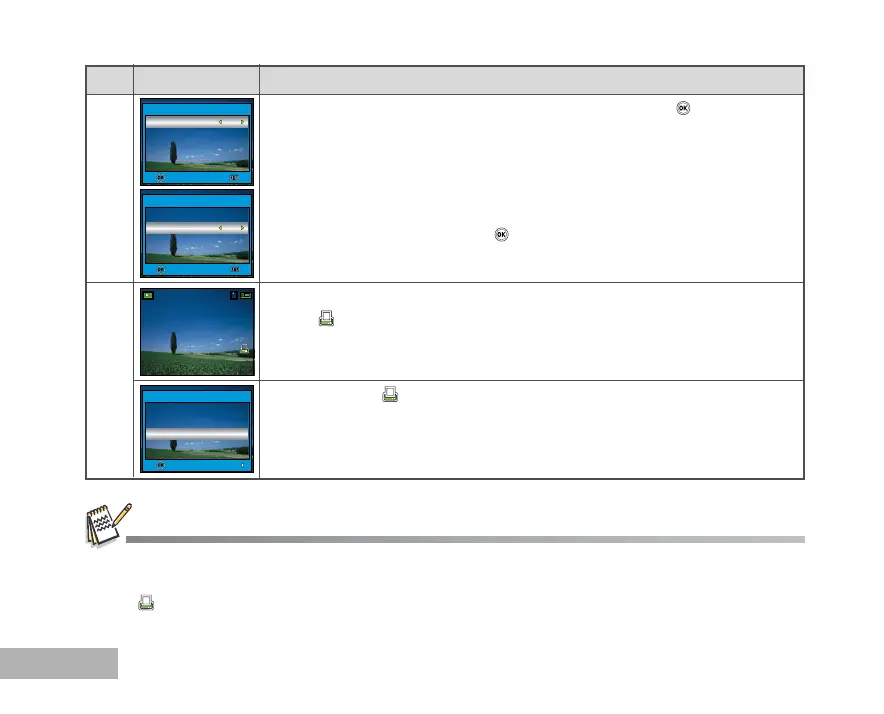
Use S or T to select by your preference, then press the button.
[Copies]: Allows you to select image quantity (0~10). Use W or X to
set the image quantity.
[Date]: The date of recording can be printed directly on the images.
Select [OK] or [Cancel] with W or X .
[Return]: To exit the mark function, use S or T to select [Return],
then press the button.
Press the MENU button to return to the image playback mode.
* The is marked on the displayed image.
To unmark the mark, go back to step 3 to select [Reset All] with S or T.
4
5
Step Figure Procedure
Before you perform the DPOF settings on your camera, always remember to copy your images from the internal
memory to an SD memory card first.
The print icon will appear on the monitor indicating images selected for printing.
You cannot print movies.
OK :
Exit :
One Image
Copies
Date
Return
2
OK
2/3
OK :
Exit :
One Image
Copies
Date
Return
2
Cancel
1/3
OK :
Return :
DPOF
One Image
All Images
Reset All



 To Next Page