80
4
Taking Pictures
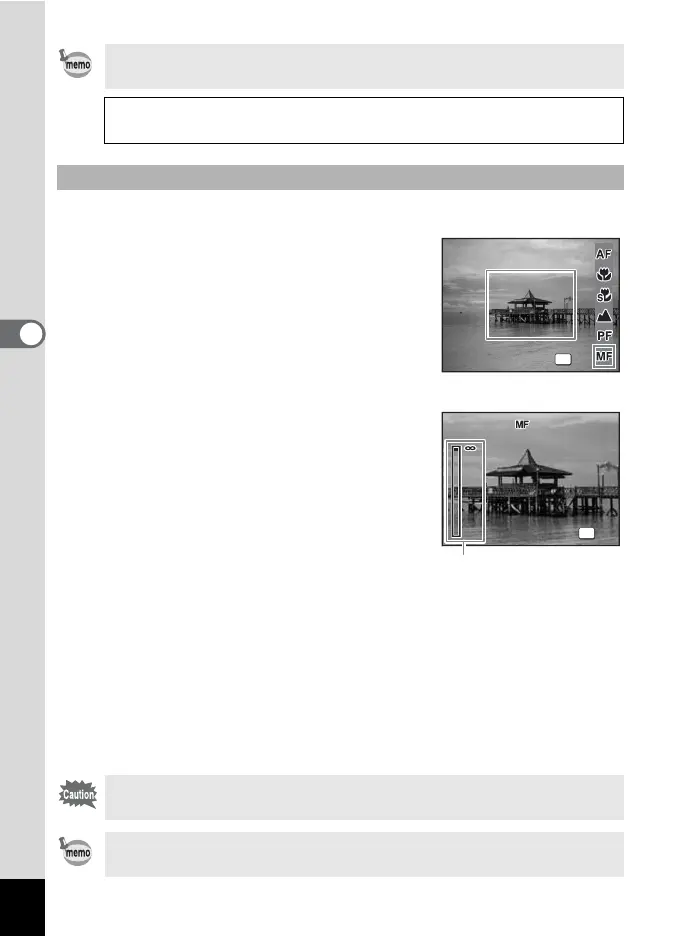
The procedure for setting the focus manually (\) is described below.
1 Press the four-way controller (5)
in A mode.
2
Use the four-way controller (
5
) to
select
\
and press the
4
button.
The central portion of the image is
magnified to fill the screen of the LCD
monitor when focusing.
3 Press the four-way controller
(23).
The \ indicator appears on the LCD
monitor to indicate the approximate
distance to the subject. Use the four-way
controller (23) to adjust the focus using
the indicator as a guide.
2 : for distant focus
3 : for closer focus
4 Press the 4 button.
The focus is fixed and the camera returns to capture status.
The focus position is fixed five seconds after you remove your finger
from the four-way controller.
After the focus is fixed, you can press the four-way controller (5) again
to display the \ indicator and readjust the focus using the four-way
controller (23).
In s mode, you can only select =, q and r.
Manual Focus 1p.80
Saving the Focus Mode 1p.96
Manual Focus
Shooting mode and drive mode cannot be changed while adjusting
\.
To switch from \ to another focus mode, press the four-way
controller (5) while the \ indicator is displayed.
Focus Mode
Focus Mode
Manual Focus
Manual Focus
OK
OK
OK
OK
OK
OK
2
55
1m
1m
\ indicator



 To Next Page