56
Taking Pictures
4
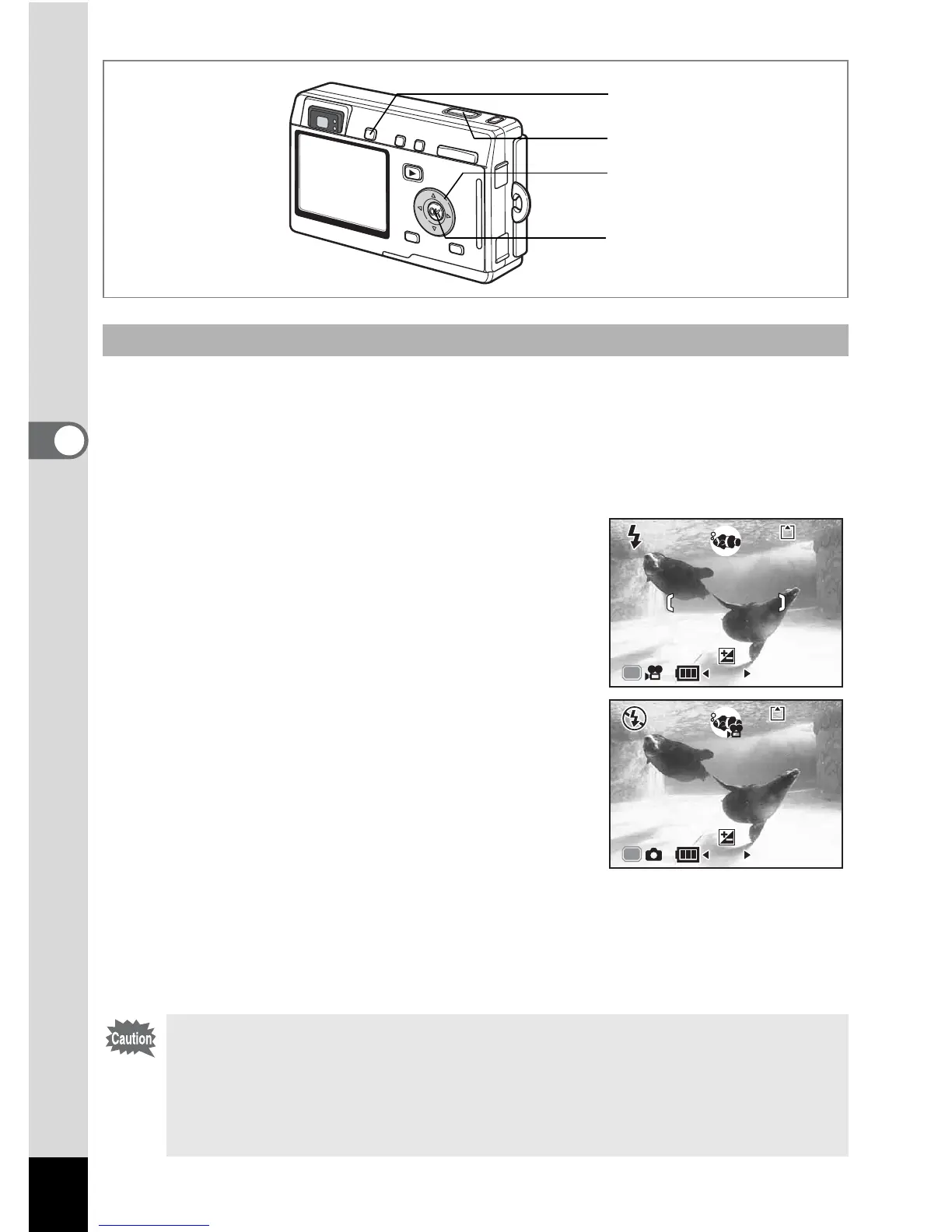
1 Press the four-way controller (3) in Capture mode.
The Mode Palette appears.
2 Use the four-way controller (2345) to select
M (Marine mode).
3 Press the OK button.
The Marine Mode screen appears.
4 Press the QUICK button.
The camera switches to N (Marine Movie
mode). Press the QUICK button again to
return to M (Marine mode).
5 Press the shutter release button.
Shooting starts.
You can change the size of the image using
the zoom button.
6 Press the shutter release button.
Shooting stops.
Taking Underwater Movies (Marine Movie Mode)
• Sound cannot be recorded with marine movies.
• In Marine mode, the QUICK button is used solely to switch
between Marine mode and Marine Movie mode. In any mode other
than Marine mode, pressing the QUICK button activates the
function set on [QUICK Button] on the [B Set-up] menu. (1p.128)
4
3
1, 2
5, 6
2
12:00




 To Next Page