Page | 13
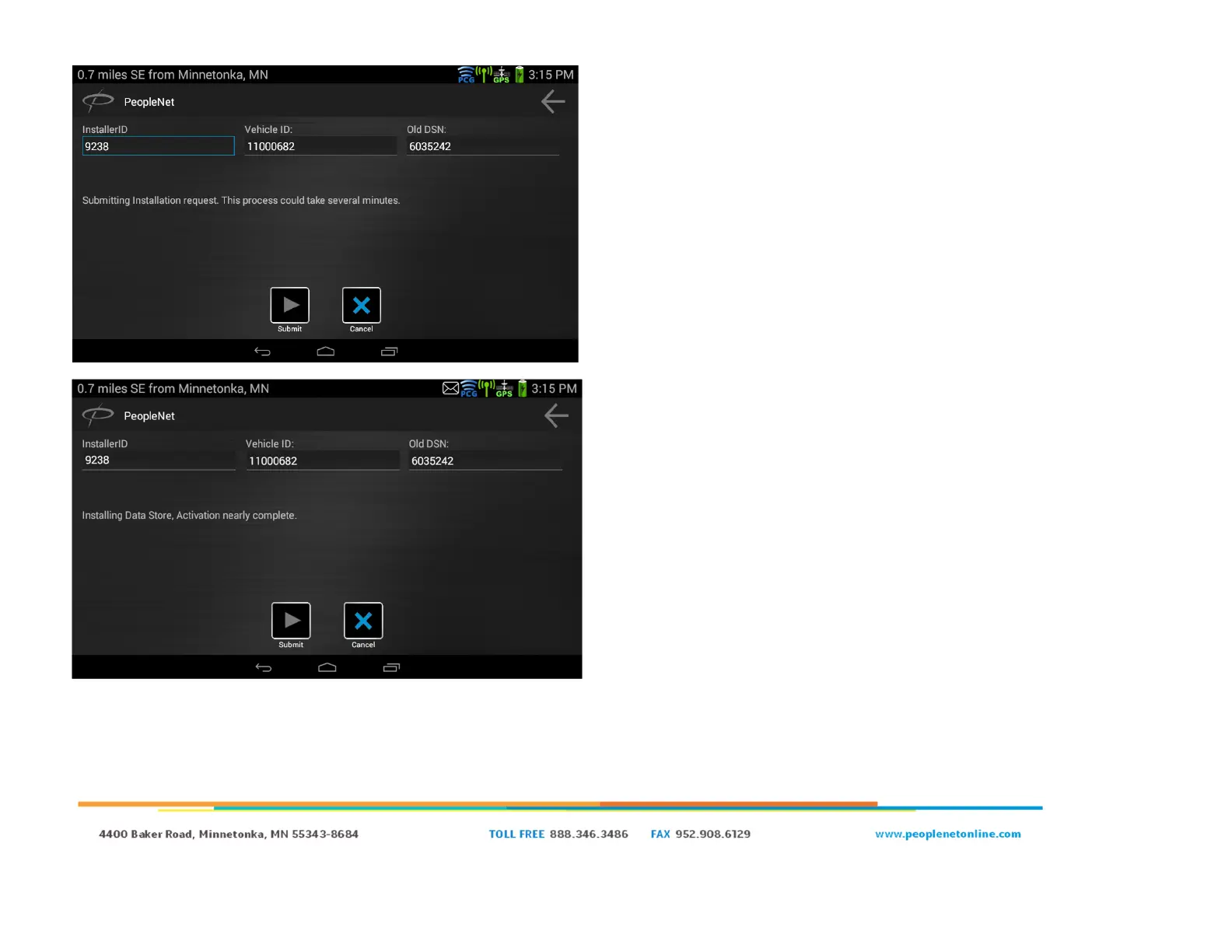
● After clicking “Submit” you will see “Submitting Installation
request. This process could take several minutes” and the
Submit button will be grayed out.
○ If you get an error code at this part and you clicked “yes,
this is a new installation”, verify that the truck number
you’re trying to use is not already in use, and you should
have selected “no, this is not a new installation”.
○ If you get an error code at this part and you clicked “no,
this is not a new installation”, verify that the truck number
used does already exist, and the correct DSN was
entered into the Old DSN field.
● Once you see “Installing Data Store, Activation nearly
complete,” your installation request was accepted by the PFM
and has gone through.


 To Next Page