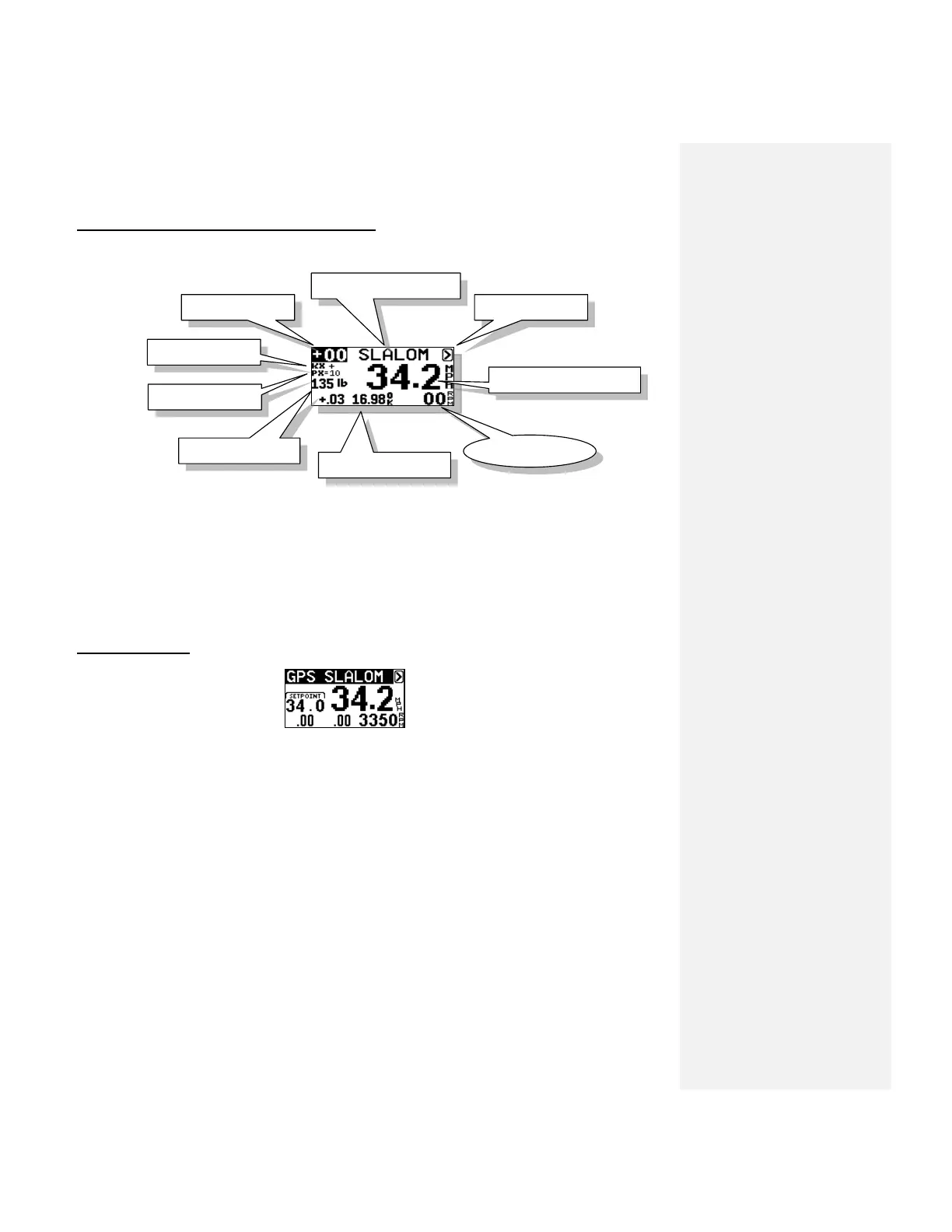
USING CLASSIC MODE (Non GPS Enhanced)
Step.1 Select speed and enter weight of crew. (Highlight slalom heading & press DOWN key).
Step.2 Enter the Skiers Weight on screen.
Step.3 Tow skier through course.
Step.4 At the end of course, review times and if slow or fast, use the RPM Adjust in upper left
hand corner to tweak speed. (ie: More rpm if slow, less if fast)
SIMPLE SLALOM
Slalom Mode
1. Select Slalom Mode. Simply set your speed and go.
2. If you wish to time your passes in a slalom course, you must “MAP” the course.
3. You can select speeds in 1 mph (1.5 kph) increments. The official speeds in MPH are: 24.9,
26.7, 28.6, 30.4, 32.3, 34.2, 36.0
4. The only adjustment to the pull is a value called “Pull Factor” found by highlighting the Menu
Arrow > in upper right corner, then press UP KEY. The word SLALOM is now highlighted, press
DOWN KEY for “Pull Factor”. Standard is 50, a higher value is more aggressive. (Range is 25–
100). We do not expect that you will need to adjust this.
5. Timing – If you “MAP” your course, the screen will show your Ball 3 and full course times as
you exit the course.



 To Next Page