Section 7. COURSE MAPPING (NO MAGNET TIMING)
(Older Smart Timers should be disconnected from Master Module – If Present)
Watch this on video under “Support” at www.perfectpass.com
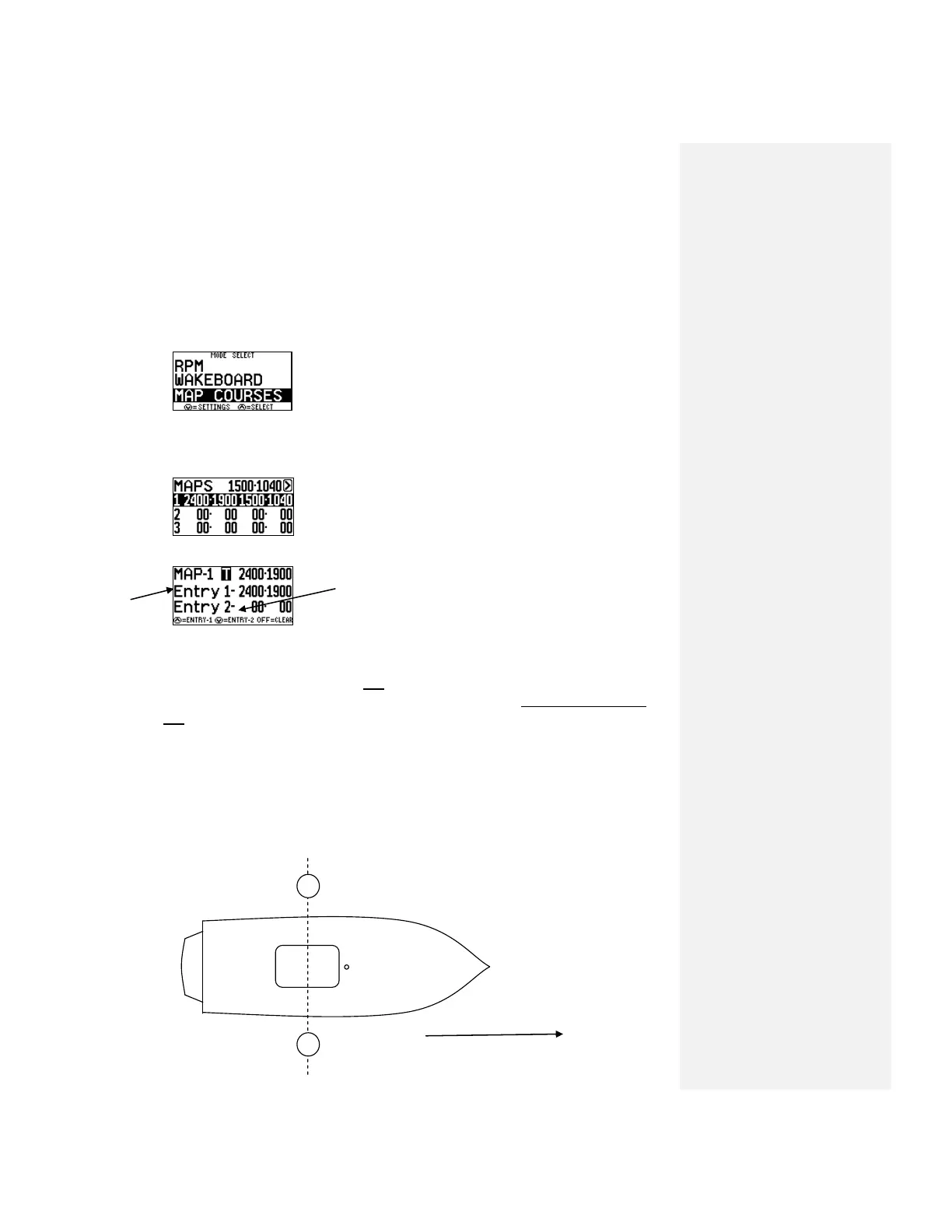
Step. 1 Locate “Map Courses” on your screen which is one of the event modes. “Slalom,
Jump, Trick, RPM Mode, Wakeboard, Map Courses”.
Highlight “Map Courses” and press Up to Enter.
Step. 2 You will see where you have the ability to Map Three (3) Courses. To enter the
coordinates for the first course highlight line 1. Press the UP Key to select Course 1.
Highlight the course you wish to map & press UP to
select.
UP Key at DOWN Key at Entrance in opposite direction Entrance
(Entry 1) (Entry 2)
Note: Only the entrance gates from each direction will be “mapped”.
Step. 3 Starting at one end of the course, idle the boat towards and through the entrance
gates. As you pass through the gates and the gate buoys are parallel to the engine
box, press the UP KEY. (Entry 1) The display will beep to confirm coordinates are
locked. (See Figure A).
Drive to the other end of the course, turn boat around and idle back through the
entrance gates into the course and press the DOWN KEY (Entry 2) as the gate buoys
pass the engine box. The display will beep.
(If you made an error you can simply repeat the procedure, press the UP or DOWN
KEY again and it will overwrite the original coordinates).
Figure A
Course #1 is now
Mapped and you are finished.



 To Next Page