Section 6. WAKEBOARD MODE
USING WAKEBOARD MODE
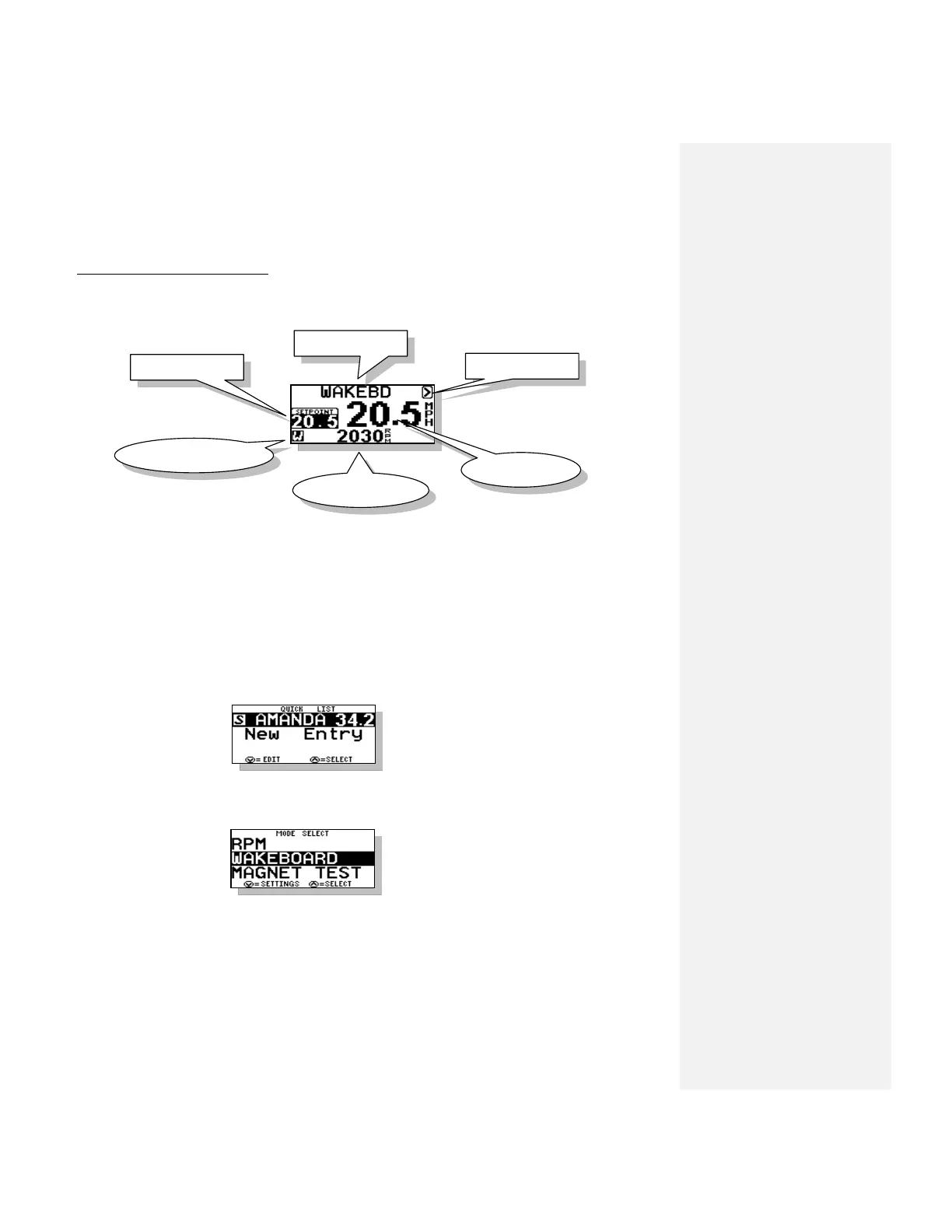
This is a speed-based mode using the GPS Data to control similar to the TRICK mode. The Main
Wakeboard Screen will appear as follows:
1. SETPOINT
The speed at which would like the boat to engage and control. This number is adjusted in
0.25 mph (0.5 kph) increments. It can be adjusted while engaged (“on the fly”), or before it is
engaged.
2. Name/Mode/Crew
This section of the screen displays either the Mode Name or a Skier’s Name pulled from the
Name List.
Press UP key to access the Name List:
Name List is discussed in Section 8.
3. Menu Arrow
Press UP key to change modes or mode settings:
As mentioned above this allows you to
change modes and mode settings.



 To Next Page