Operation
With the router properly installed on the router table, you will be able to operate the router using
the router table switch box. The switch on the router table has a switch lock safety feature. If the
lock is not in place, the router table switch will not operate. Push the switch lock into the switch or
pull on the switch lock to remove it from the switch.
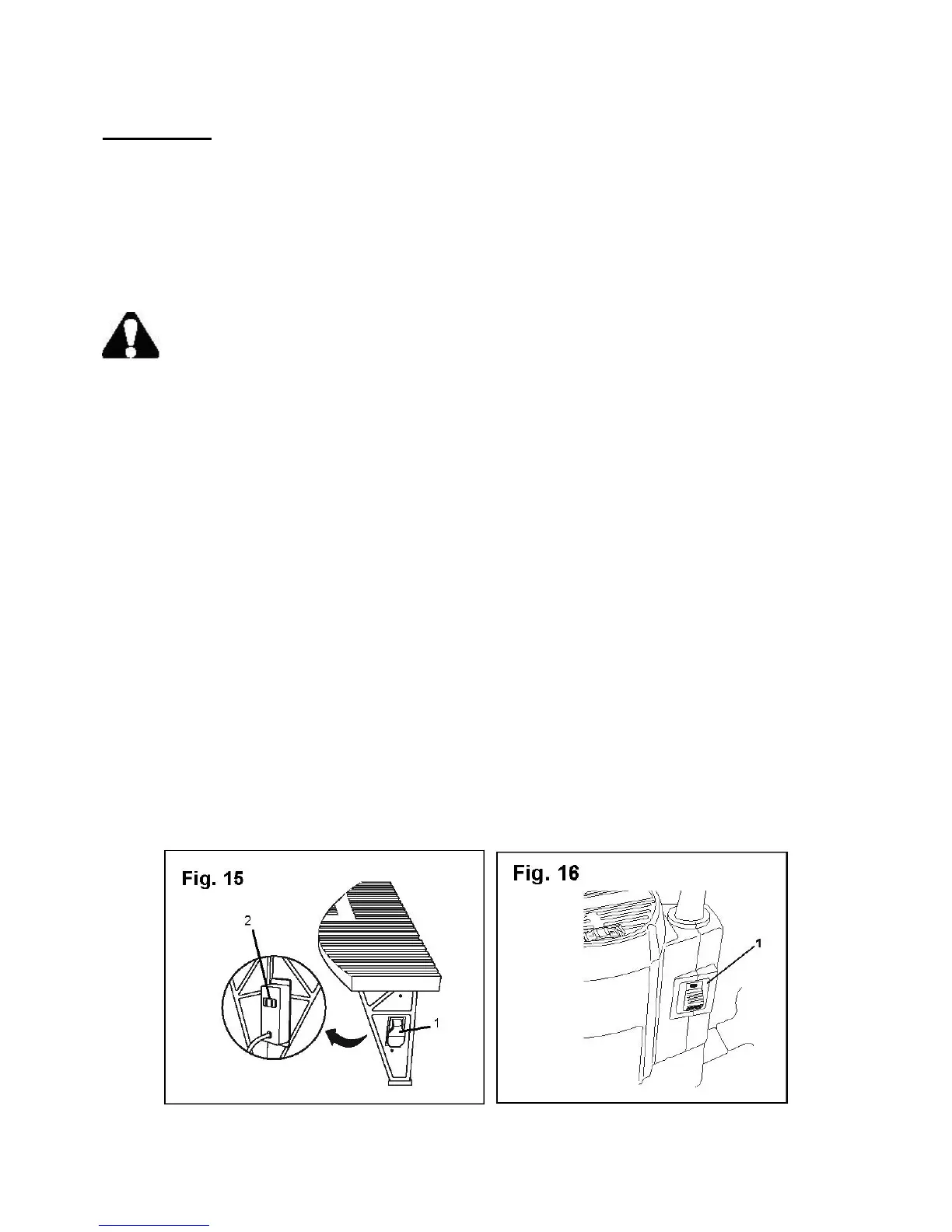
Plug in the router (Fig. 15)
WARNING: Always wear safety goggles or safety glasses with side shields when
operating your router. Failure to do so could result in objects being thrown into your eyes, resulting
in serious injury.
1. Make sure the safety lock (1) is inserted in the router table switch and the switch is in the OFF
(down) position.
2. Make sure the router switch is in the OFF (O) position. 2
3. Plug the router into the outlet (2) on the rear of the switch box.
4. Secure the router power cord so that it does not interfere with the operation of the router.
5. Plug the router table power cord into an AC power outlet.
Turn on the router (Fig. 16)
Once the router is properly installed and connected to the router table, you will be able to use the
safety switch on the router table to turn the router on and off.
1. Make sure the safety lock is inserted in the router table switch and the router table switch is in
OFF (down) position.
2. Make sure the switch (1) on the router is in the OFF (O) position.
3. Make sure the router is plugged into the outlet on the router table switch box.
4. Make sure the router table power cord into an AC wall outlet.
5. Slide the router switch to the ON (I) position.
6. Flip the router table switch to the ON (up) position to turn on and operate the router.
7. Flip the router table switch to the OFF (down) position to turn off the router.
17



 To Next Page