| www.phanteks.com
INSTALLATION GUIDE
VERSION 1.0
01
up to 360
INSTRUCTIONS
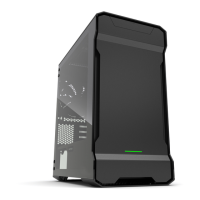
Thank you for choosing Phanteks. This manual will guide you
through the installation process of the Eclipse G500A chassis. If
you have any questions, please contact us through our customer
service or social media.
This manual is for the following models:
PH-EC500GA_DBK01A
PH-EC500GA_DMW01A
PH-EC500GA_BBK01
PH-EC500GA_DBK01B
D-RGB Satin Black
D-RGB Matte White
Performance
D-RGB Fanless
3x 140mm D-RGB Fans Black
3x 140mm D-RGB Fans White
4x 140mm Fans Black
No Fans
Phanteks will not take responsibility for any damages incurred due to incorrect
installation or usage of this product.
G500A | D-RGB
G500A | PERFORMANCE & D-RGB FANLESS
SSD + MOTHERBOARD
SCREW
22X
STANDOFF REMOVAL
TOOL
1X
MOTHERBOARD
STAND-OFF
1X
PSU SCREW
7x
THUMB SCREW
12x
FAN SCREW
8x
RISER CABLE SCREW
3x
CASE SCREW
6x
M25-140MM FAN
depending on model
ANTI-SAG BRACKET
1x
VERTICAL GPU MOUNT
1x
ZIP TIE
6x
2.5” SSD BRACKET
3x pre-installed
3.5” HDD BRACKET
2x pre-installed
FRONT TOP REAR CLEARANCEFANS
RADIATOR
120mm
120mm
3x
up to 360
3x 1x
up to 120
3x
up to 420
3x
up to 280
1x
up to 140
140mm
140mm
CPU Cooler Height
GPU Length
Power Supply
Front Panel Fan
Front 360 Radiator
Top 360 Radiator
Front 420 Radiator
185 mm
435 mm
250 mm
195mm If all 4 bottom HDD positions used
33 mm Behind front panel
95 mm
70 mm
142 x 475 mm
MODES COLORS
Press and hold the MODE button for two seconds to turn
off LEDs, press again to turn it ON
NOTE | D-RGB control buttons are deactivated when connected to a motherboard.
SOLID
BREATHING
SPARKLE
MUTLI-COLOR
TURN OFF LEDs
HDD LOCKING SCREW
8x
RESET BUTTON
USB C 3.1
POWER BUTTON
POWER BUTTON
USB 3.0
AUDIO / MIC
MODE BUTTON
COLOR BUTTON
USB C 3.1
USB 3.0
AUDIO / MIC
INCLUDED ACCESSORIES FRONT I/O
D-RGB CONTROLS
FAN & RADIATOR SUPPORT
Only applicable for the following models:
PH-EC500GA_DBK01A & PH-EC500GA_DMW01A

 Need help?







 To Next Page
 General