25
TEMPERATURE RECORDER (OPTION)
Setting of MTR-G85C
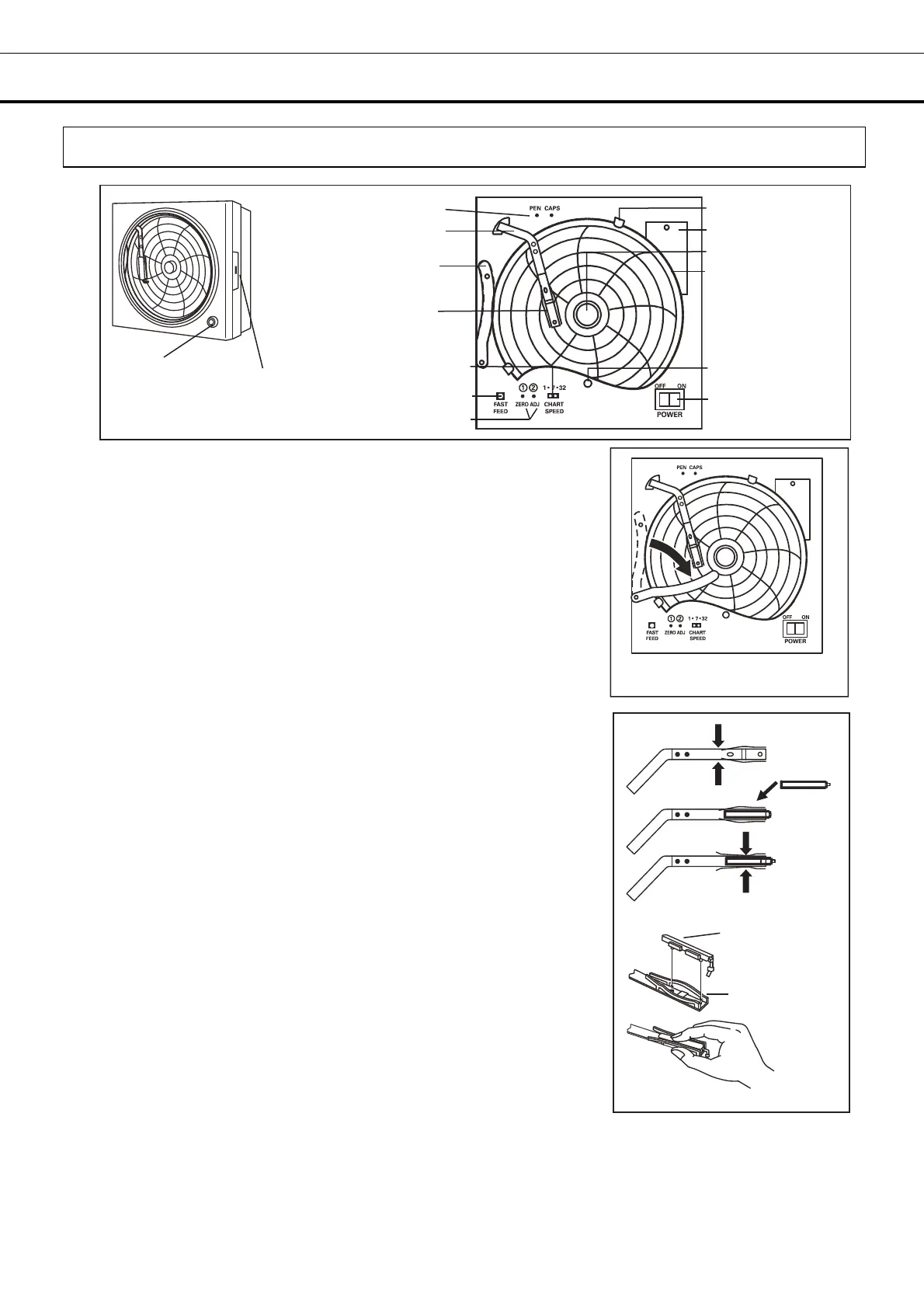
Loading the ink pen:
1. Slightly raise the end of the pen lifter and remove from the pen lifter
stopper. Then rotate clockwise as shown in Fig. 1.
2. Remove the ink pen from the bag and remove its cap. The cap
can be conveniently kept on the pen cap holder located at the upper
left corner.
NOTE: Loading an ink pen, turn the power OFF and then ON again to
return to the normal mode. (Refer to Fig. 2 when loading an ink pen.)
3. Press both sides of the pen arm as indicated by the arrows to open
the head clamp at A and B. (See to Fig. 2 illustration 1)
4. Position the ink pen so that the guide pins fit into the guide holes
on the pen arm. (See to Fig. 2 illustration 2)
5. Press the two sides of the head clamp as indicated by the arrows to
secure the ink pen. (See to Fig. 2 illustration 3) From the side view,
the ink pen should fit perfectly on the arm. Confirm that the pen arm
is attached to both sides of the ink pen.
6. After loading the ink pen, return the pen lifter to the original position.
Confirm that the pen lifter has securely entered the pen lifter stopper.
Fig. 2
Ink pen
Ink pen
Pen arm
1
2
3
B
A
Fig. 1
Open cover
latch
Key lock
Pen arm
Pen lifter
Ink pen
Chart guides
Back-up battery
Power switch
Chart hub cover
Recording paper
Pilot lamp
Zero adjustment screw
Fast feed button
Paper speed selector
Pen cap holder


 To Next Page