EasyManua.ls Logo

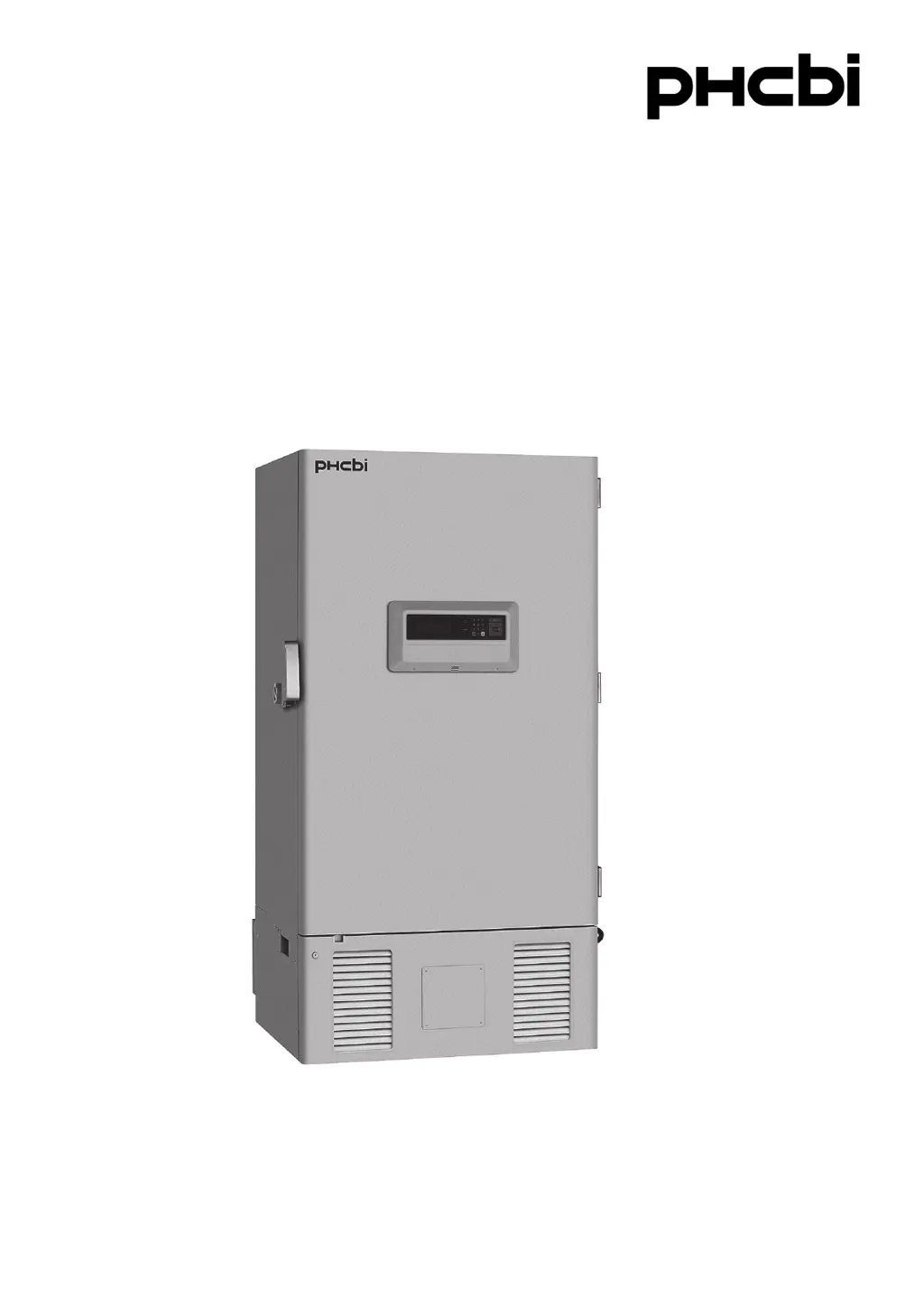
Phcbi MDF-U700VX Series - User Manual

Phcbi MDF-U700VX Series
52 pages
Print Icon
To Next Page IconTo Next Page
Loading...
MDF-U700VX
MDF-U700VXC Series
Please read the operating instructions carefully before using this product, and keep the operating
instructions for future use.
See page 45 for all model numbers.
Operating Instructions
Ultra-Low Temperature Freezer

Questions and Answers

Summary

Introduction to the Ultra-Low Temperature Freezer

Important Notice and Copyright Information

Details important notices regarding product warranty and reproduction of manual content.

Safety Precautions: Symbols and Hazard Warnings

Understanding Safety Symbols

Explains the meaning of warning, caution, prohibition, and instruction symbols.

Specific Hazard Warnings (CO2 Gas)

Addresses potential oxygen depletion from CO2 gas and ventilation requirements.

Safety Precautions: Electrical and Installation

Outdoor Use and Water Exposure Warnings

Warns against outdoor use and water exposure to prevent electric shock.

Grounding and Power Connection Safety

Emphasizes proper grounding and connecting to the correct power source.

Safety Precautions: Operation and Handling

Safe Handling of Power Cords and Unit

Details safe practices for power cords, unit modification, and unplugging.

Child Safety and Disposal Precautions

Covers child safety during storage and proper unit disposal procedures.

Safety Precautions: Usage and Environment

Dedicated Circuit and Power Source Use

Stresses using dedicated circuits and power sources to prevent overheating.

Storage and Item Placement Guidelines

Advises against storing corrosive substances and overloading the chamber.

Environmental Operating Conditions

Indoor Use and Altitude Requirements

Specifies indoor use requirement and maximum altitude for safe operation.

Temperature, Humidity, and Voltage Fluctuations

Details acceptable ambient temperature, humidity, and voltage fluctuation ranges.

Freezer Components Overview

Exterior Component Identification Diagram

Illustrates and labels the external components of the ultra-low temperature freezer.

Control Panel and Remote Alarm Terminal

Shows the control panel layout and remote alarm terminal connections on the unit.

Detailed Component Descriptions

Control Panel Functions and Buttons

Remote Alarm Terminal Functionality

Contact Output Specifications

Details the terminal specifications and normal/abnormal status for remote alarm output.

Alarm Buzzer and Power Disconnection Notes

Explains buzzer silencing and alarm activation upon power disconnection.

Air Intake Port Operation and Cleaning

Opening Inner Door Mechanism

Describes the process to equalize pressure for easier inner door opening.

Frost Removal Warning

Warns against using sharp tools for frost removal from the air intake port.

Recommended Installation Site Conditions

Sunlight, Ventilation, and Heat Sources

Guidelines on avoiding direct sunlight, ensuring ventilation, and keeping away from heat sources.

Floor Stability and Humidity Control

Emphasizes sturdy, level floors and low humidity to prevent tipping and electrical issues.

Flammable Gas and Falling Object Avoidance

Advises against installing in locations with flammable gas or where objects might fall.

Step-by-Step Freezer Installation Guide

Packaging Removal and Initial Cleaning

Instructions for removing packaging, cleaning the unit, and checking the power cord.

Leveling, Fixing, and Grounding Procedures

Details on adjusting leveling feet, securing the unit, and proper electrical grounding.

Branch Circuit Breaker and Shelf Setup

Guidance on connecting to a dedicated circuit breaker and correctly installing shelves.

Initial Unit Start-Up Procedure

Power and Battery Switch Activation

Steps for turning on the unit, battery switch, and handling initial alarms.

Temperature Setting and Article Loading

Instructions for setting the desired temperature and loading articles into the chamber.

Power Failure Operation and Recovery

Monitoring Temperature During Power Loss

How to check chamber temperature using the buzzer stop key during a power failure.

Battery Replacement and Operation Check

Guidance on battery maintenance for alarms and resuming operation after power restoration.

Running Operation: Temperature and Alarm Setup

Setting Chamber Temperature

Procedure for setting the desired chamber temperature within the operational range.

Configuring High and Low Temperature Alarms

Setting the upper and lower temperature thresholds for alarm activation.

Adjusting Alarm Delay and Buzzer Ring Back

Configuring delay times for alarms and the duration of the buzzer's intermittent tone.

Activating Key Lock Function

Enabling the key lock to prevent unauthorized changes to settings.

Chamber Temperature Setting Procedure

High and Low Temperature Alarm Setting

Alarm Delay Time Configuration

Alarm Buzzer Ring Back Setting

Key Lock Function Activation

Key Lock Release Procedure

Log Data Display and 1-Day PC Transmission

Displaying 1-Day Chamber Temperature Log

Procedure to view the past 1-day temperature data as a graph.

Transmitting 1-Day Log Data to PC

Steps to transmit recorded 1-day temperature data to a personal computer.

Log Data Transmission and Management

Transmitting All Log Data to PC

Procedure for transmitting all recorded temperature data (up to 5 weeks) to a PC.

Log Data Clearing and Automatic Management

Information on clearing log data and how full log data is automatically managed.

PC Setting for Log Data Transmission

Accessing Various Settings (Tools Menu)

Navigating the Tools Menu Options

Guide on how to access the Tools menu from the top screen for various settings.

Initialization and Default Settings Configuration

System Initialization Parameters

Details on default settings for LCD color, DAQ, remote alarm, and control mode.

Date, Time, and Log Interval Setup

Configuring the unit's date, time, log interval, and compressor delay times.

Setting Date and Time

Setting Door Alarm Delay Time

Setting Log Interval

Changing Compressor Delay Time

Setting Key Lock Password

Alarm Buzzer Operation and Types

Temperature Alarm Buzzer Behavior

Explains temperature alarms, delay, ring back, and buzzer stop functionality.

Door Alarm Buzzer Behavior

Describes the door alarm buzzer's intermittent tone and stop conditions.

Operation Monitor System Status

Monitoring Abnormal Ambient Temperature

Detects and indicates abnormal ambient temperatures and suggests remedies.

Monitoring Low Voltage and Overload Conditions

Indicates low voltage and overload conditions, providing troubleshooting advice.

Alarm and Safety Function List

Temperature and Power Failure Alarms

Details indications, buzzers, and safety operations for temp. and power failure alarms.

Communication, Door, and Memory Functions

Describes communication errors, door alarms, operation memory, and key lock.

Battery and Fan Motor Status Alerts

Alerts for battery replacement and fan motor maintenance based on operating hours.

Sensor and Component Abnormality Alerts

Sensor Abnormality Detection Details

Covers errors related to thermal, condenser, and ambient temperature sensors.

Battery, Condenser, and Fan Motor Issues

Details alerts for battery switch, condenser temperature, and fan motor failures.

Cooling Circuit Abnormality Notifications

Indicates issues with cooling circuits A and B, triggering remote alarms.

Routine Maintenance: Cabinet Cleaning and Defrosting

Cleaning the Freezer Cabinet

Instructions for monthly cleaning of the unit's exterior and interior surfaces.

Defrosting the Inside Wall

Procedure for removing frost buildup from the chamber walls and inner door.

Routine Maintenance: Air Intake Port Cleaning

Temperature Calibration Service

Power Failure Alarm Battery Replacement

Troubleshooting Common Malfunctions

Unit Not Operating or Alarm System Issues

Checks for power supply, fuse issues, and remedies for alarm system activation.

Poor Cooling and Exterior Dew Issues

Troubleshooting steps for inadequate cooling and condensation on the unit exterior.

Unit Disposal and Battery Recycling

Safety Warning for Unused Units

Precautions for storing units unused, ensuring child safety and door security.

Battery Recycling Information

Provides information on recycling nickel-metal hydride batteries, especially for USA/Canada.

Decontamination Before Disposal

Instructions for decontaminating the unit before disposal, especially if biohazardous.

Optional Temperature Recorder Details

Optional Backup Cooling Kit Features

Backup Cooling Kit Operation and Testing

Explains the switch, test function, temperature setting, and standby lamp for the backup kit.

Small Inner Door Option Description

Information about the optional small inner door and its effect on cooling performance.

Optional Inventory Rack Installation Guide

Ultra-Low Temperature Freezer Specifications

Product Name, Dimensions, and Capacity

Details product name, external and internal dimensions, and effective capacity.

Component and Material Specifications

Lists specifications for exterior, interior, insulation, compressor, and refrigerant.

Controller, Alarm, Battery, and Accessories

Details temperature controller, alarm types, remote alarm contact, battery, and accessories.

Weight, Voltage Booster, and Optional Components

Provides weight, voltage booster information, and a list of optional components.

Freezer Performance Characteristics

MDF-U700 VX Model Performance Data

Details cooling performance, temperature control range, voltage, and power for MDF-U700VX.

MDF-U700 VXC Model Performance Data

Details cooling performance, temperature control range, voltage, and power for MDF-U700VXC.

Safety Check Sheet for Servicing

Freezer Contents and Contamination Check Form

Form to record freezer contents (hazardous materials) and unit contamination status.

Safe Repair, Maintenance, and Disposal Guidelines

Guidelines for ensuring unit safety before repair, maintenance, or disposal.

Summary

Introduction to the Ultra-Low Temperature Freezer

Important Notice and Copyright Information

Details important notices regarding product warranty and reproduction of manual content.

Safety Precautions: Symbols and Hazard Warnings

Understanding Safety Symbols

Explains the meaning of warning, caution, prohibition, and instruction symbols.

Specific Hazard Warnings (CO2 Gas)

Addresses potential oxygen depletion from CO2 gas and ventilation requirements.

Safety Precautions: Electrical and Installation

Outdoor Use and Water Exposure Warnings

Warns against outdoor use and water exposure to prevent electric shock.

Grounding and Power Connection Safety

Emphasizes proper grounding and connecting to the correct power source.

Safety Precautions: Operation and Handling

Safe Handling of Power Cords and Unit

Details safe practices for power cords, unit modification, and unplugging.

Child Safety and Disposal Precautions

Covers child safety during storage and proper unit disposal procedures.

Safety Precautions: Usage and Environment

Dedicated Circuit and Power Source Use

Stresses using dedicated circuits and power sources to prevent overheating.

Storage and Item Placement Guidelines

Advises against storing corrosive substances and overloading the chamber.

Environmental Operating Conditions

Indoor Use and Altitude Requirements

Specifies indoor use requirement and maximum altitude for safe operation.

Temperature, Humidity, and Voltage Fluctuations

Details acceptable ambient temperature, humidity, and voltage fluctuation ranges.

Freezer Components Overview

Exterior Component Identification Diagram

Illustrates and labels the external components of the ultra-low temperature freezer.

Control Panel and Remote Alarm Terminal

Shows the control panel layout and remote alarm terminal connections on the unit.

Detailed Component Descriptions

Control Panel Functions and Buttons

Remote Alarm Terminal Functionality

Contact Output Specifications

Details the terminal specifications and normal/abnormal status for remote alarm output.

Alarm Buzzer and Power Disconnection Notes

Explains buzzer silencing and alarm activation upon power disconnection.

Air Intake Port Operation and Cleaning

Opening Inner Door Mechanism

Describes the process to equalize pressure for easier inner door opening.

Frost Removal Warning

Warns against using sharp tools for frost removal from the air intake port.

Recommended Installation Site Conditions

Sunlight, Ventilation, and Heat Sources

Guidelines on avoiding direct sunlight, ensuring ventilation, and keeping away from heat sources.

Floor Stability and Humidity Control

Emphasizes sturdy, level floors and low humidity to prevent tipping and electrical issues.

Flammable Gas and Falling Object Avoidance

Advises against installing in locations with flammable gas or where objects might fall.

Step-by-Step Freezer Installation Guide

Packaging Removal and Initial Cleaning

Instructions for removing packaging, cleaning the unit, and checking the power cord.

Leveling, Fixing, and Grounding Procedures

Details on adjusting leveling feet, securing the unit, and proper electrical grounding.

Branch Circuit Breaker and Shelf Setup

Guidance on connecting to a dedicated circuit breaker and correctly installing shelves.

Initial Unit Start-Up Procedure

Power and Battery Switch Activation

Steps for turning on the unit, battery switch, and handling initial alarms.

Temperature Setting and Article Loading

Instructions for setting the desired temperature and loading articles into the chamber.

Power Failure Operation and Recovery

Monitoring Temperature During Power Loss

How to check chamber temperature using the buzzer stop key during a power failure.

Battery Replacement and Operation Check

Guidance on battery maintenance for alarms and resuming operation after power restoration.

Running Operation: Temperature and Alarm Setup

Setting Chamber Temperature

Procedure for setting the desired chamber temperature within the operational range.

Configuring High and Low Temperature Alarms

Setting the upper and lower temperature thresholds for alarm activation.

Adjusting Alarm Delay and Buzzer Ring Back

Configuring delay times for alarms and the duration of the buzzer's intermittent tone.

Activating Key Lock Function

Enabling the key lock to prevent unauthorized changes to settings.

Chamber Temperature Setting Procedure

High and Low Temperature Alarm Setting

Alarm Delay Time Configuration

Alarm Buzzer Ring Back Setting

Key Lock Function Activation

Key Lock Release Procedure

Log Data Display and 1-Day PC Transmission

Displaying 1-Day Chamber Temperature Log

Procedure to view the past 1-day temperature data as a graph.

Transmitting 1-Day Log Data to PC

Steps to transmit recorded 1-day temperature data to a personal computer.

Log Data Transmission and Management

Transmitting All Log Data to PC

Procedure for transmitting all recorded temperature data (up to 5 weeks) to a PC.

Log Data Clearing and Automatic Management

Information on clearing log data and how full log data is automatically managed.

PC Setting for Log Data Transmission

Accessing Various Settings (Tools Menu)

Navigating the Tools Menu Options

Guide on how to access the Tools menu from the top screen for various settings.

Initialization and Default Settings Configuration

System Initialization Parameters

Details on default settings for LCD color, DAQ, remote alarm, and control mode.

Date, Time, and Log Interval Setup

Configuring the unit's date, time, log interval, and compressor delay times.

Setting Date and Time

Setting Door Alarm Delay Time

Setting Log Interval

Changing Compressor Delay Time

Setting Key Lock Password

Alarm Buzzer Operation and Types

Temperature Alarm Buzzer Behavior

Explains temperature alarms, delay, ring back, and buzzer stop functionality.

Door Alarm Buzzer Behavior

Describes the door alarm buzzer's intermittent tone and stop conditions.

Operation Monitor System Status

Monitoring Abnormal Ambient Temperature

Detects and indicates abnormal ambient temperatures and suggests remedies.

Monitoring Low Voltage and Overload Conditions

Indicates low voltage and overload conditions, providing troubleshooting advice.

Alarm and Safety Function List

Temperature and Power Failure Alarms

Details indications, buzzers, and safety operations for temp. and power failure alarms.

Communication, Door, and Memory Functions

Describes communication errors, door alarms, operation memory, and key lock.

Battery and Fan Motor Status Alerts

Alerts for battery replacement and fan motor maintenance based on operating hours.

Sensor and Component Abnormality Alerts

Sensor Abnormality Detection Details

Covers errors related to thermal, condenser, and ambient temperature sensors.

Battery, Condenser, and Fan Motor Issues

Details alerts for battery switch, condenser temperature, and fan motor failures.

Cooling Circuit Abnormality Notifications

Indicates issues with cooling circuits A and B, triggering remote alarms.

Routine Maintenance: Cabinet Cleaning and Defrosting

Cleaning the Freezer Cabinet

Instructions for monthly cleaning of the unit's exterior and interior surfaces.

Defrosting the Inside Wall

Procedure for removing frost buildup from the chamber walls and inner door.

Routine Maintenance: Air Intake Port Cleaning

Temperature Calibration Service

Power Failure Alarm Battery Replacement

Troubleshooting Common Malfunctions

Unit Not Operating or Alarm System Issues

Checks for power supply, fuse issues, and remedies for alarm system activation.

Poor Cooling and Exterior Dew Issues

Troubleshooting steps for inadequate cooling and condensation on the unit exterior.

Unit Disposal and Battery Recycling

Safety Warning for Unused Units

Precautions for storing units unused, ensuring child safety and door security.

Battery Recycling Information

Provides information on recycling nickel-metal hydride batteries, especially for USA/Canada.

Decontamination Before Disposal

Instructions for decontaminating the unit before disposal, especially if biohazardous.

Optional Temperature Recorder Details

Optional Backup Cooling Kit Features

Backup Cooling Kit Operation and Testing

Explains the switch, test function, temperature setting, and standby lamp for the backup kit.

Small Inner Door Option Description

Information about the optional small inner door and its effect on cooling performance.

Optional Inventory Rack Installation Guide

Ultra-Low Temperature Freezer Specifications

Product Name, Dimensions, and Capacity

Details product name, external and internal dimensions, and effective capacity.

Component and Material Specifications

Lists specifications for exterior, interior, insulation, compressor, and refrigerant.

Controller, Alarm, Battery, and Accessories

Details temperature controller, alarm types, remote alarm contact, battery, and accessories.

Weight, Voltage Booster, and Optional Components

Provides weight, voltage booster information, and a list of optional components.

Freezer Performance Characteristics

MDF-U700 VX Model Performance Data

Details cooling performance, temperature control range, voltage, and power for MDF-U700VX.

MDF-U700 VXC Model Performance Data

Details cooling performance, temperature control range, voltage, and power for MDF-U700VXC.

Safety Check Sheet for Servicing

Freezer Contents and Contamination Check Form

Form to record freezer contents (hazardous materials) and unit contamination status.

Safe Repair, Maintenance, and Disposal Guidelines

Guidelines for ensuring unit safety before repair, maintenance, or disposal.

Phcbi MDF-U700VX Series Specifications

General IconGeneral
ModelMDF-U700VX Series
CategoryFreezer
Temperature Range-50°C to -86°C
TypeUpright
Capacity700 L
Power Supply220-240V, 50/60Hz
InsulationPolyurethane

Related product manuals