To Next Page
T
Thomas BurnsSep 4, 2025
What does A31 mean on a Phcbi MDF-DU503VH?
- JJoseph DaviesSep 4, 2025
A31 alarm on your Phcbi Freezer indicates Fan motor 2 failure.

What does A31 mean on a Phcbi MDF-DU503VH?
A31 alarm on your Phcbi Freezer indicates Fan motor 2 failure.
What does A20 mean on a Phcbi MDF-DU503VH?
The A20 Door Lock Error on your Phcbi Freezer means that the outer door has been opened without unlocking (logging in) while electrically locked. You will hear an intermittent tone and see a red blinking light.
What does A15 mean on a Phcbi Freezer?
A15 alarm on your Phcbi Freezer indicates that the cascade temperature has risen during the activation of high temp. alarm.
What does A14 mean on a Phcbi Freezer?
A14 alarm on your Phcbi Freezer means that the thermal sensor has been short-circuited.
What does A12 mean on a Phcbi MDF-DU503VH Freezer?
A12 alarm on your Phcbi Freezer indicates that communication between LCD touch panel and control substrate is unstable.
What does A07 mean on a Phcbi Freezer?
A07 alarm on your Phcbi Freezer indicates a compressor control failure due to communication failure with L side inverter.
What does A06 mean on a Phcbi MDF-DU503VH?
A06 alarm on your Phcbi Freezer indicates a compressor control failure due to communication failure with H side inverter.
What does A33 mean on a Phcbi Freezer?
A33 alarm on your Phcbi Freezer indicates Fan motor 4 failure.
What does A32 mean on a Phcbi MDF-DU503VH?
A32 alarm on your Phcbi Freezer indicates Fan motor 3 failure.
What to do if the Phcbi MDF-DU503VH cooling performance is significantly degraded?
If the cooling performance of your Phcbi freezer has significantly degraded, immediately protect your stored samples by transferring them to another freezer, unless the cause is clear and the chamber temperature can be recovered soon. Turn off the power switch and contact our sales representative or agent.
Important safety advice and warnings for using the freezer safely and correctly.
Step-by-step instructions for properly installing the freezer unit.
Procedure for initial test run and starting the freezer operation.
Step-by-step guide to enable and configure the security mode.
Instructions for disabling and turning off the security mode.
Managing user accounts, including creation, viewing, and modification.
Details on the electric lock function and user login/logout methods.
Configuration options for the electric lock and login/logout methods.
Procedures for logging into the freezer using various methods via the login button.
Setting temperature, high/low alarms, and other basic operational parameters.
Functionality and settings for locking the screen to prevent unauthorized access.
Exporting user account and freezer settings to a USB flash drive.
Importing user account data from a USB flash drive.
Importing freezer setting data from a USB flash drive.
Information on alarm messages, types, and their meanings.
Recommended regular cleaning and maintenance procedures.
Guidelines for replacing consumable parts like batteries.
Instructions for replacing the power failure alarm battery.
Instructions for replacing the backup cooling system battery.
Common problems and their solutions for troubleshooting the freezer.
 General
| Category | Freezer |
|---|---|
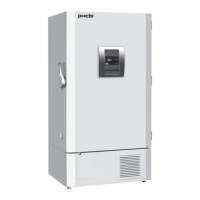
| Model | MDF-DU503VH |
| Brand | Phcbi |
| Type | Upright Freezer |
| Number of Doors | 1 |
| Defrost System | Manual |
| Certification | CE, UL |
| Power Supply | 220-240V, 50/60 Hz |