EasyManua.ls Logo

Phcbi MDF-DU300H - User Manual

Phcbi MDF-DU300H
48 pages
Print Icon
To Next Page IconTo Next Page
Loading...
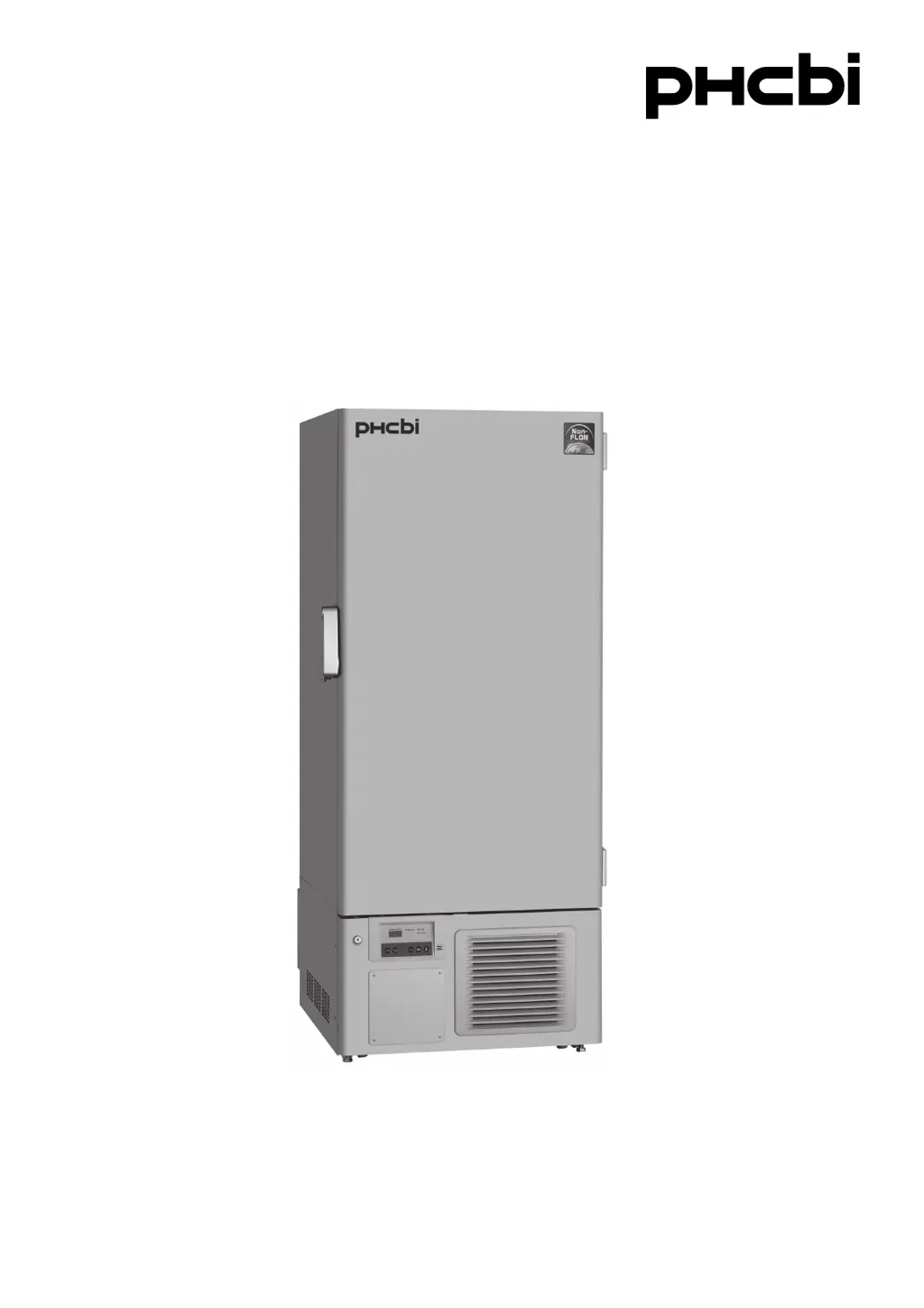
MDF-DU300H
Please read the operating instructions carefully before using this product, and keep the operating
instructions for future use.
See page 43 for model number.
Operating Instructions
Ultra-Low Temperature Freezer

Questions and Answers

Summary

Introduction and Important Notice

Important Notice

Provides a disclaimer regarding product guarantees and responsibilities.

Precautions for Safe Operation

General Warnings and Cautions

Covers warnings about hazards, caution signs, and symbol meanings.

Electrical and Handling Precautions

Details warnings related to outdoor use, electrical connections, and handling.

Environmental and Usage Precautions

Covers warnings on water, flammable substances, storage, and disposal.

Installation and Electrical Cautions

Provides cautions for dedicated circuits, power sources, and unit stability.

Unit Labels and Symbols

Warning Labels on the Unit

Explains various warning and caution labels found on the freezer.

Unit Symbols Explained

Describes the meaning of safety and operational symbols on the unit.

Environmental Conditions and Intended Use

Environmental Conditions for Operation

Specifies the required indoor operating environment for the equipment.

Intended Use and Storage Precautions

Outlines the equipment's purpose and storage guidelines for various samples.

Freezer Components Overview

Main Freezer Unit Components

Identifies and illustrates the primary physical parts of the freezer unit.

Control Panel Description

Explains the function of each button and indicator on the control panel.

Installation Site and Procedures

Installation Site Requirements

Lists conditions for selecting a suitable installation location for the unit.

Unit Installation Steps

Details the process of unpacking and installing the freezer unit.

Shelf Installation

Guides on how to install the shelves securely within the freezer chamber.

Unit Start-Up and Operation

Initial Unit Start-Up Procedure

Step-by-step instructions for the initial operation of the freezer.

Important Start-Up Notes

Key considerations and warnings during the initial start-up phase.

Temperature Settings and Lock

Chamber Temperature Setting

Procedure for setting and adjusting the internal chamber temperature.

Locking Chamber Temperature Settings

How to enable or disable the keypad lock for temperature settings.

Alarm Temperature Settings

High Temperature Alarm Setting

Configuration for the high temperature alarm threshold.

Low Temperature Alarm Setting

Configuration for the low temperature alarm threshold.

Alarm Buzzer and Compressor Settings

Ringback Time for Alarm Buzzer

Setting the duration before a silenced alarm buzzer reactivates.

Compressor Delay Time Setting

Adjusting the delay for compressor start-up after power restoration.

Alarm and Operation Controls

Remote Alarm Terminal Functionality

Details on connecting and using the remote alarm terminal.

Operation Check After Power Recovery

Guidelines for verifying unit operation after a power failure.

Alarm and Safety Functions

Unit Alarm Functions Overview

Lists and explains the various alarm conditions and indicators.

Safety Functions and Indicators

Describes built-in safety features and their related indicators.

Self-Diagnostic Functions

Sensor Abnormality Detection

Identifies errors related to temperature and other sensors.

Battery and Condenser Issues

Explains diagnostics for battery checks and condenser abnormalities.

Routine Maintenance

Cleaning Procedures

Instructions for cleaning the unit's exterior, interior, and accessories.

Condenser Filter Maintenance

Guide for cleaning the condenser filter to ensure optimal performance.

Defrosting of Inside Wall

Procedure for removing frost buildup from the freezer chamber.

Calibration Procedure

Annual Temperature Calibration

Information on performing annual temperature calibration.

Replacement of Wear-Out Parts

Battery Replacement for Power Failure Alarm

Guidance on replacing the battery for the power failure alarm.

Fan Motor Replacement

Instructions for replacing the cooling fan motor.

Troubleshooting Common Issues

Malfunction Checks and Remedies

Common issues and their potential solutions before calling service.

Unit Disposal and Recycling

General Disposal Warnings

Safety warnings and procedures for storing and disposing of the unit.

Battery Recycling and Unit Decontamination

Guidelines for recycling batteries and decontaminating the unit.

Temperature Recorder (Optional Component)

Temperature Recorder Specifications

Overview of the main specifications for optional temperature recorders.

MTR-G85 C Recorder Components

Identifies and explains the parts of the MTR-G85C temperature recorder.

Loading the Pen Cartridge

Step-by-step guide for installing a new pen cartridge.

Setting the Start Time and Replacing Chart

Procedures for setting chart start time and replacing the recording chart.

MTR-85 H Recorder Components

Identifies and explains the parts of the MTR-85H temperature recorder.

Loading the Recording Paper

Instructions for installing the strip-type recording paper.

Replacing the Dry Cell Battery

Procedure for replacing the dry cell battery in the recorder.

Optional Accessories

Backup Cooling Kit Usage

Information on the functionality and usage of the backup cooling kit.

Inventory Rack Installation

Guidance on installing the optional inventory rack and shelf stoppers.

Specifications and Performance

Key Product Specifications

Lists essential technical specifications of the freezer.

Performance Data

Details on cooling performance, temperature range, and noise level.

EMC Performance Standards

Information on electromagnetic compatibility standards.

Safety Check Sheet

Pre-Service Safety Checklist

A form for checking unit safety before servicing or maintenance.

Summary

Introduction and Important Notice

Important Notice

Provides a disclaimer regarding product guarantees and responsibilities.

Precautions for Safe Operation

General Warnings and Cautions

Covers warnings about hazards, caution signs, and symbol meanings.

Electrical and Handling Precautions

Details warnings related to outdoor use, electrical connections, and handling.

Environmental and Usage Precautions

Covers warnings on water, flammable substances, storage, and disposal.

Installation and Electrical Cautions

Provides cautions for dedicated circuits, power sources, and unit stability.

Unit Labels and Symbols

Warning Labels on the Unit

Explains various warning and caution labels found on the freezer.

Unit Symbols Explained

Describes the meaning of safety and operational symbols on the unit.

Environmental Conditions and Intended Use

Environmental Conditions for Operation

Specifies the required indoor operating environment for the equipment.

Intended Use and Storage Precautions

Outlines the equipment's purpose and storage guidelines for various samples.

Freezer Components Overview

Main Freezer Unit Components

Identifies and illustrates the primary physical parts of the freezer unit.

Control Panel Description

Explains the function of each button and indicator on the control panel.

Installation Site and Procedures

Installation Site Requirements

Lists conditions for selecting a suitable installation location for the unit.

Unit Installation Steps

Details the process of unpacking and installing the freezer unit.

Shelf Installation

Guides on how to install the shelves securely within the freezer chamber.

Unit Start-Up and Operation

Initial Unit Start-Up Procedure

Step-by-step instructions for the initial operation of the freezer.

Important Start-Up Notes

Key considerations and warnings during the initial start-up phase.

Temperature Settings and Lock

Chamber Temperature Setting

Procedure for setting and adjusting the internal chamber temperature.

Locking Chamber Temperature Settings

How to enable or disable the keypad lock for temperature settings.

Alarm Temperature Settings

High Temperature Alarm Setting

Configuration for the high temperature alarm threshold.

Low Temperature Alarm Setting

Configuration for the low temperature alarm threshold.

Alarm Buzzer and Compressor Settings

Ringback Time for Alarm Buzzer

Setting the duration before a silenced alarm buzzer reactivates.

Compressor Delay Time Setting

Adjusting the delay for compressor start-up after power restoration.

Alarm and Operation Controls

Remote Alarm Terminal Functionality

Details on connecting and using the remote alarm terminal.

Operation Check After Power Recovery

Guidelines for verifying unit operation after a power failure.

Alarm and Safety Functions

Unit Alarm Functions Overview

Lists and explains the various alarm conditions and indicators.

Safety Functions and Indicators

Describes built-in safety features and their related indicators.

Self-Diagnostic Functions

Sensor Abnormality Detection

Identifies errors related to temperature and other sensors.

Battery and Condenser Issues

Explains diagnostics for battery checks and condenser abnormalities.

Routine Maintenance

Cleaning Procedures

Instructions for cleaning the unit's exterior, interior, and accessories.

Condenser Filter Maintenance

Guide for cleaning the condenser filter to ensure optimal performance.

Defrosting of Inside Wall

Procedure for removing frost buildup from the freezer chamber.

Calibration Procedure

Annual Temperature Calibration

Information on performing annual temperature calibration.

Replacement of Wear-Out Parts

Battery Replacement for Power Failure Alarm

Guidance on replacing the battery for the power failure alarm.

Fan Motor Replacement

Instructions for replacing the cooling fan motor.

Troubleshooting Common Issues

Malfunction Checks and Remedies

Common issues and their potential solutions before calling service.

Unit Disposal and Recycling

General Disposal Warnings

Safety warnings and procedures for storing and disposing of the unit.

Battery Recycling and Unit Decontamination

Guidelines for recycling batteries and decontaminating the unit.

Temperature Recorder (Optional Component)

Temperature Recorder Specifications

Overview of the main specifications for optional temperature recorders.

MTR-G85 C Recorder Components

Identifies and explains the parts of the MTR-G85C temperature recorder.

Loading the Pen Cartridge

Step-by-step guide for installing a new pen cartridge.

Setting the Start Time and Replacing Chart

Procedures for setting chart start time and replacing the recording chart.

MTR-85 H Recorder Components

Identifies and explains the parts of the MTR-85H temperature recorder.

Loading the Recording Paper

Instructions for installing the strip-type recording paper.

Replacing the Dry Cell Battery

Procedure for replacing the dry cell battery in the recorder.

Optional Accessories

Backup Cooling Kit Usage

Information on the functionality and usage of the backup cooling kit.

Inventory Rack Installation

Guidance on installing the optional inventory rack and shelf stoppers.

Specifications and Performance

Key Product Specifications

Lists essential technical specifications of the freezer.

Performance Data

Details on cooling performance, temperature range, and noise level.

EMC Performance Standards

Information on electromagnetic compatibility standards.

Safety Check Sheet

Pre-Service Safety Checklist

A form for checking unit safety before servicing or maintenance.

Phcbi MDF-DU300H Specifications

General IconGeneral
BrandPhcbi
ModelMDF-DU300H
CategoryFreezer
LanguageEnglish

Related product manuals