EasyManua.ls Logo

Phcbi MDF-DU702VH - User Manual

Phcbi MDF-DU702VH
60 pages
Print Icon
To Next Page IconTo Next Page
Loading...
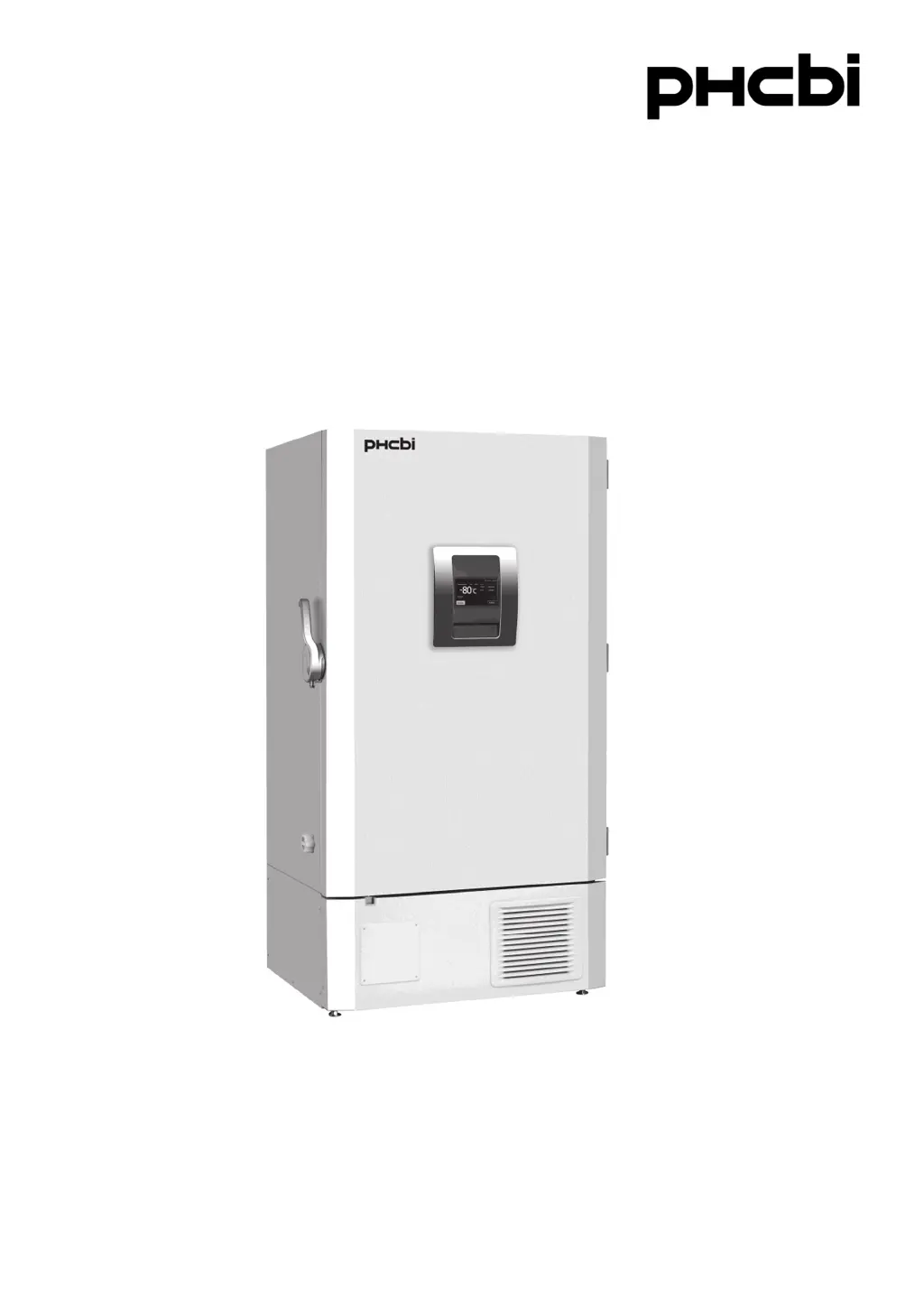
MDF-DU702VH
MDF-DU502VH
Please read the operating instructions carefully before using this product, and keep the operating
instructions for future use.
See page 58 for all model numbers.
Operating Instructions
Ultra-Low Temperature Freezer
MDF-DU702VH

Questions and Answers

Summary

Introduction to the Ultra-Low Temperature Freezer

Important Notice Regarding Product Use

Important notice regarding product warranty and PHC Corporation's responsibility for product contents.

Intended Use of the Freezer

Describes the equipment's purpose for low temperature storage of biomedical samples.

Precautions for Safe Operation

Understanding Hazard Symbols

Explains the meaning of Warning and Caution signs and hazard symbols used in the manual.

California Proposition 65 Battery Notice

Notice about the presence of a CR Coin Cell Lithium Battery containing Perchlorate Material.

Symbols Used on the Unit

Explanation of Unit Symbols

Explains the meaning of symbols attached to the unit for safety and operation.

Environmental Conditions for Operation

Required Operating Environment

Details the required indoor conditions for safe and optimal operation of the equipment.

Freezer Components Overview

Main Body Components

Illustrates and labels the main external and internal components of the freezer unit.

Detailed Component Descriptions

Provides detailed explanations for each numbered component of the freezer unit.

LCD Touch Panel Display Elements

Identifies and explains the various fields and indicators shown on the LCD touch panel's top screen.

LCD Touch Panel Operation Keys

Explains the function of message display fields and operational keys on the LCD touch panel.

Remote Alarm Terminal Functionality

Describes the connection and behavior of the remote alarm terminal for external notifications.

Manual Air Intake Port Adjustment

Details the procedure for adjusting the manual air intake port to ease outer door opening.

Installation Site Requirements

Criteria for Site Selection

Lists essential conditions for selecting an appropriate installation location to ensure performance and safety.

Installation Procedures

Unpacking and Securing the Unit

Outlines steps for unpacking, cleaning, securing, and leveling the freezer unit.

Electrical Safety and Shelving Setup

Explains earthing procedures, shelf installation, and the need for an earth leakage circuit breaker.

Start-Up Procedure

Initial Operation Steps

Provides a step-by-step guide for powering on and initiating the freezer's operation.

During and After Power Failure

Unit Behavior During Power Outage

Describes the unit's behavior and alarms when a power failure occurs.

Resuming Operation After Power Recovery

Explains how the unit resumes operation after a power interruption and potential settings adjustments.

Basic Operation on LCD Touch Panel

Navigating the Menu Screen

Illustrates how to navigate through the main menu and access various functions via the LCD touch panel.

Basic Parameters Configuration

Inputting Numerical Values

Details the process of entering numerical data using the LCD touch panel's input windows.

Inputting Alphanumeric Characters

Explains how to input text and alphanumeric characters using the touch panel's keyboard.

Setting Temperature and Alarms

Guides on setting the chamber temperature, high alarm, and low alarm thresholds.

Operation Control Mode Settings

Describes how to configure operational parameters like compressor delay time.

Key Lock Management

Covers setting, configuring passwords, and removing the key lock feature.

Alarm Parameters Configuration

Configuring Alarm Behavior Settings

Details how to set alarm delays, ring back, and remote alarm notification parameters.

Operation and Alarm Log Management

Setting Log Interval

Configure the frequency for saving operation and alarm log data.

Displaying and Graphing Operation Logs

Guides on viewing saved operation log data and its graphical representation.

Exporting Operation Logs to USB

Explains the process of exporting operation log data to a USB memory device.

Displaying and Exporting Alarm Logs

Guides on viewing saved alarm log data and exporting it to USB.

Other Operational Parameters

Setting Date and Time

Explains how to set the internal clock and date on the freezer's control panel.

Setting Brightness and Sleep Mode

Details how to adjust the LCD panel's brightness and configure the sleep function.

Alarms and Self-Diagnosis

Warning Messages and Situations

Lists warning messages, their corresponding situations, buzzer, and alarm/safety responses.

Status Messages and Door Alarms

Explains status messages like Temp Control Risk and door open alarms, including their causes.

Alarm Buzzer and Ring Back Behavior

Details how the buzzer and ring back functions behave when interacting with alarms.

Routine Maintenance Procedures

Cleaning Exterior, Interior, and Accessories

Provides instructions on how to clean the freezer's exterior, interior, and accessories safely.

Cleaning Manual Air Intake Port

Details the procedure for cleaning frost and ice from the manual air intake port.

Cleaning the Condenser Filter

Explains how to clean the condenser filter to maintain cooling performance and compressor life.

Defrosting the Chamber

Provides instructions for defrosting the freezer chamber when excessive frost accumulates.

Temperature Calibration

Outlines the requirement for annual temperature calibration and how to arrange it.

Replacement of Worn-Out Parts

Replacing Power Failure Alarm Battery

Details the procedure and safety precautions for replacing the battery for the power failure alarm.

Replacing Backup Cooling Kit Battery

Explains how to replace the battery for the backup cooling kit, including safety warnings.

Troubleshooting Common Issues

Malfunctions and Recommended Remedies

Lists common unit malfunctions and provides checks and remedies before contacting service.

Disposal of the Unit

Guidelines for Safe Unit Disposal

Provides warnings and guidelines for the safe and appropriate disposal of the unit.

Battery Recycling Information

Offers information and contact details for recycling batteries, specifically for USA and Canada.

Optional Components and Accessories

Temperature Recorder Installation

Describes the optional temperature recorder and its installation requirements.

Small Inner Doors

Details the optional small inner doors and their impact on cooling performance and rack usage.

Inventory Rack Usage

Explains the utility of optional inventory racks and shelf adjustment needs.

Back-up Cooling Kit Functionality

Explains the operation, settings, and duration of the optional backup cooling kit.

Technical Specifications

Product Specifications Overview

Lists detailed technical specifications for both MDF-DU502VH and MDF-DU702VH models.

Performance Characteristics

Performance Data and Environment

Presents performance metrics like cooling performance, temperature ranges, and usable environment conditions.

Safety Check Sheet for Servicing

Pre-Servicing Safety Checklist

A form to be filled before servicing to ensure safety for personnel and the unit.

Summary

Introduction to the Ultra-Low Temperature Freezer

Important Notice Regarding Product Use

Important notice regarding product warranty and PHC Corporation's responsibility for product contents.

Intended Use of the Freezer

Describes the equipment's purpose for low temperature storage of biomedical samples.

Precautions for Safe Operation

Understanding Hazard Symbols

Explains the meaning of Warning and Caution signs and hazard symbols used in the manual.

California Proposition 65 Battery Notice

Notice about the presence of a CR Coin Cell Lithium Battery containing Perchlorate Material.

Symbols Used on the Unit

Explanation of Unit Symbols

Explains the meaning of symbols attached to the unit for safety and operation.

Environmental Conditions for Operation

Required Operating Environment

Details the required indoor conditions for safe and optimal operation of the equipment.

Freezer Components Overview

Main Body Components

Illustrates and labels the main external and internal components of the freezer unit.

Detailed Component Descriptions

Provides detailed explanations for each numbered component of the freezer unit.

LCD Touch Panel Display Elements

Identifies and explains the various fields and indicators shown on the LCD touch panel's top screen.

LCD Touch Panel Operation Keys

Explains the function of message display fields and operational keys on the LCD touch panel.

Remote Alarm Terminal Functionality

Describes the connection and behavior of the remote alarm terminal for external notifications.

Manual Air Intake Port Adjustment

Details the procedure for adjusting the manual air intake port to ease outer door opening.

Installation Site Requirements

Criteria for Site Selection

Lists essential conditions for selecting an appropriate installation location to ensure performance and safety.

Installation Procedures

Unpacking and Securing the Unit

Outlines steps for unpacking, cleaning, securing, and leveling the freezer unit.

Electrical Safety and Shelving Setup

Explains earthing procedures, shelf installation, and the need for an earth leakage circuit breaker.

Start-Up Procedure

Initial Operation Steps

Provides a step-by-step guide for powering on and initiating the freezer's operation.

During and After Power Failure

Unit Behavior During Power Outage

Describes the unit's behavior and alarms when a power failure occurs.

Resuming Operation After Power Recovery

Explains how the unit resumes operation after a power interruption and potential settings adjustments.

Basic Operation on LCD Touch Panel

Navigating the Menu Screen

Illustrates how to navigate through the main menu and access various functions via the LCD touch panel.

Basic Parameters Configuration

Inputting Numerical Values

Details the process of entering numerical data using the LCD touch panel's input windows.

Inputting Alphanumeric Characters

Explains how to input text and alphanumeric characters using the touch panel's keyboard.

Setting Temperature and Alarms

Guides on setting the chamber temperature, high alarm, and low alarm thresholds.

Operation Control Mode Settings

Describes how to configure operational parameters like compressor delay time.

Key Lock Management

Covers setting, configuring passwords, and removing the key lock feature.

Alarm Parameters Configuration

Configuring Alarm Behavior Settings

Details how to set alarm delays, ring back, and remote alarm notification parameters.

Operation and Alarm Log Management

Setting Log Interval

Configure the frequency for saving operation and alarm log data.

Displaying and Graphing Operation Logs

Guides on viewing saved operation log data and its graphical representation.

Exporting Operation Logs to USB

Explains the process of exporting operation log data to a USB memory device.

Displaying and Exporting Alarm Logs

Guides on viewing saved alarm log data and exporting it to USB.

Other Operational Parameters

Setting Date and Time

Explains how to set the internal clock and date on the freezer's control panel.

Setting Brightness and Sleep Mode

Details how to adjust the LCD panel's brightness and configure the sleep function.

Alarms and Self-Diagnosis

Warning Messages and Situations

Lists warning messages, their corresponding situations, buzzer, and alarm/safety responses.

Status Messages and Door Alarms

Explains status messages like Temp Control Risk and door open alarms, including their causes.

Alarm Buzzer and Ring Back Behavior

Details how the buzzer and ring back functions behave when interacting with alarms.

Routine Maintenance Procedures

Cleaning Exterior, Interior, and Accessories

Provides instructions on how to clean the freezer's exterior, interior, and accessories safely.

Cleaning Manual Air Intake Port

Details the procedure for cleaning frost and ice from the manual air intake port.

Cleaning the Condenser Filter

Explains how to clean the condenser filter to maintain cooling performance and compressor life.

Defrosting the Chamber

Provides instructions for defrosting the freezer chamber when excessive frost accumulates.

Temperature Calibration

Outlines the requirement for annual temperature calibration and how to arrange it.

Replacement of Worn-Out Parts

Replacing Power Failure Alarm Battery

Details the procedure and safety precautions for replacing the battery for the power failure alarm.

Replacing Backup Cooling Kit Battery

Explains how to replace the battery for the backup cooling kit, including safety warnings.

Troubleshooting Common Issues

Malfunctions and Recommended Remedies

Lists common unit malfunctions and provides checks and remedies before contacting service.

Disposal of the Unit

Guidelines for Safe Unit Disposal

Provides warnings and guidelines for the safe and appropriate disposal of the unit.

Battery Recycling Information

Offers information and contact details for recycling batteries, specifically for USA and Canada.

Optional Components and Accessories

Temperature Recorder Installation

Describes the optional temperature recorder and its installation requirements.

Small Inner Doors

Details the optional small inner doors and their impact on cooling performance and rack usage.

Inventory Rack Usage

Explains the utility of optional inventory racks and shelf adjustment needs.

Back-up Cooling Kit Functionality

Explains the operation, settings, and duration of the optional backup cooling kit.

Technical Specifications

Product Specifications Overview

Lists detailed technical specifications for both MDF-DU502VH and MDF-DU702VH models.

Performance Characteristics

Performance Data and Environment

Presents performance metrics like cooling performance, temperature ranges, and usable environment conditions.

Safety Check Sheet for Servicing

Pre-Servicing Safety Checklist

A form to be filled before servicing to ensure safety for personnel and the unit.

Phcbi MDF-DU702VH Specifications

General IconGeneral
BrandPHCbi
ModelMDF-DU702VH
CategoryFreezer
TypeUpright Freezer
Power Supply220V/50Hz
RefrigerantR-404A

Related product manuals