EasyManua.ls Logo

Phcbi MDF-DU302VX - User Manual

Phcbi MDF-DU302VX
64 pages
Print Icon
To Next Page IconTo Next Page
Loading...
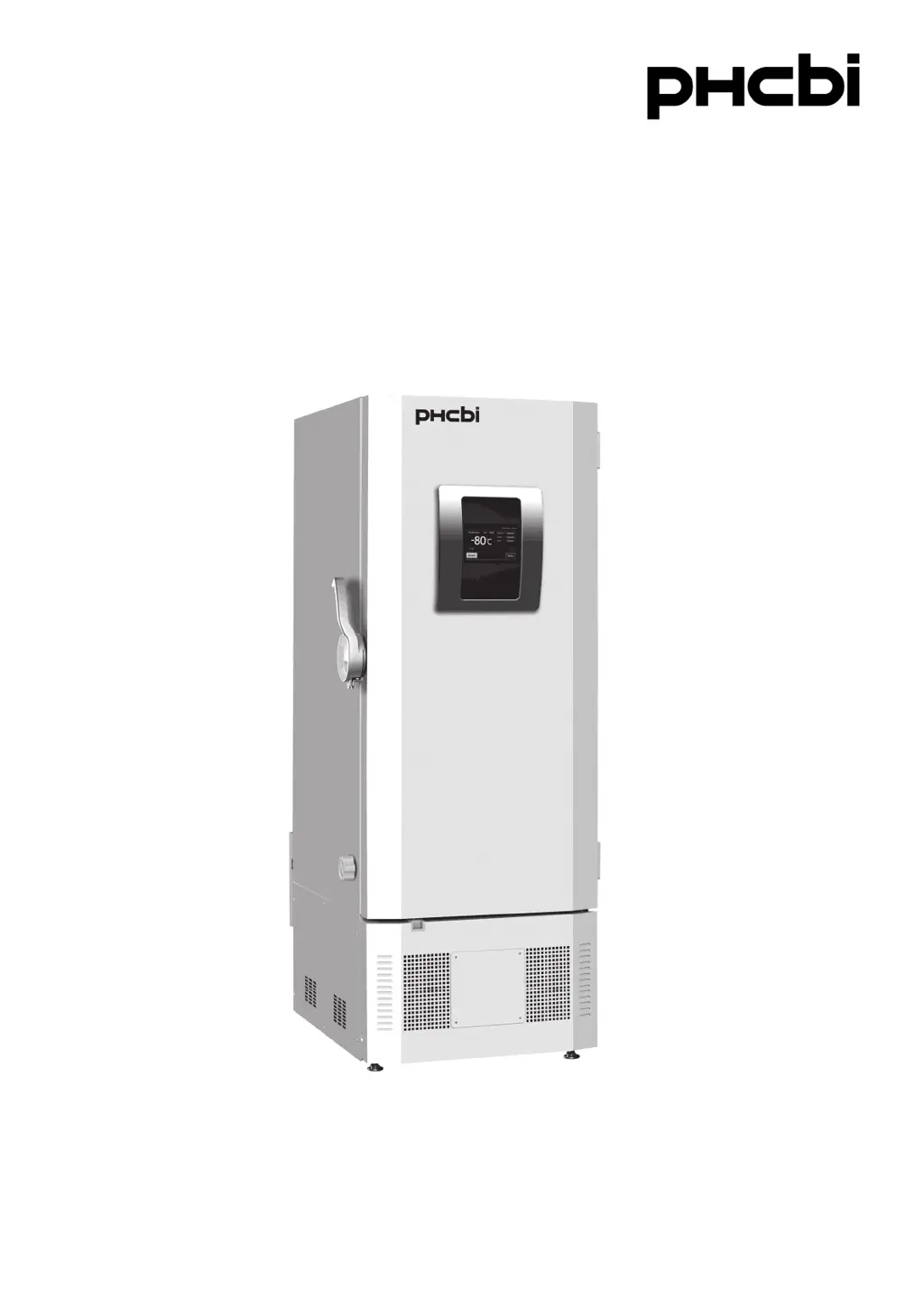
MDF-DU302VX
Please read the operating instructions carefully before using this product, and keep the operating
instructions for future use.
See page 62 for model number.
Operating Instructions
Ultra-Low Temperature Freezer

Questions and Answers

Summary

Introduction and Safety Notices

Introduction to Operating Instructions

General information and importance of reading the manual for safe operation.

Important Notice

Disclaimer regarding product warranty and liability for content damage.

Precautions for Safe Operation

General Safety Warnings

Essential safety advice and warnings for unit operation, including symbol meanings.

Installation and Environmental Safety

Precautions related to unit installation environment and electrical safety.

Operational Safety Guidelines

Safety instructions covering handling, maintenance, and power connections.

Handling and Refrigerant Safety

Warnings regarding unit movement, refrigerant handling, and CO2 gas safety.

Cautionary Operational Advice

Specific cautions for installation location, corrosive substances, and frost removal.

Symbols on Unit

Environmental and Usage Guidelines

Environmental Conditions for Operation

Specifies the required environmental conditions for safe and optimal operation.

Intended Use and Precautions

Details the product's intended use for low-temperature storage and related precautions.

Freezer Components

Main Body Overview

Illustrates and labels the primary physical components of the freezer unit.

Key Component Descriptions

Details important components like power switch, LCD panel, USB port, and alarm terminal.

LCD Touch Panel Interface

Explains the main display screen layout and basic information fields.

LCD Touch Panel Functions

Details specific keys, message display, and navigation on the LCD panel.

Remote Alarm and Air Intake Ports

Describes the remote alarm terminal and manual air intake port functions.

Installation Site Requirements

Installation Procedures

Preparations After Unpacking

Initial steps after removing the unit from its packaging, including cleaning.

Securing and Levelling the Unit

Instructions for stabilizing the unit using adjustable leveling feet and fixtures.

Earthing and Shelf Setup

Crucial steps for grounding the unit and positioning internal shelves.

Start-Up Procedure

During and After Power Failure

Operation During Power Failure

Describes the unit's behavior, alarms, and data saving during a power outage.

Operation After Power Recovery

Explains the unit's behavior and recovery process once power is restored.

Basic Operation on LCD Touch Panel

Basic Parameters

Numerical Input Method

Instructions for entering numerical data using the touch panel input window.

Alphanumeric Input Method

Detailed guide on entering text and special characters via the touch panel.

Setting Temperature and Alarms

Procedures for configuring temperature setpoints and alarm thresholds.

Operation Control Mode Settings

How to select between normal and eco operating modes.

Key Lock Configuration

Instructions for enabling and configuring the panel's key lock feature.

Key Lock Passwords Setup

Details on setting and managing release passwords for the key lock.

Key Lock Operation

Explains how to operate the key lock and handle incorrect password entries.

Removing Key Lock

Step-by-step guide to disabling the key lock function.

Alarm Parameters

Alarm Settings Configuration

How to access and adjust the parameters for unit alarms.

Alarm Delay and Related Functions

Explains alarm delay, door delay, ring back, and remote alarm settings.

Operation and Alarm Log Management

Setting Log Interval

How to configure the frequency for saving operational data.

Displaying Operation Logs

Procedures for viewing saved operational data and logs.

Viewing Operation Log Graphs

How to generate and view graphs of chamber temperature and door status.

Exporting Operation Logs

Steps to export logged operational data to a USB drive.

Selecting Operation Log Export Options

Choosing the time period and data types for export.

Finalizing Operation Log Export

Completing the export process and understanding file naming conventions.

Displaying Alarm Logs

Procedures for viewing saved alarm events and logs.

Filtering Alarm Logs by Date

How to filter and view alarm logs for specific periods.

Exporting Alarm Logs

Steps to export saved alarm data to a USB memory.

Selecting Alarm Log Export Options

Options for choosing the date range for alarm log export.

Finalizing Alarm Log Export

Completing the alarm log export and understanding file naming.

Other Parameters

Setting Date and Time

Guide on how to set the unit's internal clock and calendar.

Setting Brightness and Sleep

Adjusting display brightness and sleep mode settings.

Brightness and Sleep Settings Explained

Details on active and sleep mode brightness and sleep timer.

Alarms and Self-Diagnosis

LCD Touch Panel Alarm Messages

Lists and explains common alarm messages displayed on the touch panel.

Additional Alarm Status and Conditions

Covers further alarm status codes, situations, and their causes.

Alarm Behavior with Buzzer Key

Explains how the buzzer and remote alarm interact with key presses.

Routine Maintenance

Cleaning Procedures

Instructions for cleaning the exterior, interior, accessories, and air intake port.

Chamber Defrosting and Calibration

Steps for defrosting the chamber and performing temperature calibration.

Replacement of Worn-out Parts

Battery Replacement

Procedures for replacing power failure and backup cooling kit batteries.

Troubleshooting Common Issues

Disposal of Unit

Battery Recycling Information

Information on battery recycling compliance and regulations.

Disposal of Old Equipment and Batteries (English)

Explains disposal regulations for EU countries regarding electronics and batteries.

Optional Components

Temperature Recorder

Information on the optional temperature recording device and its specifications.

Inventory Rack

Details about optional inventory racks for organizing items inside the chamber.

Back-up Cooling Kit

Information on the optional backup cooling system using liquid CO2.

Specifications

Performance Characteristics

Safety Check Sheet

Summary

Introduction and Safety Notices

Introduction to Operating Instructions

General information and importance of reading the manual for safe operation.

Important Notice

Disclaimer regarding product warranty and liability for content damage.

Precautions for Safe Operation

General Safety Warnings

Essential safety advice and warnings for unit operation, including symbol meanings.

Installation and Environmental Safety

Precautions related to unit installation environment and electrical safety.

Operational Safety Guidelines

Safety instructions covering handling, maintenance, and power connections.

Handling and Refrigerant Safety

Warnings regarding unit movement, refrigerant handling, and CO2 gas safety.

Cautionary Operational Advice

Specific cautions for installation location, corrosive substances, and frost removal.

Symbols on Unit

Environmental and Usage Guidelines

Environmental Conditions for Operation

Specifies the required environmental conditions for safe and optimal operation.

Intended Use and Precautions

Details the product's intended use for low-temperature storage and related precautions.

Freezer Components

Main Body Overview

Illustrates and labels the primary physical components of the freezer unit.

Key Component Descriptions

Details important components like power switch, LCD panel, USB port, and alarm terminal.

LCD Touch Panel Interface

Explains the main display screen layout and basic information fields.

LCD Touch Panel Functions

Details specific keys, message display, and navigation on the LCD panel.

Remote Alarm and Air Intake Ports

Describes the remote alarm terminal and manual air intake port functions.

Installation Site Requirements

Installation Procedures

Preparations After Unpacking

Initial steps after removing the unit from its packaging, including cleaning.

Securing and Levelling the Unit

Instructions for stabilizing the unit using adjustable leveling feet and fixtures.

Earthing and Shelf Setup

Crucial steps for grounding the unit and positioning internal shelves.

Start-Up Procedure

During and After Power Failure

Operation During Power Failure

Describes the unit's behavior, alarms, and data saving during a power outage.

Operation After Power Recovery

Explains the unit's behavior and recovery process once power is restored.

Basic Operation on LCD Touch Panel

Basic Parameters

Numerical Input Method

Instructions for entering numerical data using the touch panel input window.

Alphanumeric Input Method

Detailed guide on entering text and special characters via the touch panel.

Setting Temperature and Alarms

Procedures for configuring temperature setpoints and alarm thresholds.

Operation Control Mode Settings

How to select between normal and eco operating modes.

Key Lock Configuration

Instructions for enabling and configuring the panel's key lock feature.

Key Lock Passwords Setup

Details on setting and managing release passwords for the key lock.

Key Lock Operation

Explains how to operate the key lock and handle incorrect password entries.

Removing Key Lock

Step-by-step guide to disabling the key lock function.

Alarm Parameters

Alarm Settings Configuration

How to access and adjust the parameters for unit alarms.

Alarm Delay and Related Functions

Explains alarm delay, door delay, ring back, and remote alarm settings.

Operation and Alarm Log Management

Setting Log Interval

How to configure the frequency for saving operational data.

Displaying Operation Logs

Procedures for viewing saved operational data and logs.

Viewing Operation Log Graphs

How to generate and view graphs of chamber temperature and door status.

Exporting Operation Logs

Steps to export logged operational data to a USB drive.

Selecting Operation Log Export Options

Choosing the time period and data types for export.

Finalizing Operation Log Export

Completing the export process and understanding file naming conventions.

Displaying Alarm Logs

Procedures for viewing saved alarm events and logs.

Filtering Alarm Logs by Date

How to filter and view alarm logs for specific periods.

Exporting Alarm Logs

Steps to export saved alarm data to a USB memory.

Selecting Alarm Log Export Options

Options for choosing the date range for alarm log export.

Finalizing Alarm Log Export

Completing the alarm log export and understanding file naming.

Other Parameters

Setting Date and Time

Guide on how to set the unit's internal clock and calendar.

Setting Brightness and Sleep

Adjusting display brightness and sleep mode settings.

Brightness and Sleep Settings Explained

Details on active and sleep mode brightness and sleep timer.

Alarms and Self-Diagnosis

LCD Touch Panel Alarm Messages

Lists and explains common alarm messages displayed on the touch panel.

Additional Alarm Status and Conditions

Covers further alarm status codes, situations, and their causes.

Alarm Behavior with Buzzer Key

Explains how the buzzer and remote alarm interact with key presses.

Routine Maintenance

Cleaning Procedures

Instructions for cleaning the exterior, interior, accessories, and air intake port.

Chamber Defrosting and Calibration

Steps for defrosting the chamber and performing temperature calibration.

Replacement of Worn-out Parts

Battery Replacement

Procedures for replacing power failure and backup cooling kit batteries.

Troubleshooting Common Issues

Disposal of Unit

Battery Recycling Information

Information on battery recycling compliance and regulations.

Disposal of Old Equipment and Batteries (English)

Explains disposal regulations for EU countries regarding electronics and batteries.

Optional Components

Temperature Recorder

Information on the optional temperature recording device and its specifications.

Inventory Rack

Details about optional inventory racks for organizing items inside the chamber.

Back-up Cooling Kit

Information on the optional backup cooling system using liquid CO2.

Specifications

Performance Characteristics

Safety Check Sheet

Phcbi MDF-DU302VX Specifications

General IconGeneral
Voltage220-240 V
Door LockYes
TypeUpright
Power SupplyAC
Alarm TypesHigh Temperature, Low Temperature

Related product manuals