37
OPERATION/ALARM LOG
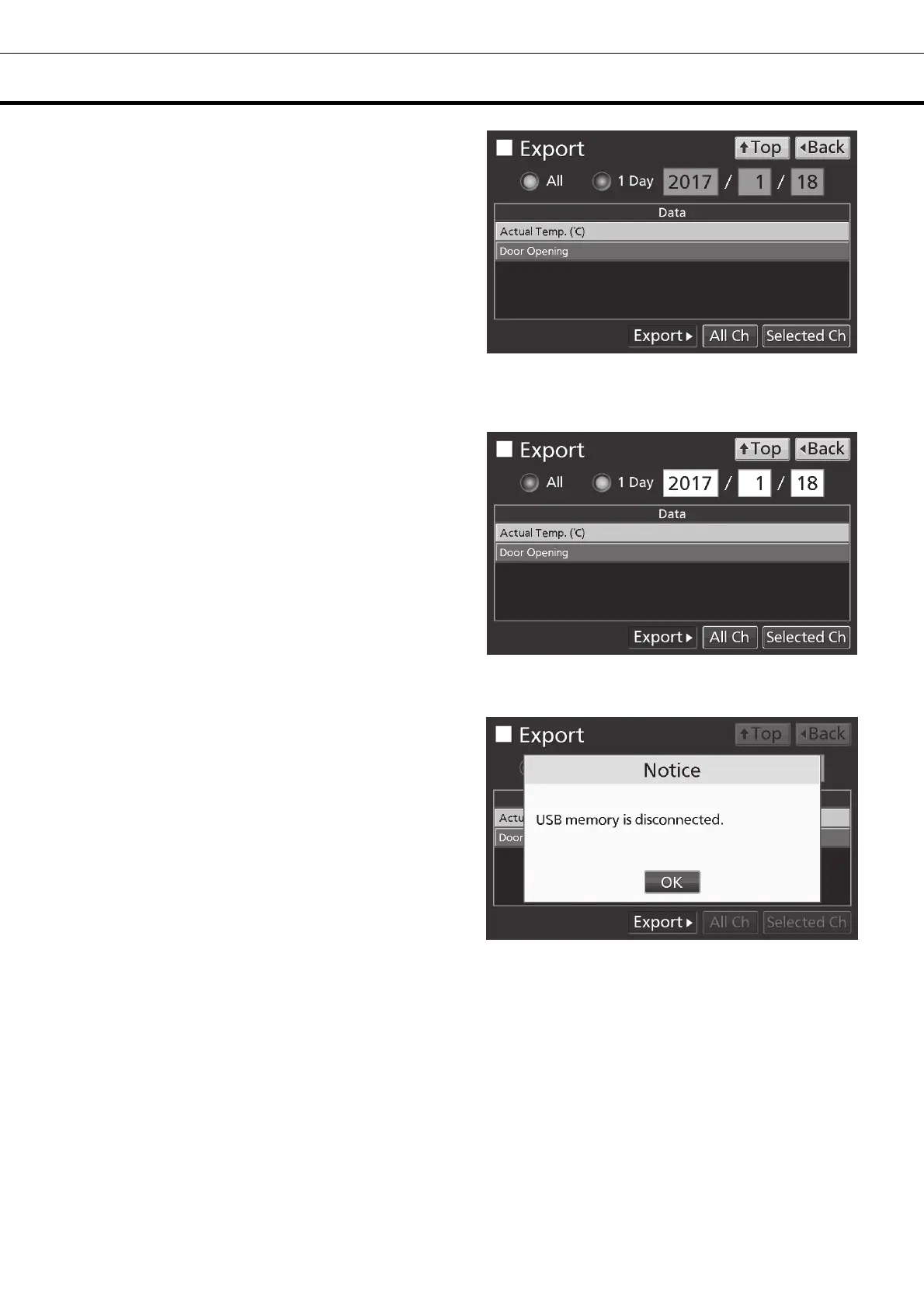
5. On the Export screen, select the time period
you want to export.
• To export the saved operation log data over the
entire period, press All radio button.
• To export the operation log data of a specified
date, press 1 Day radio button and input the date
(year / month / day) of the operation log data you
want to export.
Note: The error of about 1 minute may be
observed during a month. Refer to page 44 for the
procedure of setting time.
6. On the Export screen, select the type of
operation log data you want to export.
• To export all types of operation log data, press All
Ch key.
• To export only operation log data you want to
export, select operation log data you want to export,
and then press Selected Ch key.
• Actual Temp.: Chamber temperature log data
• Door Opening: Open/close state of outer door log
data
Note: When no USB memory is inserted into the
USB port, Notice dialog box is displayed. Press OK
key, and then insert a USB memory into the USB
port.











 To Next Page