13
FREEZER COMPONENTS
LCD touch panel
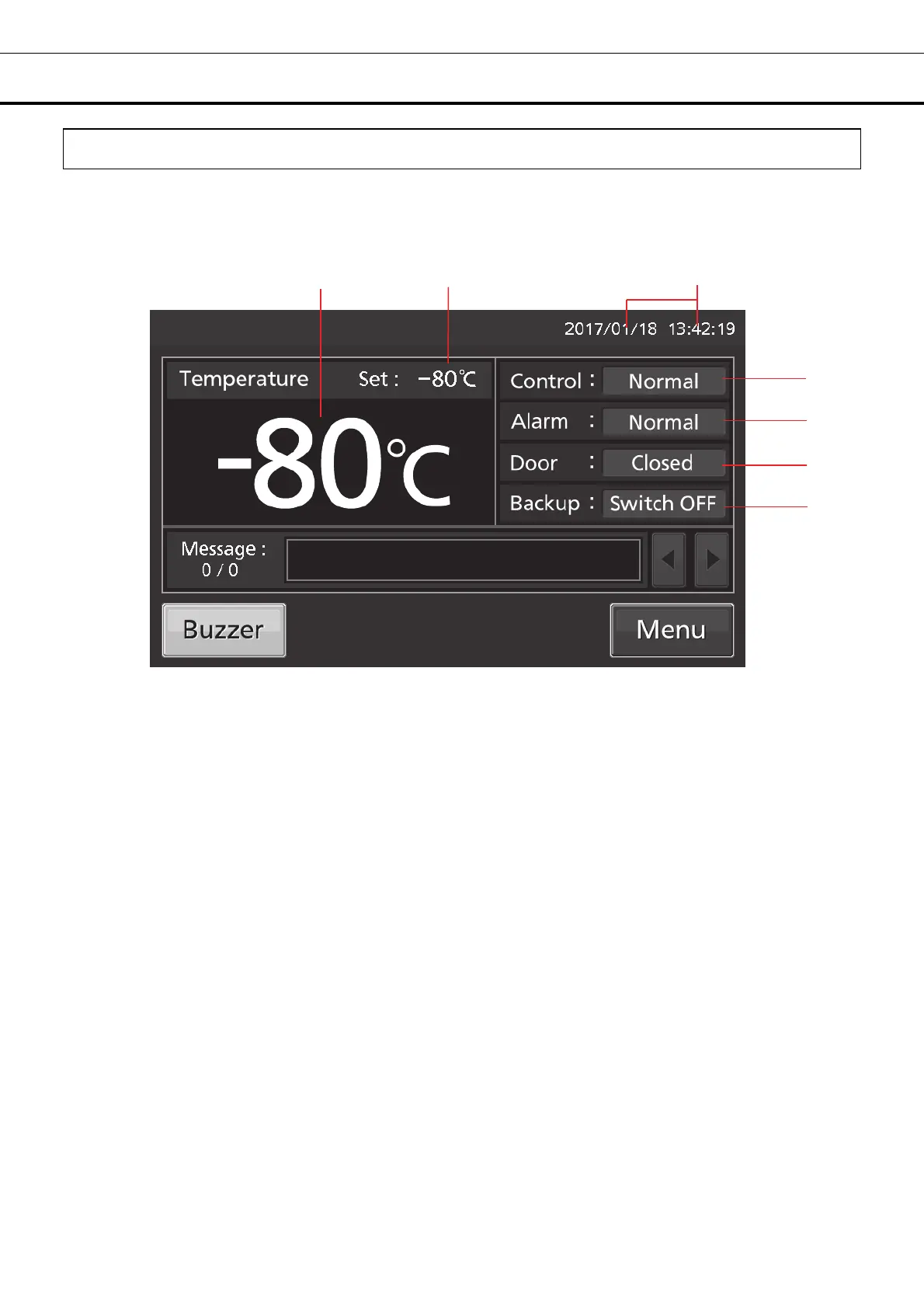
The following display (called the Top screen) will appear when the power switch is turned ON.
Note: It takes approximately 20 seconds until Top screen is displayed.
1 2 3
4
5
6
7*
1. Present temperature display field: The current chamber temperature is displayed.
Note: An integer rounded off below a decimal point is displayed.
2. Set temperature value display field: The set value of chamber temperature is displayed. Default
setting: -80
o
C.
3. Present date/time display field: Normally, this indicator shows date and time. The date and time is
simply set when the freezer is shipped from the factory [page 44].
4. Control display: The present operation control mode is displayed [pages 25 - 26].
Normal control: “Normal” is displayed.
Eco control: “ECO” is displayed.
5. Alarm display: [pages 47 - 48].
Normal condition: “Normal” is displayed.
Alarm-activated, buzzer-delayed: “Alarm” is displayed alternately in normal characters and reverse video.
Alarm-activated, buzzer-sounding: “Warning” is displayed alternately in normal characters and reverse video.
6. Door (opening/closing) display:
Open: “Open” is displayed alternately in normal characters and reverse video.
Close: “Closed” is displayed.
7. Backup display*: (It is displayed only when an optional backup cooling kit is installed) ON/OFF of the
backup power switch is displayed [page 60].
ON: “Switch ON” is displayed.
OFF: “Switch OFF” is displayed.
* When an optional backup cooling kit is installed.











 To Next Page