44
OTHER PARAMETERS
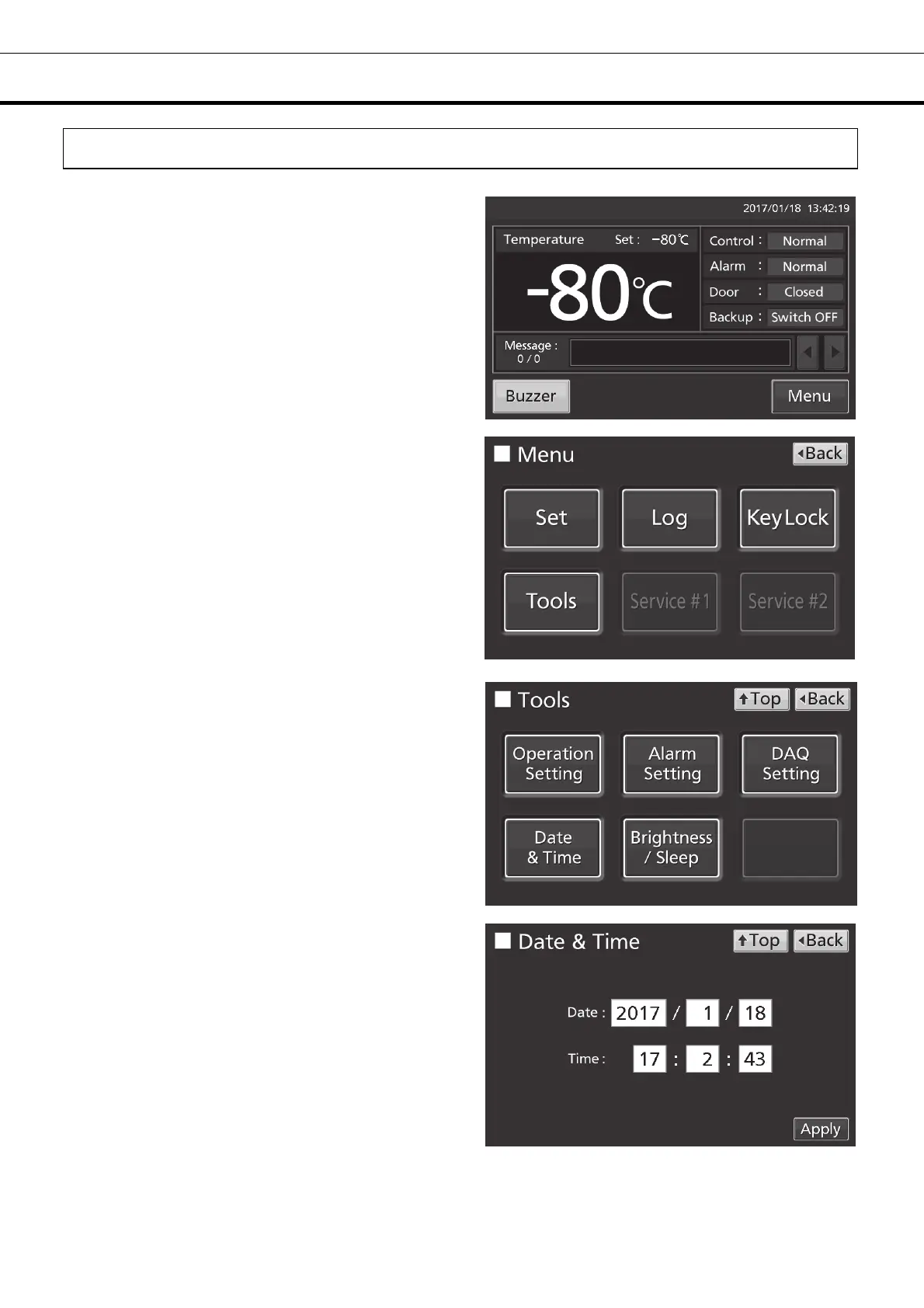
Setting date and time
1. Press Menu key to lead the Menu screen.
2. Press Tools key to lead the Tools screen.
3. Press Date & Time key to lead the Date & Time
screen.
4. On the Date & Time screen, input the present
date and time. Press Apply key to save the input
value. The display returns to the Tools screen.
Note:
• 24-hour clock.
• It is recommended to set the time periodically
since the error of about 1 minute may be observed
during a month.
5. Press Top key to return to the Top screen.











 To Next Page