22
BASIC PARAMETERS
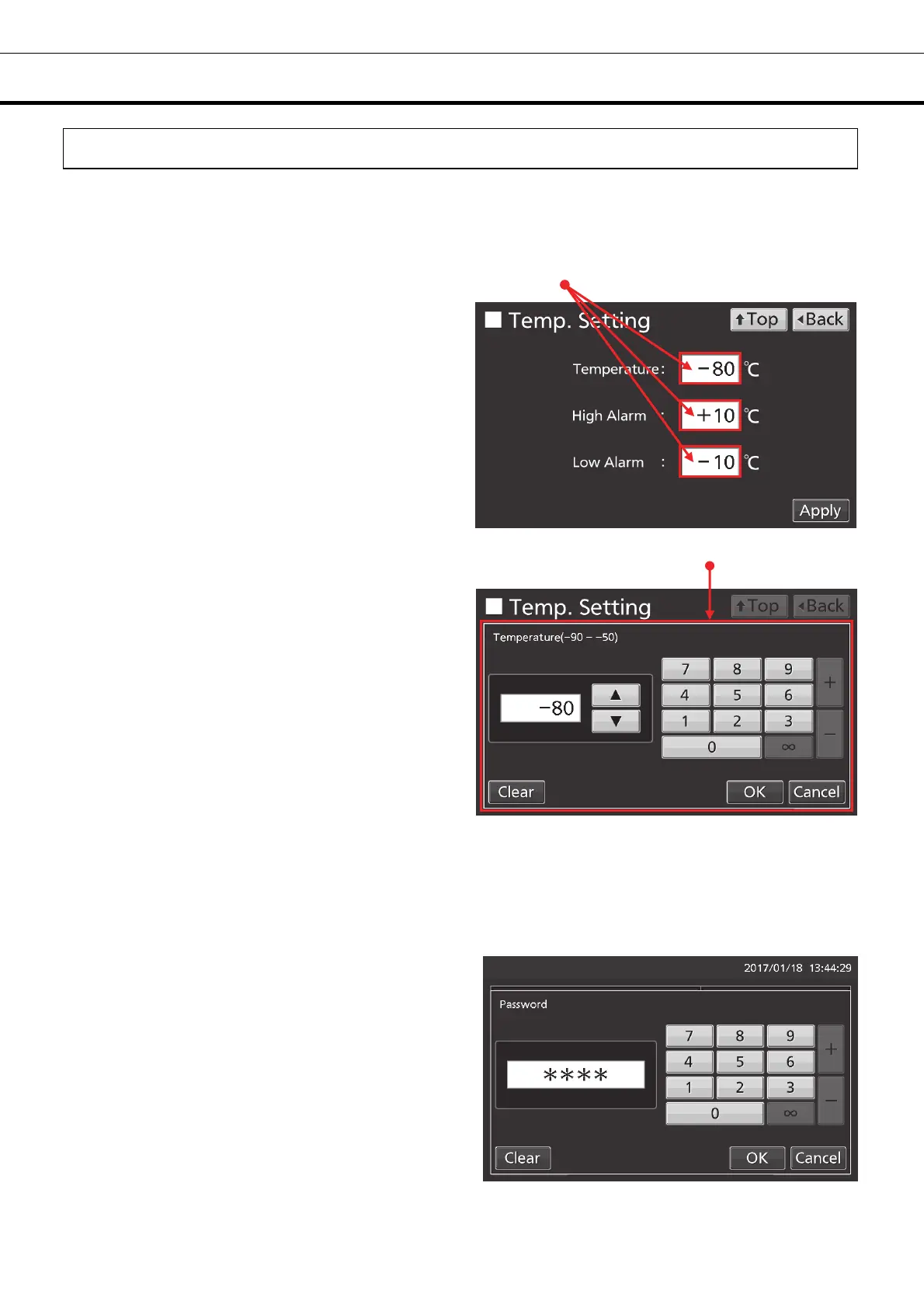
How to input numerical value and alphanumeric character
On each screen in the LCD touch panel, it may be necessary to input numerical value or alphanumeric
characters.
●When inputting numerical value
1. By pressing numeric input box, numeric input
window is displayed.
2. Press Numeric key or Up/Down key to input
numerical value, and press OK key.
●Key description
• Numeric key (0~9): Input numerical value.
• Up/Down key (▲/▼): Increases or decreases the numerical value displayed in the numeric input box.
• Clear key: Deletes the numerical value displayed on the numeric input box.
• Cancel key: Stops inputting on the numeric input box and closes the input window.
Note: Up/Down key may not be displayed.
Numeric input box
Numeric input window











 To Next Page