45
OTHER PARAMETERS
Setting brightness and sleep
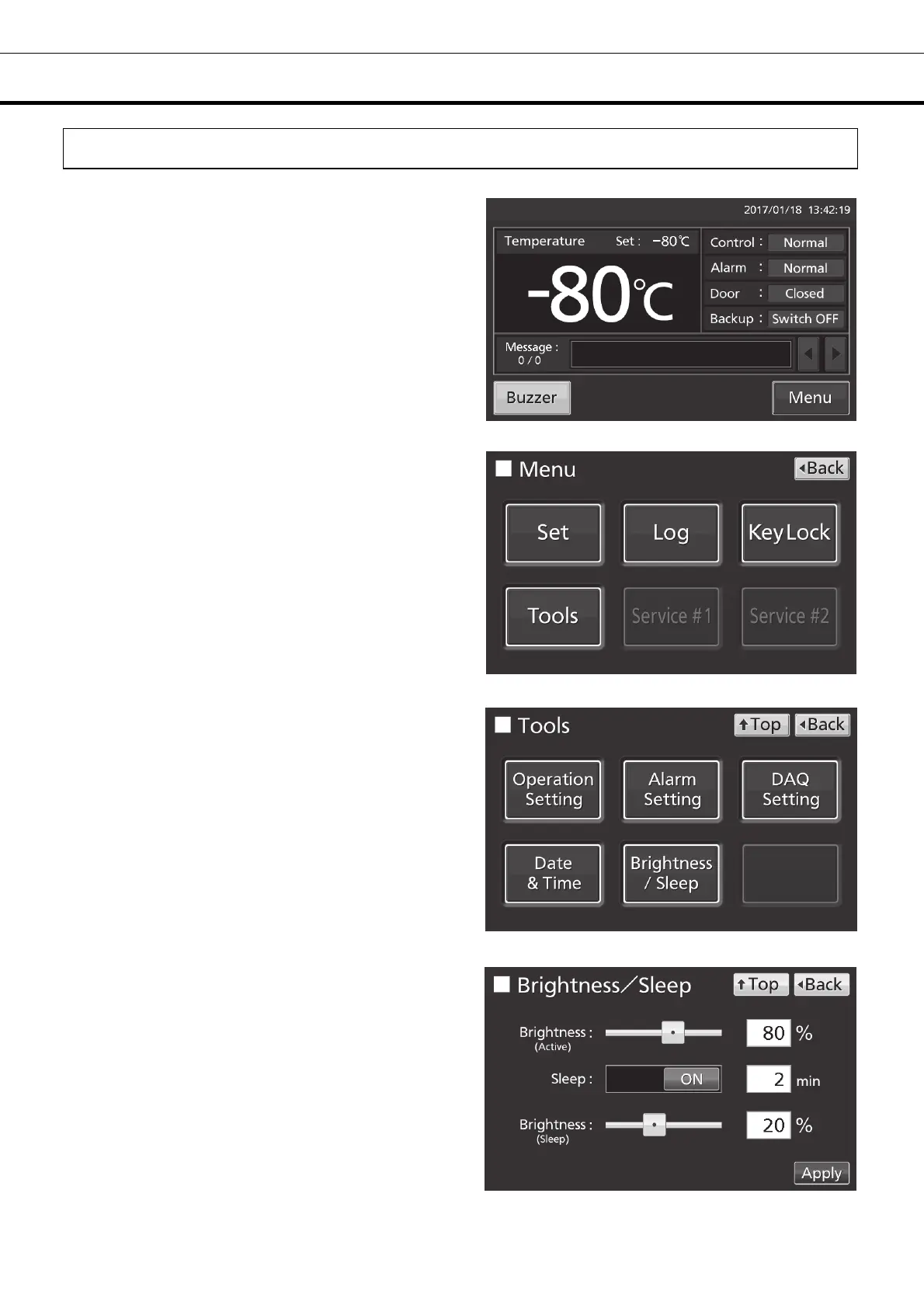
1. Press Menu key to lead the Menu screen.
2. Press Tools key to lead the Tools screen.
3. Press Brightness/Sleep key to lead the
Brightness/Sleep screen.
4. On the Brightness/Sleep screen, each setting of
brightness and sleep is available. Press Apply key
to save the input value and setup. The display
returns to the Tools screen.











 To Next Page