EasyManua.ls Logo

Phcbi MDF-DU702VXC - User Manual

Phcbi MDF-DU702VXC
60 pages
Print Icon
To Next Page IconTo Next Page
Loading...
MDF-DU702VXC
MDF-DU502VXC
Please read the operating instructions carefully before using this product, and keep the operating
instructions for future use.
See page 58 for all model numbers.
Operating Instructions
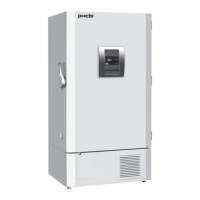
Ultra-Low Temperature Freezer
MDF-DU702VXC
Question and Answer IconNeed help?

Do you have a question about the Phcbi MDF-DU702VXC and is the answer not in the manual?

Summary

Introduction

Precautions for Safe Operation

Labels on Unit

Symbols on Unit

Explains the meaning of various symbols attached to the unit, related to electrical safety and power.

Environmental Conditions

Freezer Components

Main body

Details the primary structure and external features of the freezer, including doors and access ports.

Space for temperature recorder

Describes the mounting location for an optional temperature recorder to monitor chamber temperature.

LCD touch panel

Details the functions and display elements of the unit's LCD touch panel interface.

Remote alarm terminal

Explains the connection for an external alarm device to notify of unit status remotely.

Air intake port (Manual)

Provides instructions for manually adjusting the air intake port to facilitate smooth door opening.

Installation Site

Installation

Start-Up Procedure

During;After Power Failure

Basic Operation on LCD Touch Panel

Basic Parameters

How to input numerical value and alphanumeric character

Details the process for entering numerical and text data via the unit's input windows.

Setting Temperature, High Alarm and Low Alarm

Instructions for setting the chamber temperature, high, and low alarm thresholds.

Setting operation control mode

Explains how to select and configure the operational control mode (Normal or Eco).

Setting key lock

Guides on how to enable and set passwords for the unit's key lock function.

Removing key lock

Provides steps to disable the key lock function and remove passwords.

Alarm Parameters

Alarm Delay

Configures the time delay before the alarm buzzer sounds after an alarm condition occurs.

Door Delay

Sets the delay before a door alarm is activated, allowing for normal door openings.

Operation;Alarm Log

Setting log interval

Defines the frequency at which operational data is saved to the unit's log.

Displaying operation log

Instructions on how to view saved operational data graphically on the LCD panel.

Exporting operation log

Guides on exporting operational log data to a USB memory device in CSV format.

Displaying alarm log

Instructions on how to view saved alarm events and their details on the LCD panel.

Exporting alarm log

Guides on exporting alarm log data to a USB memory device in CSV format.

Other Parameters

Setting date and time

Instructions for setting the current date and time displayed on the unit.

Setting brightness and sleep

Details how to adjust the LCD panel's brightness and configure sleep mode settings.

Alarms and Self-Diagnosis

Routine Maintenance

Cleaning the exterior, interior, and accessories

Instructions for cleaning the unit's surfaces, interior, and removable parts.

Cleaning of air intake port (Manual)

Details how to clean frost buildup from the manual air intake port.

Calibration

Replacement of Worn-out Parts

Troubleshooting

Disposal of Unit

Recycle of battery

Information on recycling the unit's battery, including contact details and warnings.

Optional Components

Temperature recorder

Details the optional temperature recorder for monitoring and logging chamber temperatures.

Small inner doors

Describes optional small inner doors for organizing items within the chamber.

Inventory rack

Information on optional inventory racks for efficient storage inside the freezer.

Back-up cooling kit

Explains the function and installation of the optional backup cooling kit using liquid CO2.

Specifications

Performance

Caution

Safety check sheet

A form to be filled out before servicing, detailing freezer contents and safety conditions.

Summary

Introduction

Precautions for Safe Operation

Labels on Unit

Symbols on Unit

Explains the meaning of various symbols attached to the unit, related to electrical safety and power.

Environmental Conditions

Freezer Components

Main body

Details the primary structure and external features of the freezer, including doors and access ports.

Space for temperature recorder

Describes the mounting location for an optional temperature recorder to monitor chamber temperature.

LCD touch panel

Details the functions and display elements of the unit's LCD touch panel interface.

Remote alarm terminal

Explains the connection for an external alarm device to notify of unit status remotely.

Air intake port (Manual)

Provides instructions for manually adjusting the air intake port to facilitate smooth door opening.

Installation Site

Installation

Start-Up Procedure

During;After Power Failure

Basic Operation on LCD Touch Panel

Basic Parameters

How to input numerical value and alphanumeric character

Details the process for entering numerical and text data via the unit's input windows.

Setting Temperature, High Alarm and Low Alarm

Instructions for setting the chamber temperature, high, and low alarm thresholds.

Setting operation control mode

Explains how to select and configure the operational control mode (Normal or Eco).

Setting key lock

Guides on how to enable and set passwords for the unit's key lock function.

Removing key lock

Provides steps to disable the key lock function and remove passwords.

Alarm Parameters

Alarm Delay

Configures the time delay before the alarm buzzer sounds after an alarm condition occurs.

Door Delay

Sets the delay before a door alarm is activated, allowing for normal door openings.

Operation;Alarm Log

Setting log interval

Defines the frequency at which operational data is saved to the unit's log.

Displaying operation log

Instructions on how to view saved operational data graphically on the LCD panel.

Exporting operation log

Guides on exporting operational log data to a USB memory device in CSV format.

Displaying alarm log

Instructions on how to view saved alarm events and their details on the LCD panel.

Exporting alarm log

Guides on exporting alarm log data to a USB memory device in CSV format.

Other Parameters

Setting date and time

Instructions for setting the current date and time displayed on the unit.

Setting brightness and sleep

Details how to adjust the LCD panel's brightness and configure sleep mode settings.

Alarms and Self-Diagnosis

Routine Maintenance

Cleaning the exterior, interior, and accessories

Instructions for cleaning the unit's surfaces, interior, and removable parts.

Cleaning of air intake port (Manual)

Details how to clean frost buildup from the manual air intake port.

Calibration

Replacement of Worn-out Parts

Troubleshooting

Disposal of Unit

Recycle of battery

Information on recycling the unit's battery, including contact details and warnings.

Optional Components

Temperature recorder

Details the optional temperature recorder for monitoring and logging chamber temperatures.

Small inner doors

Describes optional small inner doors for organizing items within the chamber.

Inventory rack

Information on optional inventory racks for efficient storage inside the freezer.

Back-up cooling kit

Explains the function and installation of the optional backup cooling kit using liquid CO2.

Specifications

Performance

Caution

Safety check sheet

A form to be filled out before servicing, detailing freezer contents and safety conditions.

Phcbi MDF-DU702VXC Specifications

General IconGeneral
BrandPHCbi
ModelMDF-DU702VXC
CategoryFreezer
TypeUpright Freezer
Number of Doors1
Voltage230 V
Frequency50/60 Hz
Weight120 kg
InsulationPolyurethane

Related product manuals