EasyManua.ls Logo

Phcbi MDF-DU901VHA - User Manual

Phcbi MDF-DU901VHA
60 pages
Print Icon
To Next Page IconTo Next Page
Loading...
MDF-DU901VHA
Please read the operating instructions carefully before using this product, and keep the operating
instructions for future use.
See page 58 for model number.
Operating Instructions
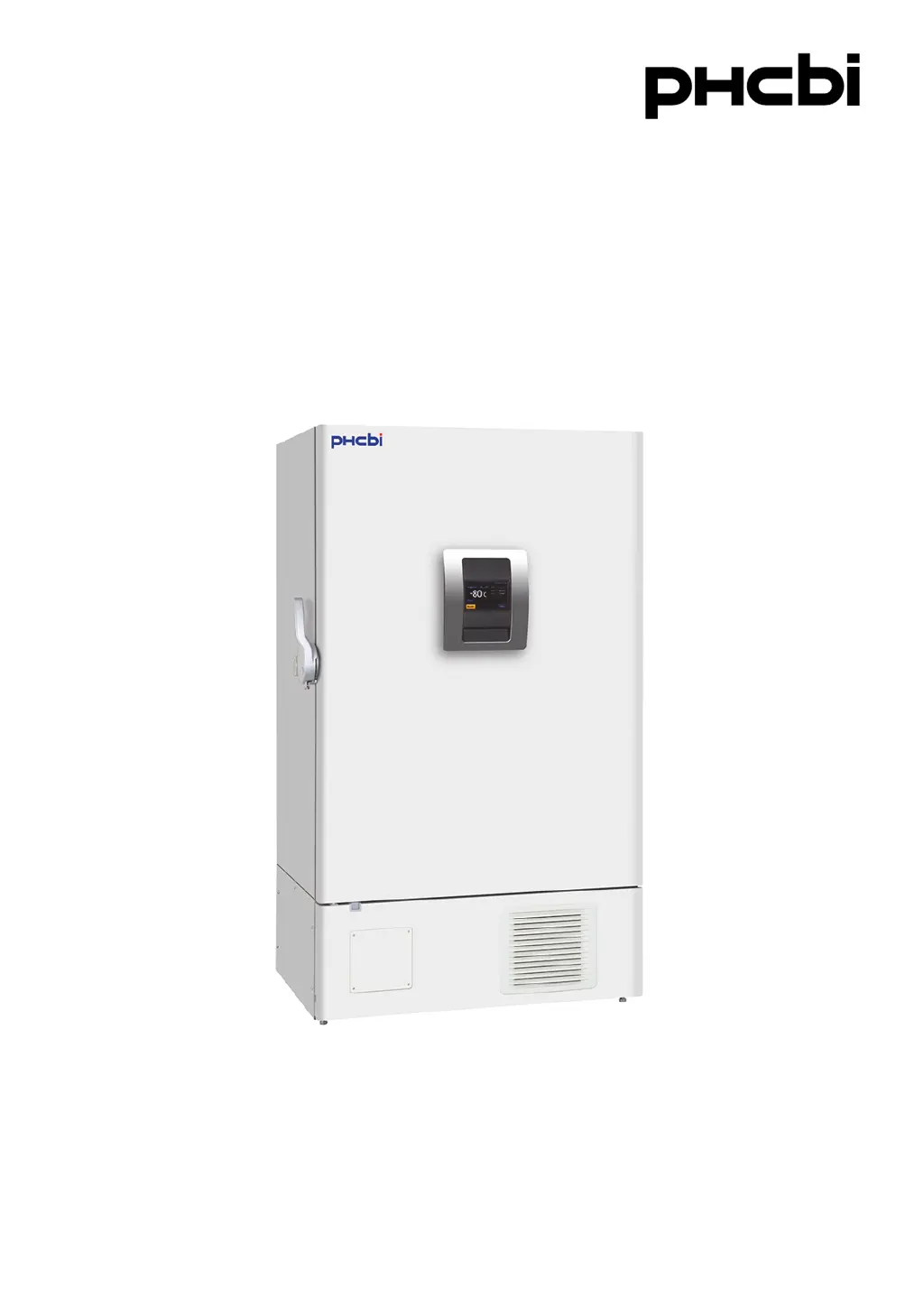
Ultra-Low Temperature Freezer

Questions and Answers

Summary

Introduction to the Freezer

Intended Use of the Freezer

Specifies the equipment's design for low-temperature storage of biomedical samples.

Precautions for Safe Operation

General Safety Guidelines and Symbols

Outlines general safety rules, symbols, and essential precautions for safe operation.

Specific Hazard Warnings and Cautions

Details critical warnings related to installation, operation, handling, and potential hazards.

Unit Symbols and Environmental Conditions

Symbols on the Unit

Details the meaning of symbols attached to the unit for user safety and understanding.

Environmental Operating Conditions

Lists the environmental conditions (temperature, humidity, altitude) for safe and optimal operation.

Freezer Components Overview

Main Body and External Features

Identifies and illustrates the primary external and internal parts of the freezer unit.

User Interface and Ports

Describes the LCD touch panel, remote alarm terminal, and air intake port functions.

Installation Requirements

Recommended Installation Site

Outlines the recommended locations and environmental requirements for installing the freezer unit.

Installation Procedures

Steps for unpacking, leveling, securing the unit, and setting up electrical connections.

Start-Up Procedure

Operation During and After Power Failure

Behavior During Power Failure

Describes the unit's behavior and functions when a power failure occurs with battery backup active.

Resuming Operation After Power Recovery

Explains how the unit resumes operation and handles alarms after a power interruption.

Basic Operation on LCD Touch Panel

Navigating the Touch Panel Interface

Overview of the main menu, log screen, export, key lock, and tools screen functionalities.

Basic Parameters Configuration

Data Input and Navigation Methods

Explains how to input data and navigate basic functions via the touch panel.

Setting Core Operational Parameters

Covers setting chamber temperature, alarms, and operation control modes.

Key Lock and Security Features

Procedures for setting, managing, and removing key lock passwords.

Alarm Parameters and Management

Configuring Alarm Settings

Details on configuring alarm delays, ring back, and remote alarm settings.

Operation and Alarm Log

Managing Log Intervals and Display

Setting log intervals and displaying operation logs graphically.

Exporting and Displaying Log Data

Procedures for exporting operation logs and managing alarm logs.

Other Unit Parameters

Setting Date and Time

Instructions for setting the unit's internal date and time using the LCD touch panel.

Adjusting Brightness and Sleep Mode

How to adjust LCD touch panel brightness and configure the sleep mode function.

Alarms and Self-Diagnosis

Alarm Codes and Safety Actions

Comprehensive table detailing alarm messages, their causes, and required safety actions.

Routine Maintenance Procedures

Cleaning of Unit Components

Guidelines for cleaning the unit's exterior, interior, air intake port, and condenser filter.

Defrosting and Calibration

Instructions for defrosting the chamber and performing temperature calibration.

Calibration Services

Replacement of Worn-Out Parts

Battery Replacement for Power Failure Alarm

Instructions and safety warnings for replacing the battery supporting the power failure alarm.

Battery Replacement for Backup Cooling Kit

Guidance and safety precautions for replacing the battery for the optional backup cooling kit.

Troubleshooting Common Issues

Unit Disposal and Battery Recycling

Battery Recycling Information

Information and regulations regarding the proper recycling and disposal of the unit's battery.

Optional Components and Accessories

Storage and Recording Accessories

Details on optional temperature recorders, inner doors, and inventory racks.

Backup Cooling System

Information on the optional backup cooling kit for enhanced temperature stability.

Technical Specifications

Performance Characteristics

Safety Check Sheet for Servicing

Summary

Introduction to the Freezer

Intended Use of the Freezer

Specifies the equipment's design for low-temperature storage of biomedical samples.

Precautions for Safe Operation

General Safety Guidelines and Symbols

Outlines general safety rules, symbols, and essential precautions for safe operation.

Specific Hazard Warnings and Cautions

Details critical warnings related to installation, operation, handling, and potential hazards.

Unit Symbols and Environmental Conditions

Symbols on the Unit

Details the meaning of symbols attached to the unit for user safety and understanding.

Environmental Operating Conditions

Lists the environmental conditions (temperature, humidity, altitude) for safe and optimal operation.

Freezer Components Overview

Main Body and External Features

Identifies and illustrates the primary external and internal parts of the freezer unit.

User Interface and Ports

Describes the LCD touch panel, remote alarm terminal, and air intake port functions.

Installation Requirements

Recommended Installation Site

Outlines the recommended locations and environmental requirements for installing the freezer unit.

Installation Procedures

Steps for unpacking, leveling, securing the unit, and setting up electrical connections.

Start-Up Procedure

Operation During and After Power Failure

Behavior During Power Failure

Describes the unit's behavior and functions when a power failure occurs with battery backup active.

Resuming Operation After Power Recovery

Explains how the unit resumes operation and handles alarms after a power interruption.

Basic Operation on LCD Touch Panel

Navigating the Touch Panel Interface

Overview of the main menu, log screen, export, key lock, and tools screen functionalities.

Basic Parameters Configuration

Data Input and Navigation Methods

Explains how to input data and navigate basic functions via the touch panel.

Setting Core Operational Parameters

Covers setting chamber temperature, alarms, and operation control modes.

Key Lock and Security Features

Procedures for setting, managing, and removing key lock passwords.

Alarm Parameters and Management

Configuring Alarm Settings

Details on configuring alarm delays, ring back, and remote alarm settings.

Operation and Alarm Log

Managing Log Intervals and Display

Setting log intervals and displaying operation logs graphically.

Exporting and Displaying Log Data

Procedures for exporting operation logs and managing alarm logs.

Other Unit Parameters

Setting Date and Time

Instructions for setting the unit's internal date and time using the LCD touch panel.

Adjusting Brightness and Sleep Mode

How to adjust LCD touch panel brightness and configure the sleep mode function.

Alarms and Self-Diagnosis

Alarm Codes and Safety Actions

Comprehensive table detailing alarm messages, their causes, and required safety actions.

Routine Maintenance Procedures

Cleaning of Unit Components

Guidelines for cleaning the unit's exterior, interior, air intake port, and condenser filter.

Defrosting and Calibration

Instructions for defrosting the chamber and performing temperature calibration.

Calibration Services

Replacement of Worn-Out Parts

Battery Replacement for Power Failure Alarm

Instructions and safety warnings for replacing the battery supporting the power failure alarm.

Battery Replacement for Backup Cooling Kit

Guidance and safety precautions for replacing the battery for the optional backup cooling kit.

Troubleshooting Common Issues

Unit Disposal and Battery Recycling

Battery Recycling Information

Information and regulations regarding the proper recycling and disposal of the unit's battery.

Optional Components and Accessories

Storage and Recording Accessories

Details on optional temperature recorders, inner doors, and inventory racks.

Backup Cooling System

Information on the optional backup cooling kit for enhanced temperature stability.

Technical Specifications

Performance Characteristics

Safety Check Sheet for Servicing

Phcbi MDF-DU901VHA Specifications

General IconGeneral
BrandPhcbi
ModelMDF-DU901VHA
CategoryFreezer
LanguageEnglish

Related product manuals