14
FREEZER COMPONENTS
8
11 10
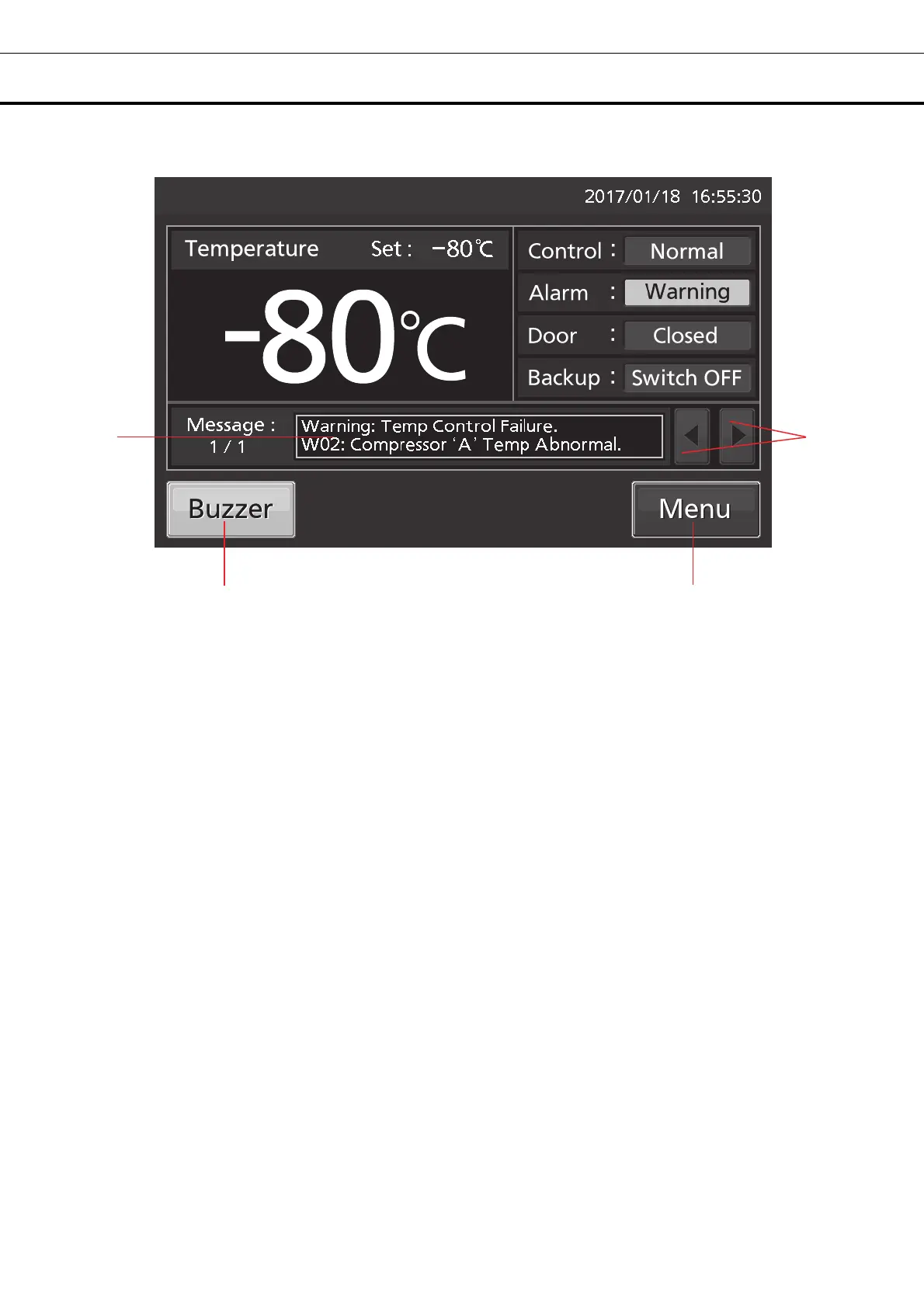
8. Message display field: The information of the operation monitor system, alarms or status are
displayed when fault occurs [pages 47 - 48].
9. Message select key: When there are a number of alarms, status or information of the operation
monitor system, the message on the screen is changeable.
10. Menu key: Press this key to lead the Menu screen. It is possible to set various setting on the Menu
screen [page 21].
11. Buzzer key: Press this key to silence the buzzer. However, when the ring back is ON, the buzzer will
sound again when the ring back passed and the alarm state still continues [pages 30 - 31 and 49].
9











 To Next Page