34
OPERATION/ALARM LOG
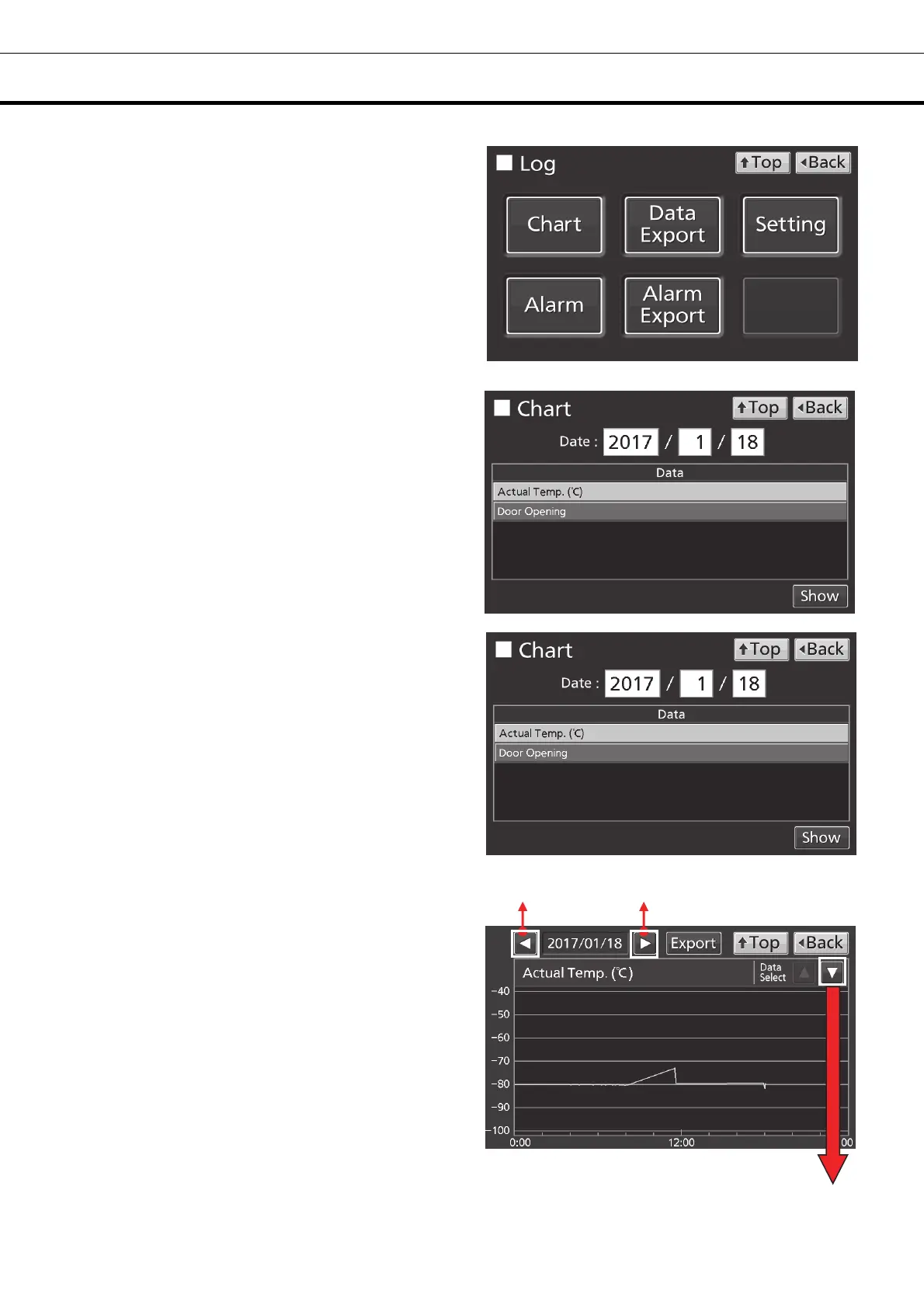
3. Press Chart key to lead the Chart screen.
4. On the Chart screen, input the date (year /
month / day) of the operation log you want to
display graphically.
5. On the Chart screen, by pressing Show key
after pressing the item you want to display
graphically, the graph of each operation log is
displayed.
• Actual Temp.:
Chamber temperature log graph
(Go to procedure 6)
• Door Opening:
Open/close state of door log graph
(Go to procedure 7)
6. Actual Temp. log graph is displayed.
• Press Back key to return to the Chart screen.
• Press Top key to return to the Top screen.
To previous day To next day
To Door Opening log











 To Next Page