35
OPERATION/ALARM LOG
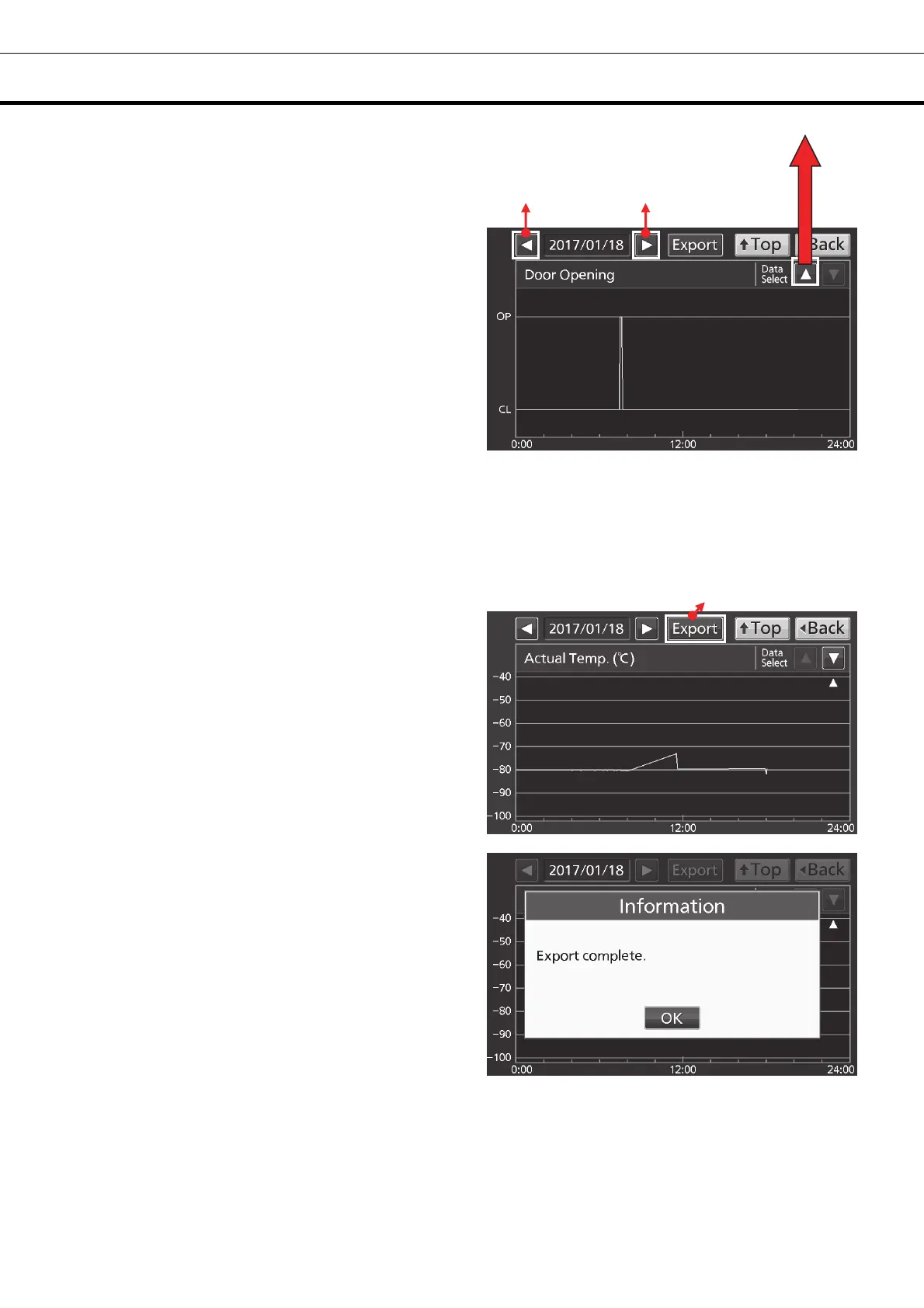
7. Door Opening log graph is displayed.
• Press Back key to return to the Chart screen.
• Press Top key to return to the Top screen.
●On the Chart screen of procedure 6 or 7 log data can be exported in CSV format to the USB memory
inserted into the USB port.
8. Insert the USB memory into the USB port.
Note: It is not possible to use a USB memory with security functions that requires entering password.
9. Press Export key.
10. When the export is complete, Information
dialog box is displayed. Press OK key. Refer to
pages 37 and 38 for the details about abnormal
export or exported file name.
11. Press Top key to return to the Top screen.
To Actual Temp. log
Export key
To previous day
To next day











 To Next Page