42
OPERATION/ALARM LOG
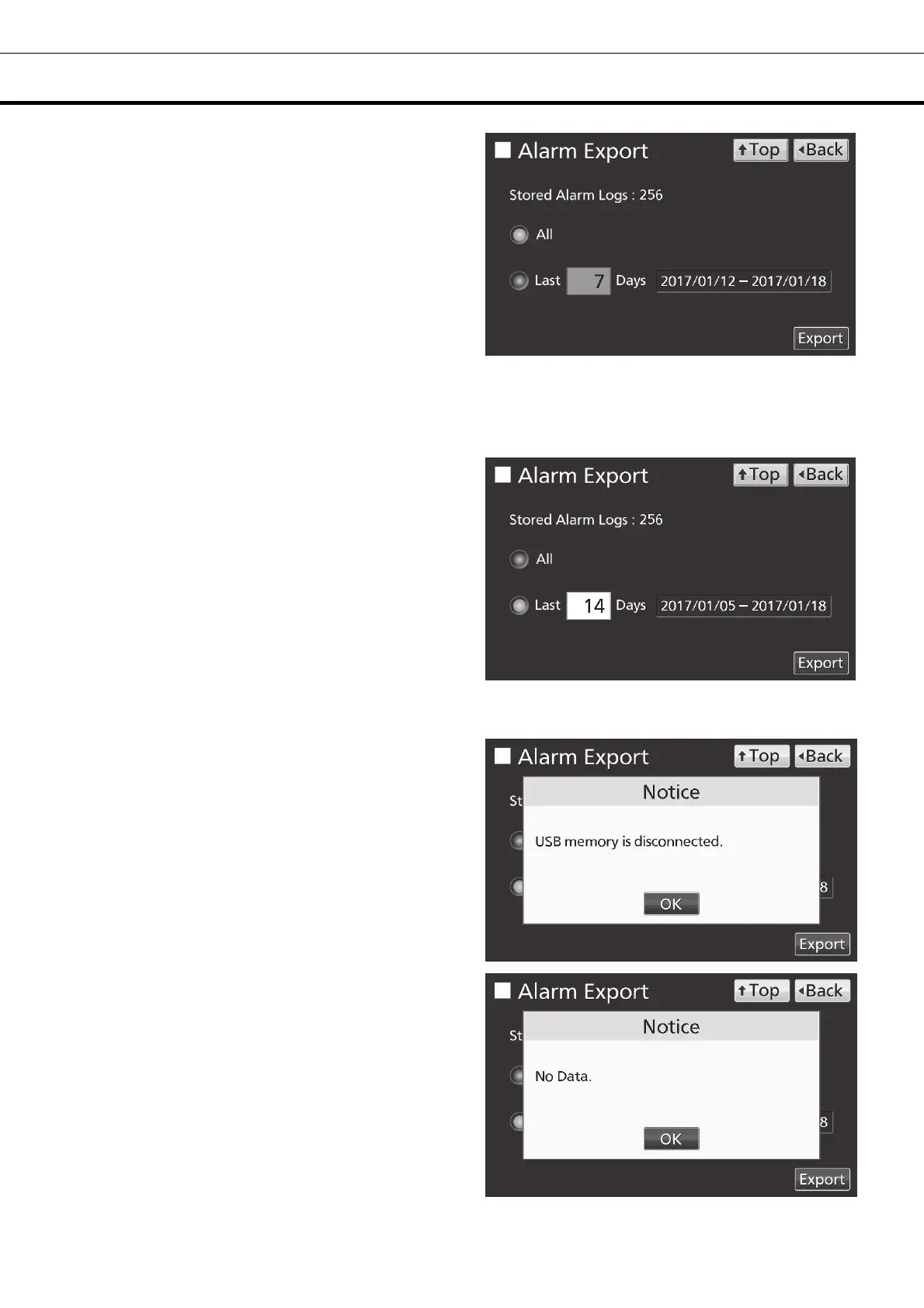
5. On the Alarm Export screen, select the period
to export.
• To export the saved alarm log data over the
entire period, press All radio button.
• To export the alarm log data for the specified
days (The newest period containing that day),
press Last XX Days radio button and input days.
Settable range: 1 day~45 days.
Note: The error of about 1 minute may be
observed during 1 month. Refer to page 44 for the
procedure of setting time.
6. Press Export key.
Note:
• When USB memory is not inserted in the USB
port, Notice dialog box is displayed. Press OK key
and insert an USB memory into the USB port.
• When alarm log data does not exist in the
specified days, Notice dialog box is displayed.
Press OK key and specify days again as shown in
the procedure 5.











 To Next Page