27
BASIC PARAMETERS
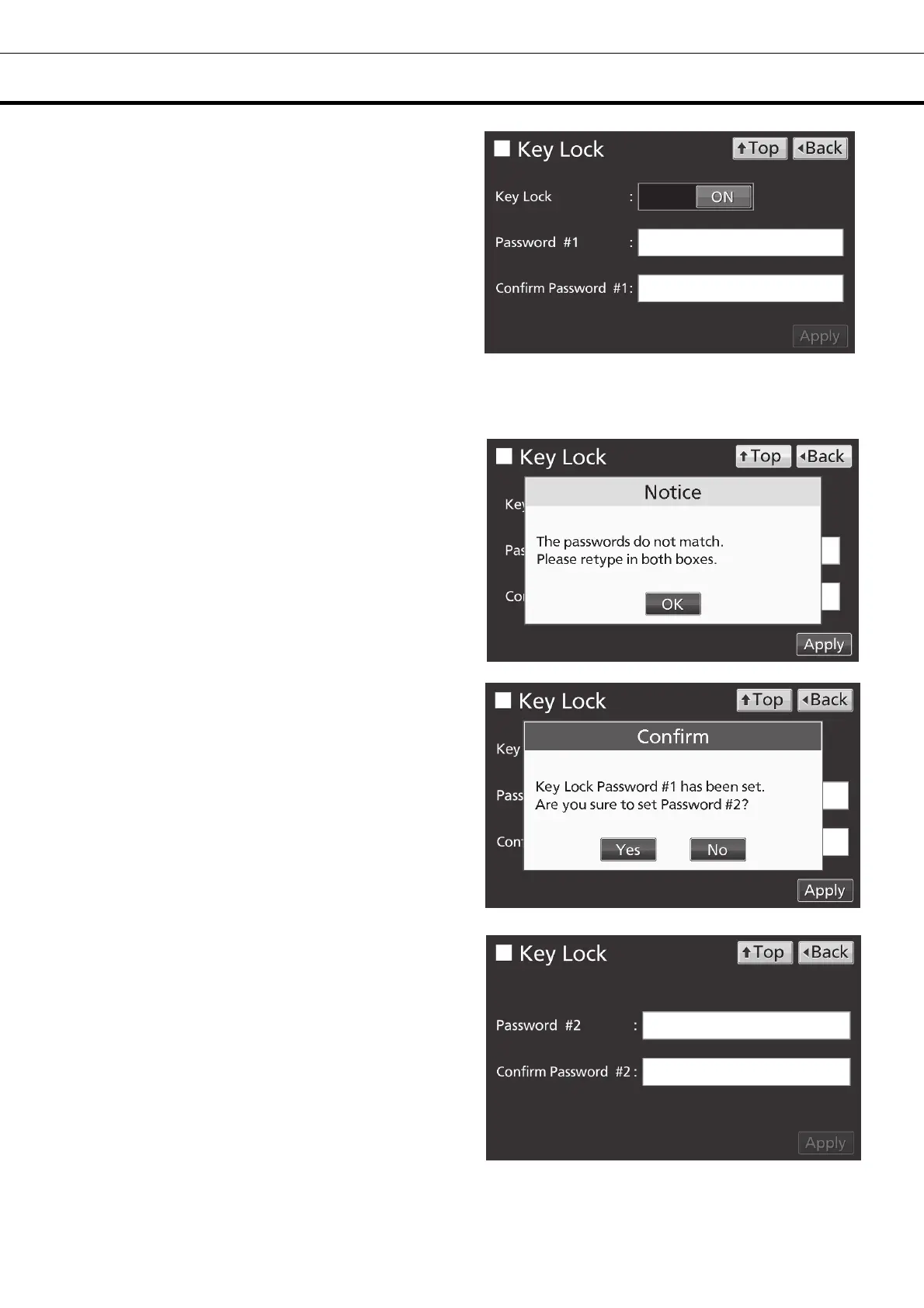
3. On the Key Lock screen, it is possible to set
each setting of key lock.
• Key Lock: By holding Key Lock slide key and
sliding it to the right, Key Lock turns to ON.
• Password #1: The number (Max. 6 digits)
inputted here are registered the release password
of Key Lock.
• Confirm Password #1:
To prevent erroneous input, input the same
password as Password #1 input box. When
inputting different password, Notice dialog box is
displayed. Press OK key and input the correct
password.
• By pressing Apply key, Key Lock turns to ON,
password #1 is saved, and Confirm dialog box is
displayed.
Yes: On the Key Lock screen, it is possible to set
the release password #2.
No: The display returns to the Menu screen.
Select [No]when it is no need to set the password
#2.
Note:Two release passwords of Key Lock are
settable. To release it, you can unlock by entering
one of the passwords.
4. Set the password #2.
• Password #2: The number (Max. 6 digits)
inputted here are registered the release password
of Key Lock.
Confirm Password #2:
To prevent erroneous input, input the same
password as Password #2 input box. When
inputting different password, Notice dialog box is
displayed. Press OK key and input the correct
password.
• By pressing Apply key, the password #2 is saved
and Information dialog box is displayed.











 To Next Page