EasyManua.ls Logo

Phcbi MPR-722 Series - User Manual

Phcbi MPR-722 Series
44 pages
Print Icon
To Next Page IconTo Next Page
Loading...
MPR-722R
MPR-722Series
Please read the operating instructions carefully before using this product, and keep the operating
instructions for future use.
See page 39 for all model numbers.
Operating Instructions
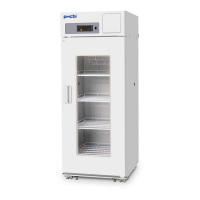
Pharmaceutical Refrigerator
MPR-722

Table of Contents

Questions and Answers

  • L
    Lawrence HicksJul 27, 2025
    Why is my Phcbi MPR-722 Refrigerator not getting cold enough?
    • J
      joseph80Jul 28, 2025
      If your Phcbi Refrigerator isn't cooling adequately, several factors could be responsible: * A large amount of items or warm product was put in the chamber. * The door is frequently opened. * The chamber temperature setting is high. * The unit is in direct sunlight. * The unit is not installed in the installation site specified in this manual. * The ventilation around the unit is blocked. * There is a nearby heat source. * The ambient temperature is too high. * The door seal is damaged. * Any foreign substance is located between door gaskets. * The air exhaust vent is blocked up with containers. * The access port is not covered or should be covered with the insulation and rubber caps when no use.
  • B
    Brenda SchwartzAug 1, 2025
    What to do if the alarm is activated during operation of Phcbi Refrigerator?
    • H
      Heidi VelasquezAug 2, 2025
      If the alarm activates during the operation of your Phcbi Refrigerator, it could be due to several reasons. Check the following: * Ensure the unit is properly connected to the power supply. * Verify that the power supply's capacity and voltage are sufficient. * Check for a power failure. * See if the circuit breaker on the supply circuit has been activated. * Confirm that the fuse on the supply circuit is not blown. * The chamber temperature setting was changed. * The door was kept opened for a long time. * The containers of high temperature (load) were put in the chamber. * The door is opened.
  • B
    Brittany ColemanAug 7, 2025
    How to reduce noise from my Phcbi MPR-722 Refrigerator?
    • J
      James DavenportAug 7, 2025
      Excessive noise from your Phcbi Refrigerator can stem from several installation issues. Ensure that: * The floor is sturdy. * The installation site is level. * The refrigerator is not tilted. * The cabinet does not contact the surrounding wall. * The installation of the evaporating tray or unit cover is proper.
  • E
    Emily DickersonAug 11, 2025
    What to do if Phcbi MPR-722 doesn't operate when plugged in?
    • C
      Christopher AlexanderAug 11, 2025
      If your Phcbi Refrigerator isn't working even when plugged in, consider these potential causes: * The unit is not connected to the power supply properly. * The capacity and voltage of power supply is not sufficient. * There is a power failure. * The circuit breaker on the supply circuit is activated. * The fuse on the supply circuit is blown.
  • M
    Michelle OrtegaAug 16, 2025
    Why can't I use the keys on my Phcbi Refrigerator?
    • D
      David SchultzAug 16, 2025
      If you're unable to use the keys on your Phcbi Refrigerator, it's likely because the key lock is activated. To resolve this: * Check if the key lock is set to ON (L 1). * If it is, set the key lock to OFF (L 0).
  • D
    Deborah MaysAug 21, 2025
    Why does my Phcbi MPR-722 Refrigerator exit setting mode automatically?
    • J
      Joseph NunezAug 21, 2025
      The setting mode returns to the temperature display mode automatically when 90 seconds has passed without any key operation (auto-return function).

Summary

PRECAUTIONS FOR SAFE OPERATION - Hazards and Mercury

Hazard Symbol Definitions

Explains WARNING and CAUTION symbols for safety.

PRECAUTIONS FOR SAFE OPERATION - Electrical and Installation

Electrical Safety Precautions

Instructions for safe power connection and earthing.

PRECAUTIONS FOR SAFE OPERATION - Operational and Handling

Operational Safety and Maintenance

Guidelines for safe unit operation and maintenance.

PRECAUTIONS FOR SAFE OPERATION - System and Material Safety

Electrical System Safety and Cautions

Cautions on circuit breakers, power sources, and electrical connections.

REFRIGERATOR COMPONENTS - Control Panel Details

Control Panel Buttons and Indicators

Explains the function of each button and indicator on the control panel.

INSTALLATION SITE

Location Suitability Criteria

Guidelines for choosing a suitable installation location.

Environmental Site Requirements

Specifics on sunlight, ventilation, heat, humidity, and gases.

INSTALLATION - Setup Procedures

Wall Mounting and Earthing Instructions

Guidance on securing the unit to a wall and proper earthing.

START-UP PROCEDURE

Initial Operation Steps

Step-by-step guide for initial unit operation.

Temperature Stabilization and Item Placement

Allowing temperature to stabilize before placing items.

PLACEMENT OF STORED ITEMS

Air Circulation and Item Placement

Importance of proper airflow and item placement.

SETTING THE CHAMBER TEMPERATURE

Temperature Setting Procedure

Step-by-step guide for setting the chamber temperature.

LOCK OF CHAMBER TEMPERATURE SETTING

Temperature Setting Lock Function

Explains how to lock and unlock temperature settings.

SETTING THE TEMPERATURE DISPLAY MODE

SETTING THE ALARM TEMPERATURE

Setting the High-Temperature Alarm

Procedure to set the high-temperature alarm threshold.

ALARM TEMPERATURE SETTING

Setting the Low-Temperature Alarm

Procedure to set the low-temperature alarm threshold.

SETTING THE DELAY OF DOOR ALARM

Door Alarm Delay Setting

Procedure to adjust the delay before the door alarm sounds.

SETTING THE BUZZER SUSPENDED PERIOD

REMOTE ALARM TERMINAL

Remote Alarm Connection and Capacity

Information on connecting remote alarms and contact capacity.

ALARM FUNCTIONS

Alarm Types and Causes

Lists alarms, their causes, indications, and remote alerts.

SAFETY FUNCTIONS

Over-heat and Over-cool Protection

Safety functions for temperature protection.

SELF-DIAGNOSTIC FUNCTIONS

Sensor Abnormality Error Codes

Lists error codes for sensor malfunctions.

Battery and Fan Motor Error Codes

Lists error codes for battery and fan motor issues.

ROUTINE MAINTENANCE - Cleaning

ROUTINE MAINTENANCE - Lamp Replacement

Replacing the Fluorescent Lamp

Detailed instructions for replacing the fluorescent lamp.

ROUTINE MAINTENANCE - Starter Replacement

TROUBLESHOOTING

Unit Not Operating

Checks and remedies for when the unit does not operate.

Alarm Activation and Key Operation Issues

Troubleshooting for alarm issues and no key operation.

Noise and Cooling Problems

Checks and remedies for noisy operation or insufficient cooling.

DISPOSAL OF UNIT - Storage and Decontamination

BATTERY MOUNTING BOX (OPTION)

SPECIFICATIONS - Components and Details

Product Model and Dimensions

Key specifications including model numbers and external/internal dimensions.

PERFORMANCE - Model Data

MPR-722 Model Performance Data

Performance specifications for MPR-722 models.

MPR-722 R Model Performance Data

Performance specifications for MPR-722R models.

Safety Check Sheet

Unit Contents and Contamination Check

Sections for checking unit contents and contamination status.

Repair;Maintenance Safety Instructions

Instructions for safe repair, maintenance, and disposal.

Phcbi MPR-722 Series Specifications

General IconGeneral
BrandPhcbi
ModelMPR-722 Series
CategoryRefrigerator
LanguageEnglish

Related product manuals