EasyManua.ls Logo

Phcbi MPR-N450FSH Series - User Manual

Phcbi MPR-N450FSH Series
69 pages
Print Icon
To Next Page IconTo Next Page
Loading...
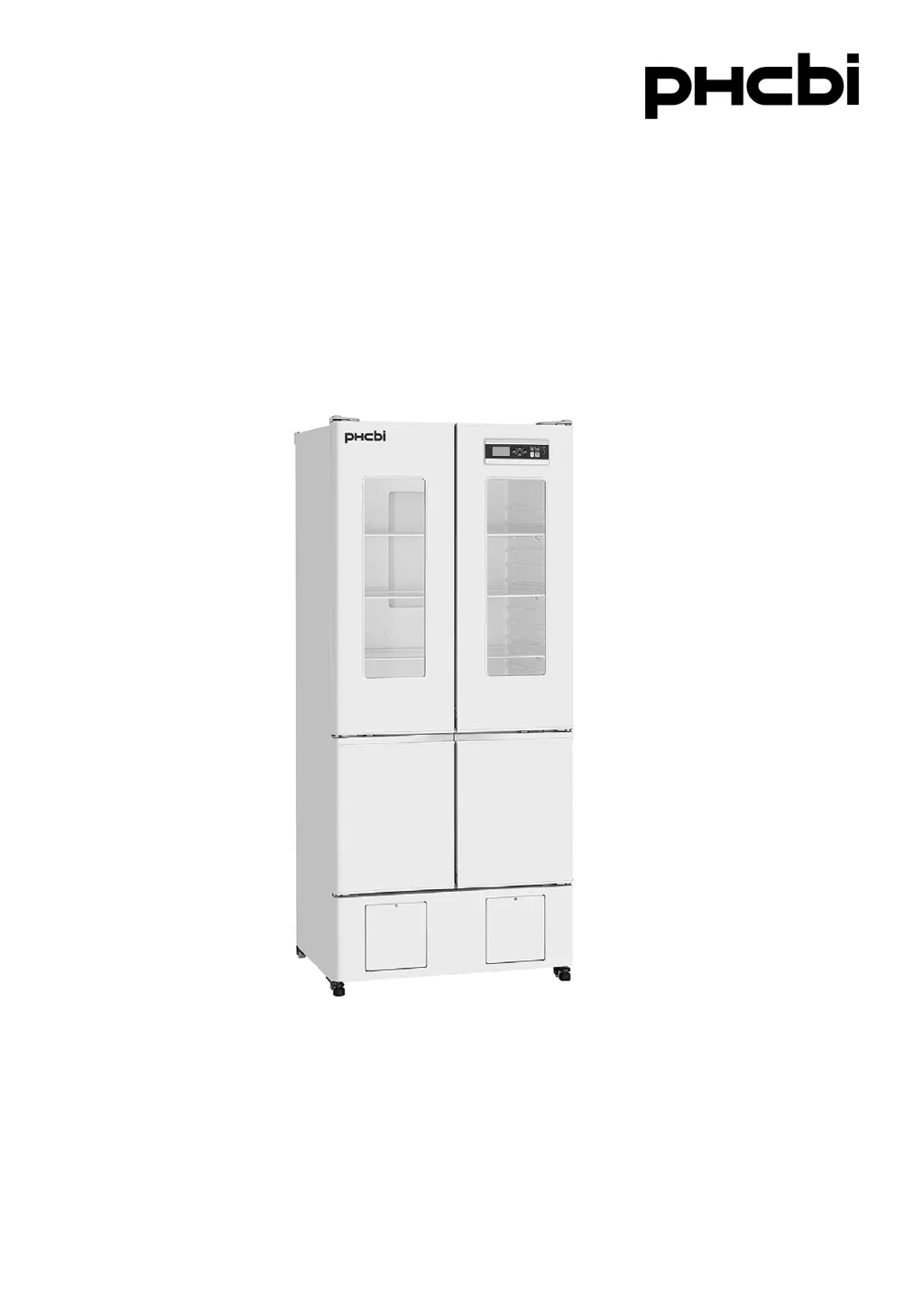
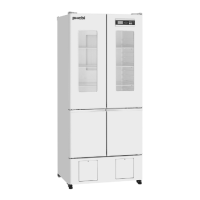
MPR-N450FSH
MPR-N450FHSeries
Please read the operating instructions carefully before using this product, and keep the operating
instructions for future use.
See page 67 for all model numbers.
Operating Instructions
Pharmaceutical Refrigerator
MPR-N450FH

Table of Contents

Questions and Answers

Summary

Introduction and Safety Precautions

Introduction to PHCbi Pharmaceutical Refrigerator

Covers general handling guidelines and proposals for safe storage of contents.

Understanding Safety Warnings and Symbols

Explains warning symbols (Caution, Warning) and their meanings.

Electrical Safety and Installation Precautions

Details electrical safety, grounding, and installation site requirements.

Operational and Maintenance Safety Guidelines

Covers safe operation, maintenance, and handling of the unit.

Environmental and Handling Safety Measures

Addresses environmental factors, flammable materials, and moving the unit.

General Cautions for Unit Use

Provides general cautionary advice for unit use and maintenance.

Unit Components and Environmental Specifications

Environmental Operating Conditions for Refrigerator

Defines the required ambient temperature, humidity, and voltage for operation.

Identifying Unit Symbols and Indicators

Explains the various symbols found on the unit and their significance.

Refrigerator Main Body Component Identification

Illustrates and labels the primary external components of the refrigerator.

Detailed Descriptions of Refrigerator Components

Provides specific details and functions for each numbered component.

Control Panel Features and Operation

Describes the function of each key and indicator on the control panel.

Installation and Initial Operation

Selecting an Optimal Installation Site

Specifies ideal locations for unit installation to ensure optimal performance.

Unit Installation, Leveling, and Securing

Details the process of unpacking, leveling, and securing the unit.

Initial Unit Startup and Power Failure Recovery

Guides through initial unit startup and behavior after power interruptions.

Home Screen Interface and Temperature Display

Explains the home screen interface and how to change temperature display modes.

Menu Navigation and Basic Settings

Navigating the Refrigerator Menu System

Outlines the structure and access to various menu functions.

Menu Screen Functionality Overview

Provides a table listing menu screens, their functions, and corresponding reference pages.

Setting Refrigerator and Freezer Temperatures

Instructions for setting the desired temperature for refrigerator and freezer chambers.

Keypad Lock: Enabling and Disabling

Details on how to enable, disable, and set a password for the keypad lock.

Data Logging and Alarm Management

Viewing Maximum and Minimum Temperature Records

How to view recorded maximum and minimum chamber temperatures.

Resetting Temperature Log Data

Procedure for resetting the stored maximum and minimum temperature logs.

Setting Temperature Monitoring Period

Configures the time interval for monitoring maximum and minimum temperatures.

Displaying Temperature and Door Operation Logs

Describes how to view chamber temperature and door status logs in chart format.

Exporting Log Data to USB Storage

Step-by-step guide for exporting logged data to a USB memory device.

Exporting Temperature and Door Operation Logs

Specific instructions for exporting temperature and door logs to USB.

Configuring Data Log Interval Settings

Adjusts the frequency at which chamber temperature data is logged.

Setting Device ID for Data Acquisition

Assigns a unique identifier to the unit for data acquisition systems.

Accessing and Viewing the Alarm Log

How to access and view the history of recorded alarms.

Exporting Alarm Log History

Instructions for exporting the recorded alarm history to a USB device.

Parameter Settings and Customization

Overview of Selectable Unit Parameters

Lists the various parameters that can be customized on the unit.

Configuring Temperature Display Format

Sets the display mode for temperature readings (integer or decimal).

Setting Freezer Defrost Operation Mode

Enables or disables the freezer defrosting function.

Managing Freezer Alarm Buzzer Settings

Allows disabling the freezer alarm buzzer for specific situations.

Setting Refrigerator High-Temperature Alarm

Configures the threshold for refrigerator high-temperature alarm.

Setting Refrigerator Low-Temperature Alarm

Configures the threshold for refrigerator low-temperature alarm.

Setting Freezer High-Temperature Alarm

Configures the threshold for freezer high-temperature alarm.

Setting Freezer Low-Temperature Alarm

Configures the threshold for freezer low-temperature alarm.

Configuring Door Buzzer Delay

Sets the delay before the door open alarm buzzer activates.

Setting Buzzer Suspended Period

Defines the duration the buzzer remains silenced after activation.

Adjusting Buzzer Volume Level

Selects the audible volume level for unit alarms.

Configuring Remote Alarm Linkage

Determines if the remote alarm device is linked to the unit's buzzer.

Setting Interior Light Operation Mode

Sets the interior light to be ON, OFF, or linked to door operation.

Configuring Compressor Start Delay

Sets a delay for compressor startup to reduce power line load.

Setting Data Acquisition Device ID

Assigns a unique identifier for data acquisition via the MTR-5000 system.

Configuring Data Acquisition Speed

Sets the communication speed for data acquisition.

Setting Remote Control Mode

Enables or disables remote control of chamber temperature settings.

Setting Date Display Format

Selects the display format for dates (YY/MM/DD or DD/MM/YY).

Setting the Current Date

Procedure for inputting and confirming the current date.

Setting the Current Time

Procedure for inputting and confirming the current time.

Alarms, Maintenance, and Troubleshooting

Remote Alarm Terminal Functionality

Explains how to connect and use the remote alarm terminal for notifications.

Understanding Alarms and Self-Diagnosis Codes

Details error codes, alarm content, and self-diagnosis indicators.

Routine Maintenance: Cleaning Procedures

Instructions for cleaning the exterior, interior, and accessories of the unit.

Defrosting: Refrigerator and Freezer

Guides on automatic refrigerator defrosting and manual freezer defrosting.

Troubleshooting Common Unit Malfunctions

Provides a checklist of common problems and their remedies.

Unit Disposal and Optional Components

Unit Disposal and Safety Considerations

Information on safe disposal of the unit and handling of refrigerants.

Optional Components: Recorder and Battery Kit

Details on optional temperature recorders and power failure alarm battery kits.

Optional Components: Shelves and Light Shielding Plate

Information on optional freezer shelf kits and light shielding plates.

Specifications and Performance

Detailed Unit Specifications

Comprehensive technical specifications for the refrigerator models.

Unit Performance Data

Data on temperature control range, voltage, and power consumption.

Safety Check Sheet

Safety Check Sheet for Service Personnel

A form for service engineers to confirm unit safety before maintenance.

Phcbi MPR-N450FSH Series Specifications

General IconGeneral
BrandPhcbi
CategoryRefrigerator
TypePharmaceutical Refrigerator
Frequency50/60 Hz
Interior MaterialStainless Steel
Number of Doors1
Defrost SystemAutomatic
Digital DisplayYes
CertificationCE, UL
ModelMPR-N450FSH
Exterior MaterialSteel
Door TypeSolid
Temperature ControlDigital

Related product manuals