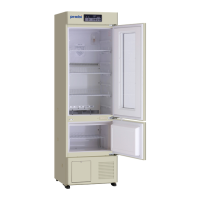
EasyManua.ls Logo

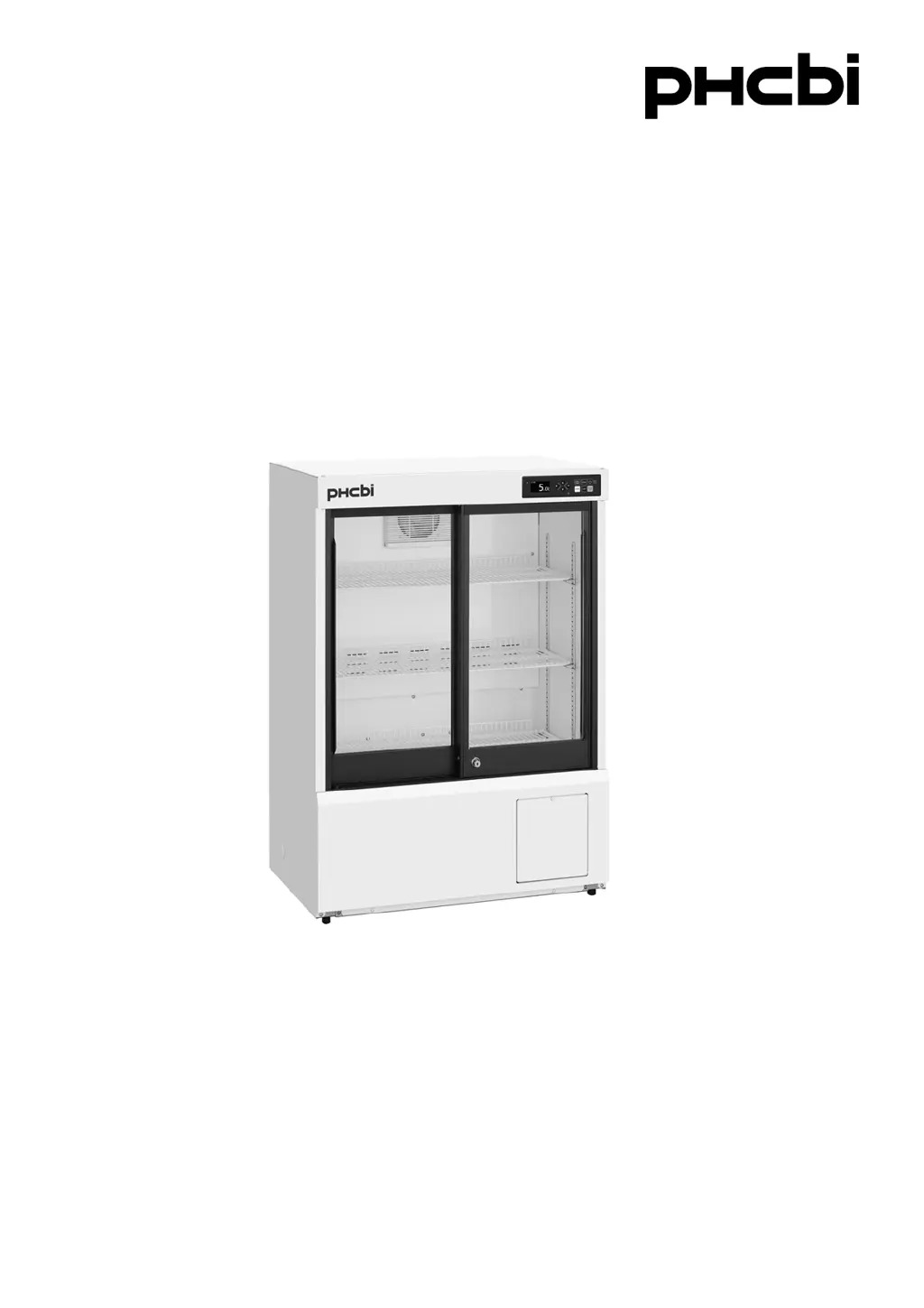
Phcbi MPR-S150H Series - User Manual

Phcbi MPR-S150H Series
68 pages
Print Icon
To Next Page IconTo Next Page
Loading...
MPR-S150H
MPR-S300HSeries
Please read the operating instructions carefully before using this product, and keep the operating
instructions for future use.
See page 63 for all model numbers.
Operating Instructions
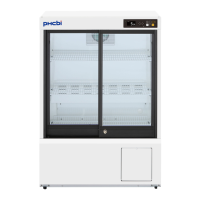
Pharmaceutical Refrigerator
MPR-S150H

Table of Contents

Questions and Answers

Summary

Introduction to Pharmaceutical Refrigerator

Handling Operating Instructions

Guidance on managing and referencing the user manual for safe operation.

Important Notice and Intended Use

Key warnings and the designed purpose of the appliance for storing sensitive materials.

Precautions for Safe Operation

General Safety Warnings and Symbols

Critical safety advice, including warnings, cautions, and symbol meanings to prevent injury.

Environmental Conditions for Operation

Unit Symbols and Meanings

Refrigerator Components Overview

Main Body Components

Identification of key external parts of the refrigerator unit.

Control Panel Functions

Selecting the Installation Site

Unit Installation Procedures

Securing and Levelling the Unit

Instructions on how to properly level and secure the refrigerator.

Preventing Electric Shock by Earthing

Importance and method of earthing the unit to prevent electric shock.

Unit Start-Up Procedure

Home Screen Display

Menu Screen Navigation

Setting the Chamber Temperature

Keypad Lock Configuration

Setting and Releasing the Keypad Lock

Procedures for enabling, disabling, and using the keypad lock feature with a password.

Temperature Monitoring Features

Displaying and Resetting Max;Min Temperatures

How to view, reset, and set the period for recording max/min chamber temperatures.

Data Logging and Export

Displaying Temperature and Door Logs

Viewing chamber temperature and door operation logs, and exporting them to USB.

Setting the Log Interval

Displaying the Alarm Log

Configuring Selectable Parameters

Alarm Settings

Configuring high-temperature, low-temperature alarms, and door buzzer delay.

Buzzer and Light Settings

Adjusting buzzer volume, suspended period, and interior light settings.

Date, Time, and Remote Control Settings

Configuring date/time format, date, time, and remote control parameters.

Routine Maintenance Procedures

Cleaning the Unit

Instructions for cleaning the exterior, interior, and accessories.

Defrosting Methods

Explanation of automatic cycle and sensor-based defrosting.

Troubleshooting Common Malfunctions

Optional Components and Accessories

Temperature Recorder and Battery Kit

Details on optional temperature recorders and power failure alarm battery kits.

Interface Board and Shading Glass Door

Information on optional interface boards and shading glass doors.

Product Specifications

Safety Check Sheet for Servicing

Summary

Introduction to Pharmaceutical Refrigerator

Handling Operating Instructions

Guidance on managing and referencing the user manual for safe operation.

Important Notice and Intended Use

Key warnings and the designed purpose of the appliance for storing sensitive materials.

Precautions for Safe Operation

General Safety Warnings and Symbols

Critical safety advice, including warnings, cautions, and symbol meanings to prevent injury.

Environmental Conditions for Operation

Unit Symbols and Meanings

Refrigerator Components Overview

Main Body Components

Identification of key external parts of the refrigerator unit.

Control Panel Functions

Selecting the Installation Site

Unit Installation Procedures

Securing and Levelling the Unit

Instructions on how to properly level and secure the refrigerator.

Preventing Electric Shock by Earthing

Importance and method of earthing the unit to prevent electric shock.

Unit Start-Up Procedure

Home Screen Display

Menu Screen Navigation

Setting the Chamber Temperature

Keypad Lock Configuration

Setting and Releasing the Keypad Lock

Procedures for enabling, disabling, and using the keypad lock feature with a password.

Temperature Monitoring Features

Displaying and Resetting Max;Min Temperatures

How to view, reset, and set the period for recording max/min chamber temperatures.

Data Logging and Export

Displaying Temperature and Door Logs

Viewing chamber temperature and door operation logs, and exporting them to USB.

Setting the Log Interval

Displaying the Alarm Log

Configuring Selectable Parameters

Alarm Settings

Configuring high-temperature, low-temperature alarms, and door buzzer delay.

Buzzer and Light Settings

Adjusting buzzer volume, suspended period, and interior light settings.

Date, Time, and Remote Control Settings

Configuring date/time format, date, time, and remote control parameters.

Routine Maintenance Procedures

Cleaning the Unit

Instructions for cleaning the exterior, interior, and accessories.

Defrosting Methods

Explanation of automatic cycle and sensor-based defrosting.

Troubleshooting Common Malfunctions

Optional Components and Accessories

Temperature Recorder and Battery Kit

Details on optional temperature recorders and power failure alarm battery kits.

Interface Board and Shading Glass Door

Information on optional interface boards and shading glass doors.

Product Specifications

Safety Check Sheet for Servicing

Phcbi MPR-S150H Series Specifications

General IconGeneral
TypeRefrigerator
Frequency50/60 Hz
Defrost SystemAutomatic
RefrigerantR600a
Door LockYes
Alarm SystemHigh/Low Temperature, Power Failure
DisplayDigital

Related product manuals