EasyManua.ls Logo

Phcbi MPR-1412 Series - User Manual

Phcbi MPR-1412 Series
44 pages
Print Icon
To Next Page IconTo Next Page
Loading...
MPR-1412R
MPR-1412Series
Please read the operating instructions carefully before using this product, and keep the operating
instructions for future use.
See page 41 for all model numbers.
Operating Instructions
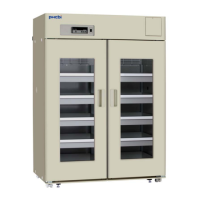
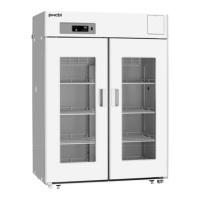
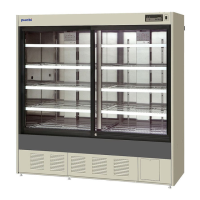
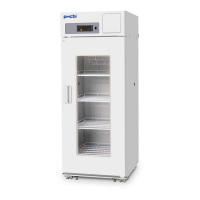
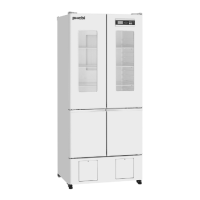
Pharmaceutical Refrigerator
MPR-1412

Table of Contents

Question and Answer IconNeed help?

Do you have a question about the Phcbi MPR-1412 Series and is the answer not in the manual?

Summary

Safe Operation Precautions

Control Panel Components

Control Panel Functions

Describes the buttons, indicators, and display of the control panel.

Installation Site Requirements

Recommended Installation Locations

Details the required environmental and physical conditions for unit installation.

Installation Procedures

Start-Up Procedure

Initial Operation Steps

Step-by-step guide for the initial power-up and operation of the unit.

Placement of Stored Items

Air Circulation and Load Line

Instructions on how to place items to ensure proper air circulation and within load limits.

Setting the Chamber Temperature

Temperature Setting Procedure

Step-by-step guide to set the desired chamber temperature.

Locking Chamber Temperature Settings

Enabling Temperature Setting Lock

Procedure to lock the temperature settings to prevent accidental changes.

Setting Temperature Display Mode

Changing Display Mode

Instructions on how to switch between integer and decimal temperature display modes.

Setting Alarm Temperatures

Setting High-Temperature Alarm

Guide to configure the high-temperature alarm threshold.

Setting Low-Temperature Alarm

Guide to configure the low-temperature alarm threshold.

Setting the Door Alarm Delay

Adjusting Door Alarm Delay Time

Procedure to set the delay before the door alarm activates.

Setting Buzzer Suspended Period

Configuring Buzzer Recovery Time

How to set the period the buzzer remains suspended after an alarm.

Remote Alarm Terminal

Remote Alarm Connection and Functionality

Details on connecting and using the remote alarm terminal.

Alarm Functions

Alarm Types and Causes

Lists various alarms, their causes, indications, and responses.

Safety Functions

Self-Diagnostic Functions

Error Codes and Troubleshooting

Lists self-diagnostic error codes and their corresponding causes.

Troubleshooting Common Issues

Malfunctions and Remedies

Lists common issues, their causes, and recommended solutions.

Product Specifications

Summary

Safe Operation Precautions

Control Panel Components

Control Panel Functions

Describes the buttons, indicators, and display of the control panel.

Installation Site Requirements

Recommended Installation Locations

Details the required environmental and physical conditions for unit installation.

Installation Procedures

Start-Up Procedure

Initial Operation Steps

Step-by-step guide for the initial power-up and operation of the unit.

Placement of Stored Items

Air Circulation and Load Line

Instructions on how to place items to ensure proper air circulation and within load limits.

Setting the Chamber Temperature

Temperature Setting Procedure

Step-by-step guide to set the desired chamber temperature.

Locking Chamber Temperature Settings

Enabling Temperature Setting Lock

Procedure to lock the temperature settings to prevent accidental changes.

Setting Temperature Display Mode

Changing Display Mode

Instructions on how to switch between integer and decimal temperature display modes.

Setting Alarm Temperatures

Setting High-Temperature Alarm

Guide to configure the high-temperature alarm threshold.

Setting Low-Temperature Alarm

Guide to configure the low-temperature alarm threshold.

Setting the Door Alarm Delay

Adjusting Door Alarm Delay Time

Procedure to set the delay before the door alarm activates.

Setting Buzzer Suspended Period

Configuring Buzzer Recovery Time

How to set the period the buzzer remains suspended after an alarm.

Remote Alarm Terminal

Remote Alarm Connection and Functionality

Details on connecting and using the remote alarm terminal.

Alarm Functions

Alarm Types and Causes

Lists various alarms, their causes, indications, and responses.

Safety Functions

Self-Diagnostic Functions

Error Codes and Troubleshooting

Lists self-diagnostic error codes and their corresponding causes.

Troubleshooting Common Issues

Malfunctions and Remedies

Lists common issues, their causes, and recommended solutions.

Product Specifications

Phcbi MPR-1412 Series Specifications

General IconGeneral
BrandPhcbi
ModelMPR-1412 Series
CategoryRefrigerator
LanguageEnglish

Related product manuals