EasyManua.ls Logo

Phcbi MPR-721 Series - User Manual

Phcbi MPR-721 Series
36 pages
Print Icon
To Next Page IconTo Next Page
Loading...
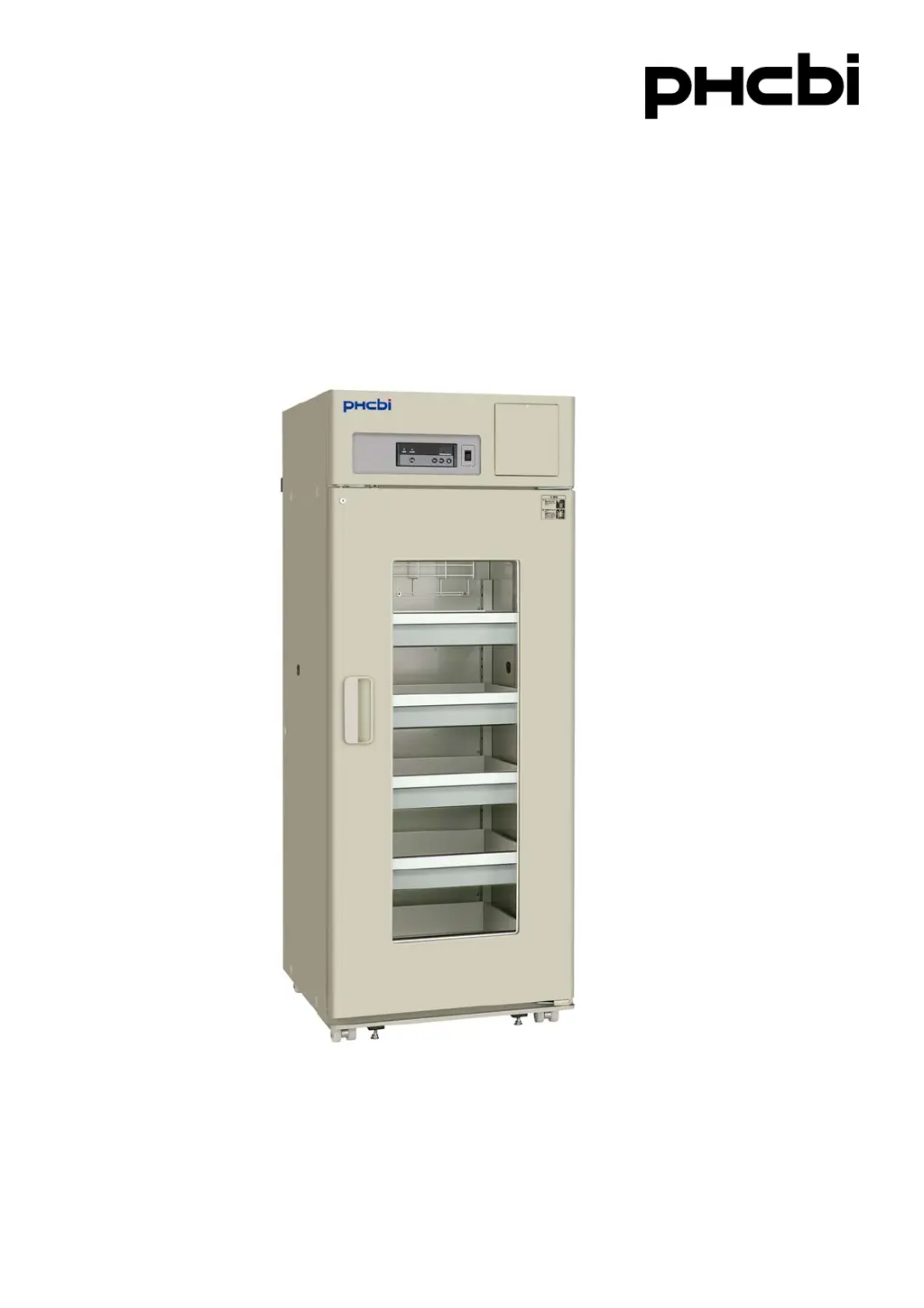
MPR-721R
MPR-721Series
Please read the operating instructions carefully before using this product, and keep the operating
instructions for future use.
See page 32 for all model numbers.
Operating Instructions
Pharmaceutical Refrigerator
MPR-721R

Questions and Answers

  • K
    Kirk BonillaAug 6, 2025
    What to do if my Phcbi MPR-721 Refrigerator is not getting cold enough?
    • G
      gonzalezericaAug 6, 2025
      If your Phcbi Refrigerator isn't cooling adequately, several factors could be responsible. Ensure that you are not placing a large amount of items or warm products inside the unit; reduce the quantity or allow them to cool beforehand. Check for obstructions blocking the air exhaust vent and clear them. Direct sunlight or nearby heat sources can also affect cooling, so relocate the unit or remove the heat source. Avoid frequent door openings and ensure the door is securely closed. If the ambient temperature is too high, lower it. Lastly, inspect the door seal for damage or obstructions; repair or replace it if necessary. Removing any heat source from inside the unit may also resolve the issue.
  • S
    Shannon BrownAug 15, 2025
    Why is my Phcbi Refrigerator not turning on?
    • T
      Trevor ClarkAug 15, 2025
      If your Phcbi Refrigerator isn't operating even when switched on, the issue might stem from the power supply. Check the power supply first. It's possible there's a power failure. Also, verify whether the circuit breaker has been activated and reset it if needed. Lastly, confirm that the unit is properly connected to the power supply; if not, connect it.
  • E
    estevensAug 25, 2025
    What to do if the alarm device is activated on my Phcbi Refrigerator?
    • G
      Gina HaleAug 26, 2025
      If the alarm is triggered on your Phcbi Refrigerator, the temperature inside might not be matching the set value; allow the unit to run for several hours to stabilize. Check if the door was left open for an extended period and ensure it's now securely closed. Also, verify the temperature setting and reset it if it was changed. Finally, if you've recently placed warm containers inside, remove them or let them cool down before placing them in the unit.

Summary

Introduction

Precautions for Safe Operation

General Safety Warnings

Key safety alerts and prohibitions to prevent injury and damage.

Unit Label Information

Explains the meaning of safety labels affixed to the unit for user guidance.

Environmental Conditions

Refrigerator Components

Main Components Overview

Identifies and illustrates the primary parts of the refrigerator unit.

Inside Front Cover Components

Details components located inside the front cover, such as glow starter and alarm terminal.

Control Panel Functions

Explains the purpose and operation of each button and indicator on the control panel.

Installation Site

Installation

Start-Up of Unit

Stock of Containers

Chamber Temperature Setting

Key Lock Function

Alarm Temperature Setting

Setting of Delay of Door Alarm

Setting of Ringback of Alarm Buzzer

Operation Check After Recovery

Defrost Cycles

Remote Alarm Terminal

Alarms & Safety Functions

Routine Maintenance

Cabinet Cleaning

Instructions for cleaning the interior and exterior surfaces of the refrigerator unit.

Evaporating Tray Cleaning

Procedures for removing and cleaning the condensation evaporating tray.

Fluorescent Lamp Replacement

Step-by-step guide for replacing the unit's fluorescent lighting.

Glow Starter Replacement

Instructions for safely replacing the glow starter for the fluorescent lamp.

Troubleshooting

Disposal of Unit

Unit Decontamination

Steps for decontaminating the unit before disposal, especially if it contained hazardous materials.

Optional Components

Temperature Recorder Installation

Information on available temperature recorders and their installation.

Battery Mounting Box (Option)

Specifications

Performance

Safety Check Sheet

Phcbi MPR-721 Series Specifications

General IconGeneral
BrandPhcbi
ModelMPR-721 Series
CategoryRefrigerator
LanguageEnglish

Related product manuals