39
NOTICE:
If you need to set more than two alarms, you can
choose Add Clock to set more alarms. .
DELETING THE ALARM
1. Tap applications > Clock>Set alarm. Click on the
alarm you would like to delete.
2. Tap Delete.
7.3 USING SOUND RECORDER
You need to install a microSD card before using sound
recorder.
RECORDING
1. Tap Applications> Sound Recorder
2. Hold the microphone near your mouth.
3. Tap to start recording.
4. Tap to stop recording.
5. Tap Save.
6. Tap to play your recording.
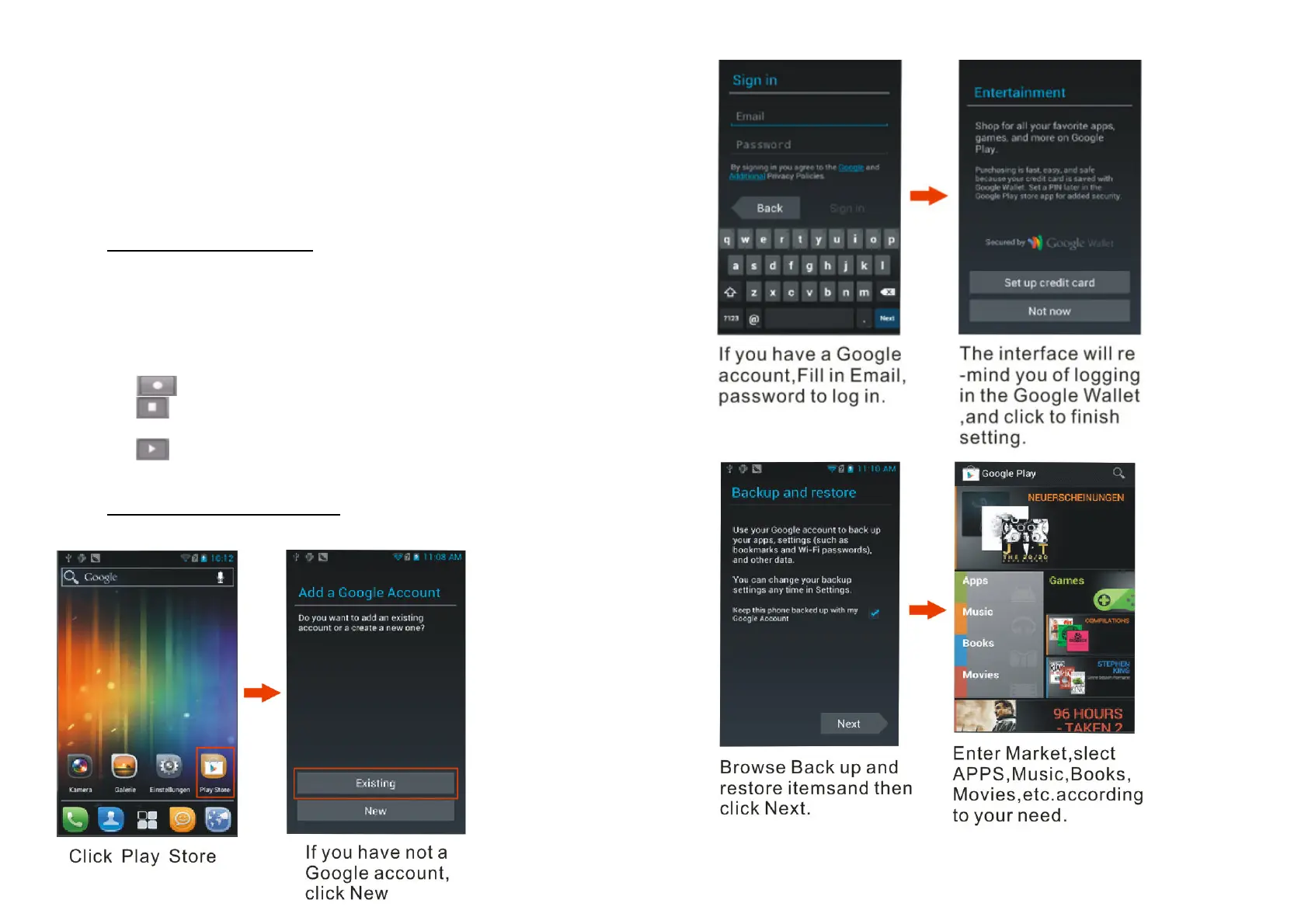
7.4 INSTALLING AND USING APPS
Make sure your phone is connected to a network.
40


 To Next Page