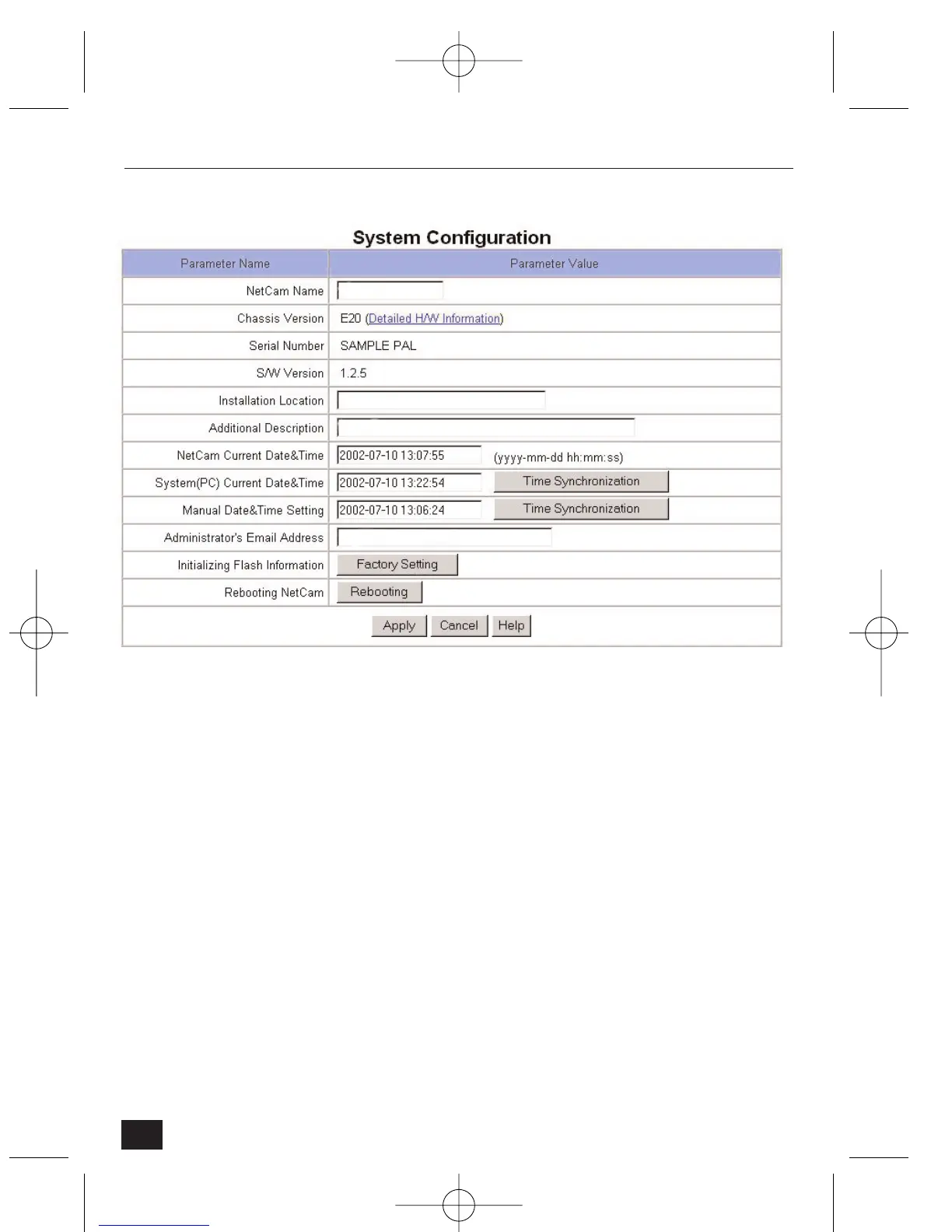
• Chassis version – Click on 'Detailed H/W Information' to view the detailed
hardware information such as maximum number of channels, serial port,
digital output, etc. The Chassis serial number and S/W version are for
service purposes only.
• Installation location – Type in the location of the NetCam2. This will
appear as the second line of text in the Homepage header.
• Additional description – Type in any additional text information. This will
appear as the third line of text in the Homepage header.
• Date and Time – there are three date and time menus:
• ‘NetCam2 Current Date & Time’: the current date and time of the
NetCam2's real-time clock appears.
• ‘System(PC) Current Date & Time’: the current date and time in the
administrator’s PC appears. You may copy the system (PC)’s date and
time into NetCam2 by clicking on the ‘Time Synchronization’ button.
• ‘Manual Date & Time Setting’: you may set the date and time manually.
To synchronize the NetCam2 with the manually entered time, click on
the ‘Time Synchronization’ button.
30
NetCam2 Section 4











 To Next Page