EasyManua.ls Logo

Philips NeoPix Prime 2 - User Manual

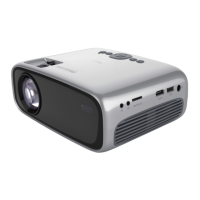
Philips NeoPix Prime 2
30 pages
Print Icon
To Next Page IconTo Next Page
Loading...
EN User Manual
FR Manuel utilisateur
DE Bedienungsanleitung
ES Manual de usuario
IT Manuale d’uso
NL Gebruiksaanwijzing
RU
Руководство пользователя
TR Kullanım Kılavuzu
Register your product and get support at
www.philips.com/support
NeoPix Prime 2
Home projector

Questions and Answers

Summary

Introduction

About this User Manual

Describes the manual's purpose, structure, and how to use it effectively.

Symbols Used

Explains the meaning of various warning and informational symbols found in the manual.

Whats in the Box

Lists all the accessories and components included with the projector.

Customer Service Centre

Provides contact information and resources for product support and warranty.

General Safety Information

Setting Up the Product

Covers product placement, environmental conditions, and handling precautions for safe operation.

Repairs

Details on product maintenance and the necessity of using authorized service centers.

Overview

Top View

Identifies the projector's top components and controls.

Front View

Identifies the projector's front components, including the lens and sensors.

Side View

Details the projector's side ports and connectors.

Rear View

Lists the projector's rear ports and connections.

Remote Control

Describes the remote control, its buttons, and LED indicator.

Initial Operation

Placement

Discusses positioning the projector for optimal projection in different scenarios.

Connect Power Supply

Details how to safely connect the projector to a power source.

Prepare the Remote Control

Instructions for inserting batteries into the remote control.

Power On and Setup

Steps to turn on the projector and perform initial setup procedures.

Use Home Screen

Shortcut Options

How to access quick settings and options from the home screen.

Easy Setup

Accessing initial setup options like language and Wi-Fi from the home screen.

Set up WiFi Network

Steps to connect the projector to a Wi-Fi network for online services.

Access Online Services

Using pre-loaded internet applications and services available on the home screen.

Customize Home Screen Wallpaper

How to change the background image of the projector's home screen.

Screen Navigation and Keyboard Input

Methods for navigating the interface and inputting text using various input devices.

Connect to Playback Devices

Connecting to Devices Through HDMI

How to connect playback devices using HDMI for audio and video output.

Connecting to Devices Through AV

How to connect playback devices using AV cables for audio and video.

Connecting to a Computer Through VGA

How to connect a computer using a VGA cable for video display.

Connecting to External Speakers or Headphones

How to connect audio output devices for enhanced sound.

Browse Storage Devices

Play Video from Storage Devices

Steps to play video files from connected USB or SD card storage.

Play Music from Storage Devices

Steps to play music files from connected USB or SD card storage.

View Photo from Storage Devices

Steps to view photo files from connected USB or SD card storage.

Wireless Projection

Screen Mirroring for iOS Devices and Mac

How to wirelessly mirror screens from Apple iOS devices and Mac computers.

Cast Video for iOS Devices

How to cast videos from iOS devices to the projector's screen.

Screen Mirroring for Android Devices;Windows PC

How to mirror screens from Android devices or Windows PCs.

Change Settings

WiFi Settings

How to configure the projector's Wi-Fi connection and network settings.

Bluetooth Settings

How to pair Bluetooth devices such as remote controls or keyboards.

Picture Settings

How to adjust image display parameters like brightness, contrast, and color.

Language and Keyboard Settings

How to set the projector's language and input method for text.

Date and Time Settings

How to set the projector's current date, time, and time zone.

Apps Management

How to manage installed applications on the projector.

Projector System Settings

Settings related to projector operation, input sources, and system functions.

System Information Checking

Restore Default Settings

Other System Settings

Sound Options

Scheduled Shutdown

Service

Cleaning

Instructions for safely cleaning the projector and its lens.

Update Software

Procedures for updating the projector's firmware via internet or USB.

Troubleshooting

Power Cycling

Steps to resolve projector issues by cycling the power off and on.

Appendix

Technical Data

Detailed specifications of the projector's hardware and performance characteristics.

Apps

List of pre-loaded applications available on the projector.

Product Details

Physical dimensions, weight, and operating/storage temperature range.

Package Content

List of items included in the product packaging.

CE Statement

Declaration of conformity with essential requirements of EU directives.

FCC Statement

Compliance information for the US Federal Communications Commission (FCC).

Canada Regulatory Compliance

Compliance information for Industry Canada standards.

RF Radiation Exposure Statement

Information regarding radio frequency exposure and compliance with limits.

Other Notices

Important disclaimers, trademarks, environmental, and liability notices.

Summary

Introduction

About this User Manual

Describes the manual's purpose, structure, and how to use it effectively.

Symbols Used

Explains the meaning of various warning and informational symbols found in the manual.

Whats in the Box

Lists all the accessories and components included with the projector.

Customer Service Centre

Provides contact information and resources for product support and warranty.

General Safety Information

Setting Up the Product

Covers product placement, environmental conditions, and handling precautions for safe operation.

Repairs

Details on product maintenance and the necessity of using authorized service centers.

Overview

Top View

Identifies the projector's top components and controls.

Front View

Identifies the projector's front components, including the lens and sensors.

Side View

Details the projector's side ports and connectors.

Rear View

Lists the projector's rear ports and connections.

Remote Control

Describes the remote control, its buttons, and LED indicator.

Initial Operation

Placement

Discusses positioning the projector for optimal projection in different scenarios.

Connect Power Supply

Details how to safely connect the projector to a power source.

Prepare the Remote Control

Instructions for inserting batteries into the remote control.

Power On and Setup

Steps to turn on the projector and perform initial setup procedures.

Use Home Screen

Shortcut Options

How to access quick settings and options from the home screen.

Easy Setup

Accessing initial setup options like language and Wi-Fi from the home screen.

Set up WiFi Network

Steps to connect the projector to a Wi-Fi network for online services.

Access Online Services

Using pre-loaded internet applications and services available on the home screen.

Customize Home Screen Wallpaper

How to change the background image of the projector's home screen.

Screen Navigation and Keyboard Input

Methods for navigating the interface and inputting text using various input devices.

Connect to Playback Devices

Connecting to Devices Through HDMI

How to connect playback devices using HDMI for audio and video output.

Connecting to Devices Through AV

How to connect playback devices using AV cables for audio and video.

Connecting to a Computer Through VGA

How to connect a computer using a VGA cable for video display.

Connecting to External Speakers or Headphones

How to connect audio output devices for enhanced sound.

Browse Storage Devices

Play Video from Storage Devices

Steps to play video files from connected USB or SD card storage.

Play Music from Storage Devices

Steps to play music files from connected USB or SD card storage.

View Photo from Storage Devices

Steps to view photo files from connected USB or SD card storage.

Wireless Projection

Screen Mirroring for iOS Devices and Mac

How to wirelessly mirror screens from Apple iOS devices and Mac computers.

Cast Video for iOS Devices

How to cast videos from iOS devices to the projector's screen.

Screen Mirroring for Android Devices;Windows PC

How to mirror screens from Android devices or Windows PCs.

Change Settings

WiFi Settings

How to configure the projector's Wi-Fi connection and network settings.

Bluetooth Settings

How to pair Bluetooth devices such as remote controls or keyboards.

Picture Settings

How to adjust image display parameters like brightness, contrast, and color.

Language and Keyboard Settings

How to set the projector's language and input method for text.

Date and Time Settings

How to set the projector's current date, time, and time zone.

Apps Management

How to manage installed applications on the projector.

Projector System Settings

Settings related to projector operation, input sources, and system functions.

System Information Checking

Restore Default Settings

Other System Settings

Sound Options

Scheduled Shutdown

Service

Cleaning

Instructions for safely cleaning the projector and its lens.

Update Software

Procedures for updating the projector's firmware via internet or USB.

Troubleshooting

Power Cycling

Steps to resolve projector issues by cycling the power off and on.

Appendix

Technical Data

Detailed specifications of the projector's hardware and performance characteristics.

Apps

List of pre-loaded applications available on the projector.

Product Details

Physical dimensions, weight, and operating/storage temperature range.

Package Content

List of items included in the product packaging.

CE Statement

Declaration of conformity with essential requirements of EU directives.

FCC Statement

Compliance information for the US Federal Communications Commission (FCC).

Canada Regulatory Compliance

Compliance information for Industry Canada standards.

RF Radiation Exposure Statement

Information regarding radio frequency exposure and compliance with limits.

Other Notices

Important disclaimers, trademarks, environmental, and liability notices.

Philips NeoPix Prime 2 Specifications

General IconGeneral
Brightness200 ANSI lumens
Contrast Ratio3000:1
Projection TechnologyLCD
Light SourceLED
Throw Ratio1.4:1
Aspect Ratio16:9
Integrated Media PlayerYes
Internal MemoryNo
Weight1.2 kg
Lamp Life30, 000 hours
Power SupplyAC 100-240V, 50/60Hz
ConnectivityHDMI, USB, AV
Keystone CorrectionVertical ±40°
Projection Distance0.8 - 2.0 m
Wireless Screen MirroringYes
BluetoothYes
Resolution1280x720 (HD)
Screen Sizeup to 80 inches
Built-in SpeakersYes, 2 x 3W

Related product manuals