EasyManua.ls Logo

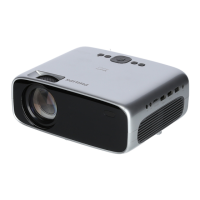
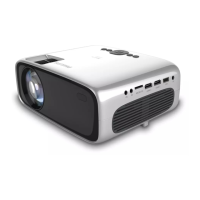
Philips NeoPix Prime NPX540/INT - User Manual

Philips NeoPix Prime NPX540/INT
22 pages
Print Icon
To Next Page IconTo Next Page
Loading...
User Manual
Register your product and get support at
www.philips.com/support
Mini projector
NeoPix Prime

Questions and Answers

Summary

General Safety Information

Safe Product Setup

Provides essential guidelines for safely setting up the projector.

Product Maintenance and Repairs

Outlines procedures and limitations regarding product maintenance and repairs.

Power Supply and Connections

Power Supply Details

Details requirements and precautions for the projector's power supply.

Initial Projector Operation

Placing the Projector

Provides guidelines for positioning the projector for optimal projection.

Powering On and Initial Setup

Adjusting Image Focus

Details how to adjust image focus using the focus knob.

Correcting Keystone Distortion

Explains how to correct keystone distortion using the keystone knob.

Adjusting Screen Height

Describes how to adjust screen height using the angle adjustment knob.

Connecting Playback Devices

HDMI Device Connection

Guides on connecting playback devices using HDMI.

Wireless Projection: Android Devices

Wireless Projection: iOS Devices

Changing Projector Settings

Wi-Fi Configuration

Manages projector's Wi-Fi connectivity and settings.

Service and Troubleshooting

Software Update Procedures

Guides on updating the projector's software via internet or USB.

Troubleshooting Common Issues

Offers solutions for common projector issues.

Philips NeoPix Prime NPX540/INT Specifications

General IconGeneral
TechnologyDLP
Light sourceLED
Aspect ratio16:9
Focus adjustmentManual
Integrated media playerYes
Throw Ratio1.4:1
Supported Resolutions720p, 1080p
Projection Size30 to 120 inches
Lamp Life30, 000 hours
ConnectivityHDMI, USB
Keystone correction±15° vertical
Power sourceAC 100-240V

Related product manuals