EasyManua.ls Logo

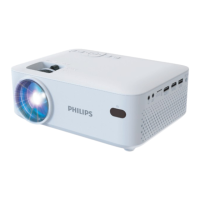
Philips NeoPix 520 - User Manual

Philips NeoPix 520
19 pages
Go to English
Print Icon
To Next Page IconTo Next Page
Loading...
Download the full user manual at:
www.philips.com/support and register
your product for further support.
NPX520
Quick Start
Guide
Question and Answer IconNeed help?

Do you have a question about the Philips NeoPix 520 and is the answer not in the manual?

Summary

Projector Connectivity Ports

Connecting External Devices

Details on connecting various devices like phones, computers, smart sticks, and game consoles using USB, HDMI, and USB-C ports.

Getting Started: Initial Setup

Step-by-Step Setup Process

Guides through connecting power, using the lens cap, and powering on the device with the remote.

Physical Setup and Adjustments

Lens and Angle Adjustment

Guide on using the adjustment knob for fine-tuning the projected image.

Mounting Options

Information regarding the use of screw holes for ceiling mounting the projector.

Remote Control Functions

Navigation and Basic Controls

Covers essential buttons such as Power, Home, Back, Volume, and Direction keys for device operation.

Quick Access and Assistant Features

Highlights dedicated buttons for Google Assistant, Apps, Netflix, Prime Video, and Projector Settings.

Using the Projector Interface

Displaying Content via Android TV

Instructions on connecting the projector to a screen and navigating the Android TV interface using the remote.

Safety and Compliance Information

FCC and Regulatory Compliance

Details FCC ID, labeling requirements, and compliance with FCC Rules for safe operation.

RF Exposure and Safety Precautions

Information on RF radiation exposure limits and safe installation/operation distances.

Summary

Projector Connectivity Ports

Connecting External Devices

Details on connecting various devices like phones, computers, smart sticks, and game consoles using USB, HDMI, and USB-C ports.

Getting Started: Initial Setup

Step-by-Step Setup Process

Guides through connecting power, using the lens cap, and powering on the device with the remote.

Physical Setup and Adjustments

Lens and Angle Adjustment

Guide on using the adjustment knob for fine-tuning the projected image.

Mounting Options

Information regarding the use of screw holes for ceiling mounting the projector.

Remote Control Functions

Navigation and Basic Controls

Covers essential buttons such as Power, Home, Back, Volume, and Direction keys for device operation.

Quick Access and Assistant Features

Highlights dedicated buttons for Google Assistant, Apps, Netflix, Prime Video, and Projector Settings.

Using the Projector Interface

Displaying Content via Android TV

Instructions on connecting the projector to a screen and navigating the Android TV interface using the remote.

Safety and Compliance Information

FCC and Regulatory Compliance

Details FCC ID, labeling requirements, and compliance with FCC Rules for safe operation.

RF Exposure and Safety Precautions

Information on RF radiation exposure limits and safe installation/operation distances.

Philips NeoPix 520 Specifications

General IconGeneral
Contrast Ratio3000:1
Built-in Speakers2 x 5W
Lamp Life30, 000 hours
TechnologyLCD
Light SourceLED
Throw Ratio1.4:1
Wireless Screen MirroringYes
Integrated Media PlayerYes
SmartYes
Resolution1920 x 1080p
Screen Size20" - 120"
ConnectivityHDMI, USB
Keystone CorrectionVertical

Related product manuals