EasyManua.ls Logo

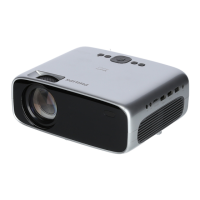
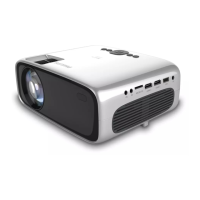
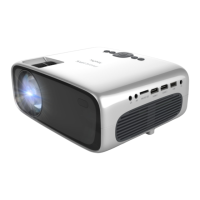
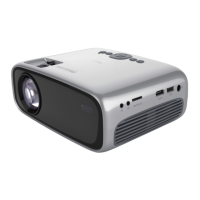
Philips NeoPix Prime One - User Manual

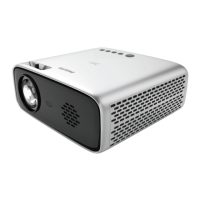
Philips NeoPix Prime One
2 pages
Print Icon
To Next Page IconTo Next Page
Loading...
FCC ID:2ASRT-NPX535
This device complies with part
15 of the FCC Rules. Operation
is subject to the following two
conditions: (1) This device may
not cause harmful interference,
and (2) this device must accept
any interference received,
including interference that may
cause undesired operation.
MICRO SDAUX HDMI 1 HDMI 2 USB DC
microSD
Quick
Start Guide
Download the full user manual at:
www.philips.com/support and register
your product for further support
Support Page
5C
41F
35C
95F
Home projector
NeoPix Prime One
Quick Start
Guide
Quick Start
Guide
Quick Start
Guide
Quick Start
Guide
NeoPix
Prime One
Screeneo Innovation SA
Route de Lully 5C
1131 - Tolochenaz - Switzerland
www.philips.com/welcome
philips.projector.eu@screeneo.com
Philips and the Philips Shield Emblem are
registered trademarks of Koninklijke Philips N.V.
and are used under license. Screeneo Innovation
SA is the warrantor in relation to the product with
which this booklet was packaged.
2021 © Screeneo Innovation SA
All right reserved
3
1
1
Power
2
OnRemove lens cover
5
4
Focus
Screw mount
VGA
MICRO SDAUX HDMI 1 HDMI 2 USB DC
NeoPix
Prime One
2 sec
NeoPix
Prime One
OK
Remove screw on bottom for wall/tripod mount
Question and Answer IconNeed help?

Do you have a question about the Philips NeoPix Prime One and is the answer not in the manual?

Summary

Initial Setup Guide

Remove Lens Cover

Steps to remove the projector lens cover before operation.

Power and Turn On

Instructions for connecting power and turning on the projector.

Focus Adjustment

Guidance on adjusting the focus for a clear image.

Mounting Options

Attaching the projector using screws for wall or tripod mounting.

Safety and Handling Precautions

General Warnings and Symbols

Important warnings and symbols related to projector usage and safety.

Projector Controls and Features

Adjustment Knob

Using the knob for image adjustment and other settings.

Navigation Keys

Understanding the function of projector navigation buttons.

Wireless Connectivity

Bluetooth Speaker Setup

Pairing the projector with Bluetooth speakers for audio output.

Apple Wireless Screen Mirroring

Mirroring content from Apple devices wirelessly via Wi-Fi.

Android Wireless Screen Mirroring

Mirroring content from Android devices wirelessly via Wi-Fi.

Wired Connectivity

Connecting Devices via HDMI

Connecting phones and tablets to the projector using HDMI cables.

Summary

Initial Setup Guide

Remove Lens Cover

Steps to remove the projector lens cover before operation.

Power and Turn On

Instructions for connecting power and turning on the projector.

Focus Adjustment

Guidance on adjusting the focus for a clear image.

Mounting Options

Attaching the projector using screws for wall or tripod mounting.

Safety and Handling Precautions

General Warnings and Symbols

Important warnings and symbols related to projector usage and safety.

Projector Controls and Features

Adjustment Knob

Using the knob for image adjustment and other settings.

Navigation Keys

Understanding the function of projector navigation buttons.

Wireless Connectivity

Bluetooth Speaker Setup

Pairing the projector with Bluetooth speakers for audio output.

Apple Wireless Screen Mirroring

Mirroring content from Apple devices wirelessly via Wi-Fi.

Android Wireless Screen Mirroring

Mirroring content from Android devices wirelessly via Wi-Fi.

Wired Connectivity

Connecting Devices via HDMI

Connecting phones and tablets to the projector using HDMI cables.

Philips NeoPix Prime One Specifications

General IconGeneral
Contrast Ratio3000:1
Projection TechnologyLCD
Light SourceLED
Built-in SpeakerYes (3W)
Keystone CorrectionManual
Focus AdjustmentManual
Integrated Media PlayerYes
Internal MemoryNo
Wi-FiYes
Aspect Ratio16:9
Lamp Life30, 000 hours
Brightness200 ANSI lumens
ConnectivityHDMI, USB
Wireless Screen MirroringYes
BluetoothYes
Projection Distance0.8 - 2.0 m
Resolution1280 x 720 pixels

Related product manuals