EasyManua.ls Logo

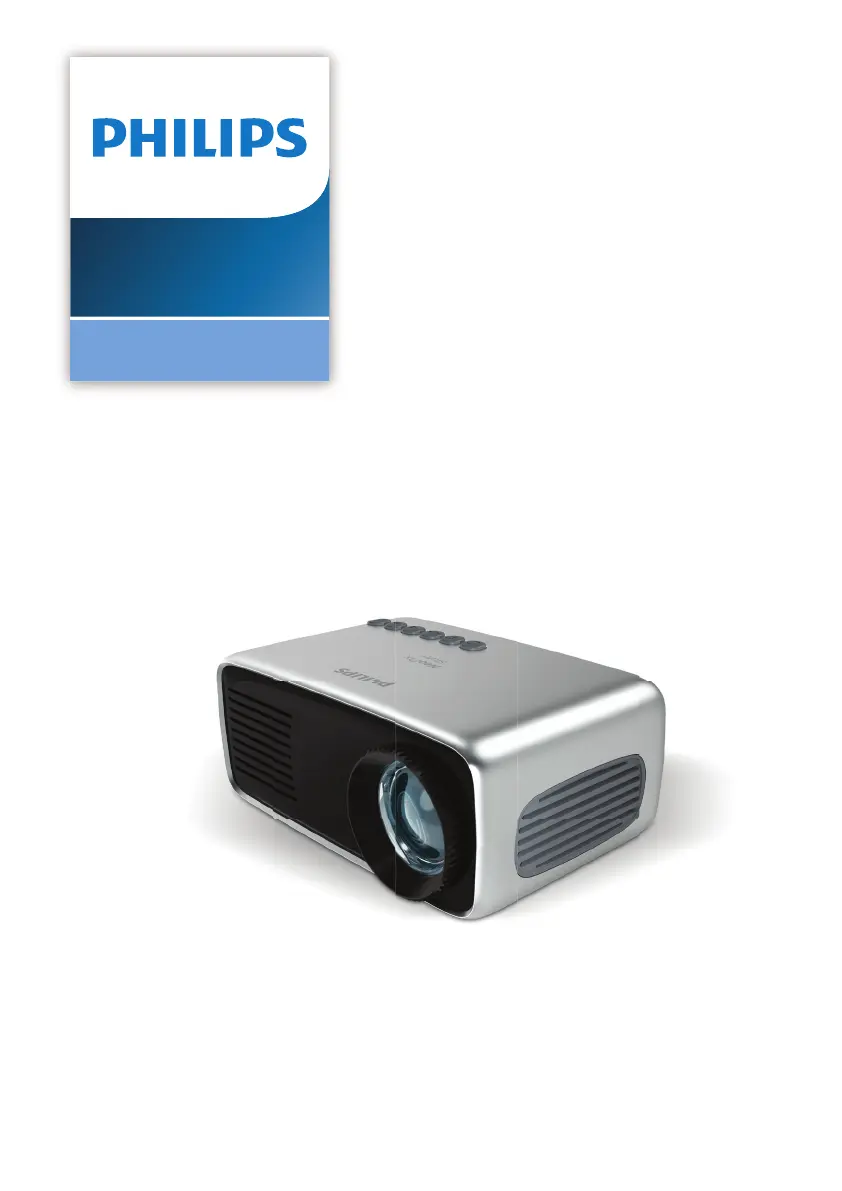
Philips NeoPix Start - User Manual

Philips NeoPix Start
21 pages
Print Icon
To Next Page IconTo Next Page
Loading...
Register your product and get support at
www.philips.com/support
Mini projector
NeoPix Start
EN User Manual
FR Manuel utilisateur
DE Bedienungsanleitung
ES Manual del usuario
IT Manuale d’uso

Other manuals for Philips NeoPix Start

Questions and Answers

Summary

Introduction

Whats in the box

Lists the contents of the projector package.

General Safety Information

Setting up the product

Guidelines for safely placing and operating the projector.

Repairs

Instructions regarding product repair and authorized service.

Power supply

Information on using the correct power adapter and connecting the projector.

Overview

Top View Controls

Identifies controls and indicators on the top of the projector.

Front View Features

Identifies vents, lens, and focus knob on the front.

Side View Ports

Shows ports on the side of the projector.

Rear View Ports

Shows ports on the rear of the projector.

Remote Control Operation

Details the buttons and functions of the remote control.

Initial Operation

Access Home Menu

Explains how to navigate the projector's main menu.

Front Table Placement

Details placing the projector on a table for projection.

Front Ceiling Placement

Details mounting the projector on a ceiling.

Rear Table Placement

Details placing the projector behind a screen for rear projection.

Rear Ceiling Placement

Details mounting the projector behind a screen on the ceiling.

Changing Screen Size

Explains how projection size is determined by distance.

Connecting Power Supply

Step-by-step guide to connecting the power adapter.

Preparing the Remote Control

Instructions for inserting batteries into the remote control.

Power On and Setup

Steps to turn on the projector and adjust focus.

Connect to Playback Devices

Connecting via HDMI

How to connect devices using an HDMI cable.

Connecting via AV

How to connect devices using an AV cable.

Connecting Audio Output Devices

How to connect external speakers or headphones.

Media Playback

Movie Playback

Steps to play video files from USB or Micro SD.

Music Playback

Steps to play audio files from USB or Micro SD.

Photo Playback

Steps to play photo files from USB or Micro SD.

Change Settings

Picture Settings

How to adjust picture mode, contrast, brightness, etc.

Sound Settings

How to adjust sound mode, treble, bass, etc.

Language Settings

How to change the on-screen display language.

Restore Default Settings

How to reset projector settings to factory defaults.

Rotate;Flip Projection Screen

How to rotate or flip the projected image.

Set Sleep Timer

How to set the projector to turn off automatically.

Set Auto Sleep

How to set the projector to turn off after inactivity.

Service

Cleaning Instructions

Instructions for cleaning the projector and lens safely.

Software Update

Detailed steps for updating software using a USB drive.

Troubleshooting

Power and Startup Issues

Solutions for problems with turning the projector on or off.

Image and Audio Issues

Solutions for problems with display or sound output.

Connectivity and Input Issues

Solutions for problems with HDMI, USB, and other connections.

Performance and Operational Issues

Solutions for unexpected shutdowns or remote control problems.

Appendix

Technical Data and Specifications

Detailed specifications of the projector's technology and performance.

Product Details and Package Content

Information on dimensions, weight, and included accessories.

Summary

Introduction

Whats in the box

Lists the contents of the projector package.

General Safety Information

Setting up the product

Guidelines for safely placing and operating the projector.

Repairs

Instructions regarding product repair and authorized service.

Power supply

Information on using the correct power adapter and connecting the projector.

Overview

Top View Controls

Identifies controls and indicators on the top of the projector.

Front View Features

Identifies vents, lens, and focus knob on the front.

Side View Ports

Shows ports on the side of the projector.

Rear View Ports

Shows ports on the rear of the projector.

Remote Control Operation

Details the buttons and functions of the remote control.

Initial Operation

Access Home Menu

Explains how to navigate the projector's main menu.

Front Table Placement

Details placing the projector on a table for projection.

Front Ceiling Placement

Details mounting the projector on a ceiling.

Rear Table Placement

Details placing the projector behind a screen for rear projection.

Rear Ceiling Placement

Details mounting the projector behind a screen on the ceiling.

Changing Screen Size

Explains how projection size is determined by distance.

Connecting Power Supply

Step-by-step guide to connecting the power adapter.

Preparing the Remote Control

Instructions for inserting batteries into the remote control.

Power On and Setup

Steps to turn on the projector and adjust focus.

Connect to Playback Devices

Connecting via HDMI

How to connect devices using an HDMI cable.

Connecting via AV

How to connect devices using an AV cable.

Connecting Audio Output Devices

How to connect external speakers or headphones.

Media Playback

Movie Playback

Steps to play video files from USB or Micro SD.

Music Playback

Steps to play audio files from USB or Micro SD.

Photo Playback

Steps to play photo files from USB or Micro SD.

Change Settings

Picture Settings

How to adjust picture mode, contrast, brightness, etc.

Sound Settings

How to adjust sound mode, treble, bass, etc.

Language Settings

How to change the on-screen display language.

Restore Default Settings

How to reset projector settings to factory defaults.

Rotate;Flip Projection Screen

How to rotate or flip the projected image.

Set Sleep Timer

How to set the projector to turn off automatically.

Set Auto Sleep

How to set the projector to turn off after inactivity.

Service

Cleaning Instructions

Instructions for cleaning the projector and lens safely.

Software Update

Detailed steps for updating software using a USB drive.

Troubleshooting

Power and Startup Issues

Solutions for problems with turning the projector on or off.

Image and Audio Issues

Solutions for problems with display or sound output.

Connectivity and Input Issues

Solutions for problems with HDMI, USB, and other connections.

Performance and Operational Issues

Solutions for unexpected shutdowns or remote control problems.

Appendix

Technical Data and Specifications

Detailed specifications of the projector's technology and performance.

Product Details and Package Content

Information on dimensions, weight, and included accessories.

Philips NeoPix Start Specifications

General IconGeneral
BrandPhilips
ModelNeoPix Start
CategoryProjector
LanguageEnglish

Related product manuals