EasyManua.ls Logo

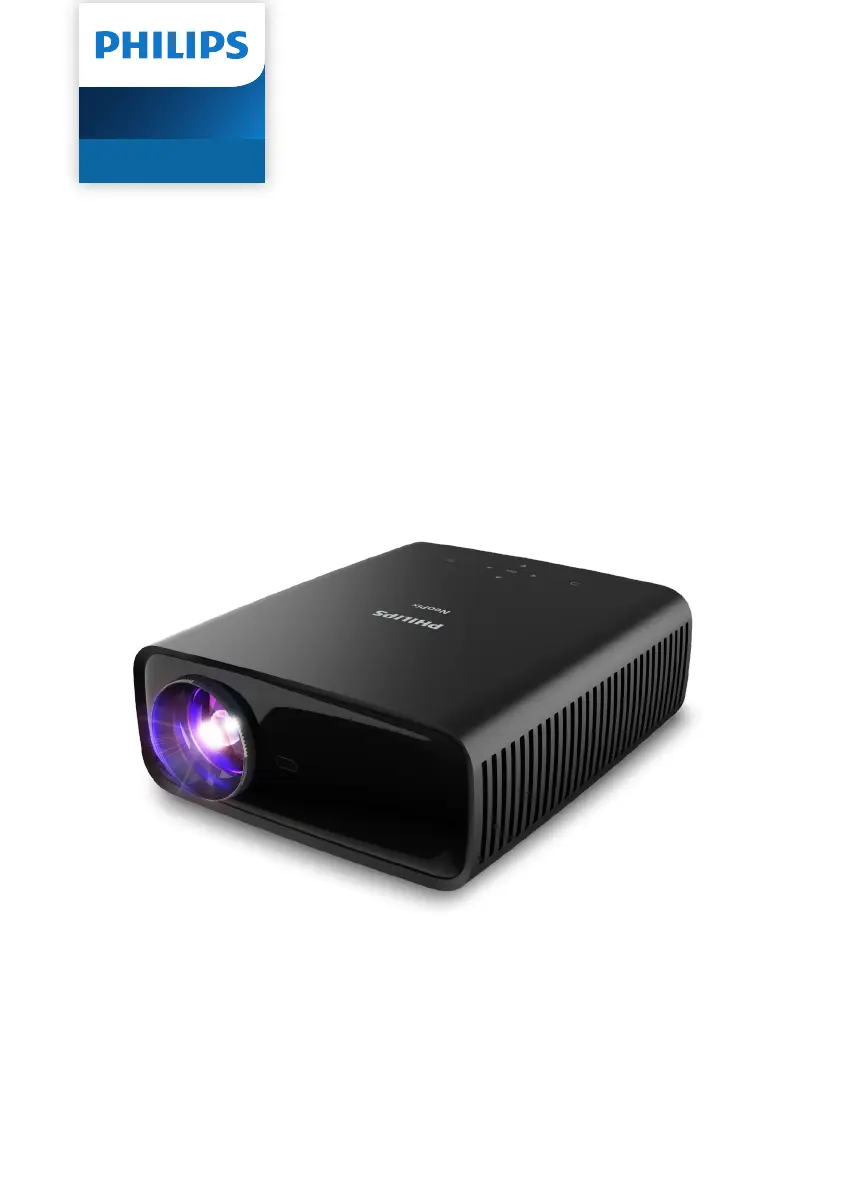
Philips NeoPix 320 - User Manual

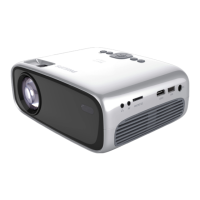
Philips NeoPix 320
32 pages
Print Icon
To Next Page IconTo Next Page
Loading...
User Manual
Register your product and get support at
www.philips.com/support
NeoPix 320
Home Projector

Other manuals for Philips NeoPix 320

Questions and Answers

Summary

Introduction

Whats in the box

Lists the items included in the projector package.

Customer service centre

Provides contact details for support and warranty.

General safety information

Setting up the product

Guidelines for safely installing and positioning the projector.

Repairs

Instructions regarding product repairs and authorized service centers.

Overview

Top view

Identifies projector components from the top view.

Power supply

Information on using the correct power adapter and outlet.

Front view

Identifies projector components from the front view.

Rear view

Identifies projector components from the rear view.

Bottom view

Identifies projector components from the bottom view.

Remote control

Explains the function of each button on the remote control.

Initial setup

Install the projector

Instructions for physically installing the projector in various orientations.

Ceiling Rear

Instructions for mounting the projector on the ceiling behind a screen.

Ceiling Front

Instructions for mounting the projector on the ceiling in front of a screen.

Rear

Instructions for placing the projector behind the screen for rear projection.

Connect to power supply

Steps to connect the projector to an electrical power source.

Prepare the remote control

Image focus adjustment

How to adjust the image sharpness using the focus knob.

Screen size adjustment

Explains how screen size is determined by distance.

Digital zooming

How to reduce the screen size using the digital zoom function.

Power on and set up the projector

Power on;off the projector

Instructions for turning the projector on, off, and into standby mode.

Set up the projector system

Screen height adjustment

How to adjust screen height using the angle adjustment knob.

Image shape adjustment

Methods to adjust image shape, including auto and manual keystone.

Use home screen

Navigate home screen with the remote control

How to navigate the home screen using the remote control.

Use the on-screen pointer

Alternative method for selecting items using the remote's pointer.

Connect the remote control via Bluetooth

Instructions for connecting the remote control via Bluetooth.

Open and configure apps

Open an app

How to select and open an application from the home screen.

Connect to other devices

Connect to a USB mouse, keyboard or gamepad

How to connect USB input devices for navigation and control.

Connect to a playback device through HDMI

How to connect devices like Blu-ray players via HDMI for image and audio.

Connect to a device through HDMI ARC

How to connect audio systems via HDMI ARC for audio output.

Connect to a dongle

How to connect streaming dongles via HDMI for internet video.

Connect to a Bluetooth device

Instructions for pairing and connecting Bluetooth devices like speakers, mice.

Enable;Disable Bluetooth on the projector

How to manage the projector's Bluetooth setting.

Pair a Bluetooth device

Step-by-step guide to pairing Bluetooth devices with the projector.

Use the projector as a Bluetooth speaker

Put the projector into Bluetooth speaker mode

How to set up the projector to function as a Bluetooth speaker.

Play media from USB storage devices

Connect a USB storage device

How to connect a USB drive to the projector for media playback.

Play videos

Steps to play video files from a USB storage device using VLC.

Wireless projection

Wireless projection with Android devices;Windows computers

How to mirror Android/Windows screens using Miracast.

Wireless projection with iOS devices;Mac computers

How to mirror iOS/Mac screens using AirPlay.

Stream videos;pictures from iOS devices

How to stream iOS media content to the projector.

Change projector settings

Change settings using Quick Settings panel

How to adjust settings via the Quick Settings panel.

Change settings using More Settings screen

How to adjust settings via the More Settings screen.

Input source settings

Picture settings

Options to adjust picture mode, color temperature, brightness, contrast.

Sound settings

Options to adjust sound presets, output type, volume, bass, treble.

Other settings

Maintenance

Cleaning

Instructions for cleaning the projector exterior and lens.

Update software

How to update the projector's software online or offline.

Troubleshooting

Power cycling

Steps to resolve issues by cycling power on the projector.

The projector cannot be turned on.

Solution for when the projector fails to power on.

No image from the external HDMI device.

Solution for when no image appears from an HDMI device.

No sound from the external connected device.

Solution for when there is no sound from a connected external device.

No sound when you connect your computer using an HDMI cable.

Solution for no sound when using HDMI with a computer.

Only the home menu appears and not the image from the external device.

Solution when only the home menu is displayed, not the external input.

The projector turns itself off.

Solution for unexpected projector shutdown.

The projector cannot read the USB storage device.

Solution for USB drive recognition issues, including formatting.

The projector does not react to remote control commands.

Solution for when the remote control is unresponsive.

The temperature of the projectors surface is warm.

Explanation that a warm surface is normal during operation.

The projector does not work after I connect it to a laptop.

Solution for projector not working after connecting to a laptop.

I cannot pair the projector with a Bluetooth device.

Troubleshooting steps for Bluetooth pairing failures.

Black; White Pixels

Information regarding acceptable levels of dead or black pixels.

Concerning dust:

Advice on dust appearing and how to clean the optical engine.

Appendixes

Technical data

Specifications for display, light source, resolution, dimensions, and more.

Multimedia player

Supported video, audio, and photo file formats.

Dimensions and weight

Physical dimensions and weight of the projector (unpacked and packed).

Temperature requirements

Operating and storage temperature ranges for the projector.

Package contents

Lists all items included in the projector package.

Model

Projector model number and identification codes.

Operating system

Information on the pre-loaded apps in the operating system.

Sound

Details on built-in speakers and equalization.

Connection

List of available connection ports like HDMI, USB, Wi-Fi, Bluetooth.

Power source

Power consumption and input voltage specifications.

CE statement

FCC statement

Compliance statement for FCC regulations, including interference limits.

Canada regulatory compliance

Compliance statement for Canadian Industry regulations.

Other notice

RF Radiation Exposure statement

Statement on RF exposure limits and recommended body separation distance.

Preservation of the environment

Company's commitment to environmental responsibility in product lifecycle.

Batteries

Instructions for proper disposal of batteries.

Product

Information on selective disposal of electrical and electronic equipment.

Trademarks

Mentions trademarks and disclaimers of liability.

Summary

Introduction

Whats in the box

Lists the items included in the projector package.

Customer service centre

Provides contact details for support and warranty.

General safety information

Setting up the product

Guidelines for safely installing and positioning the projector.

Repairs

Instructions regarding product repairs and authorized service centers.

Overview

Top view

Identifies projector components from the top view.

Power supply

Information on using the correct power adapter and outlet.

Front view

Identifies projector components from the front view.

Rear view

Identifies projector components from the rear view.

Bottom view

Identifies projector components from the bottom view.

Remote control

Explains the function of each button on the remote control.

Initial setup

Install the projector

Instructions for physically installing the projector in various orientations.

Ceiling Rear

Instructions for mounting the projector on the ceiling behind a screen.

Ceiling Front

Instructions for mounting the projector on the ceiling in front of a screen.

Rear

Instructions for placing the projector behind the screen for rear projection.

Connect to power supply

Steps to connect the projector to an electrical power source.

Prepare the remote control

Image focus adjustment

How to adjust the image sharpness using the focus knob.

Screen size adjustment

Explains how screen size is determined by distance.

Digital zooming

How to reduce the screen size using the digital zoom function.

Power on and set up the projector

Power on;off the projector

Instructions for turning the projector on, off, and into standby mode.

Set up the projector system

Screen height adjustment

How to adjust screen height using the angle adjustment knob.

Image shape adjustment

Methods to adjust image shape, including auto and manual keystone.

Use home screen

Navigate home screen with the remote control

How to navigate the home screen using the remote control.

Use the on-screen pointer

Alternative method for selecting items using the remote's pointer.

Connect the remote control via Bluetooth

Instructions for connecting the remote control via Bluetooth.

Open and configure apps

Open an app

How to select and open an application from the home screen.

Connect to other devices

Connect to a USB mouse, keyboard or gamepad

How to connect USB input devices for navigation and control.

Connect to a playback device through HDMI

How to connect devices like Blu-ray players via HDMI for image and audio.

Connect to a device through HDMI ARC

How to connect audio systems via HDMI ARC for audio output.

Connect to a dongle

How to connect streaming dongles via HDMI for internet video.

Connect to a Bluetooth device

Instructions for pairing and connecting Bluetooth devices like speakers, mice.

Enable;Disable Bluetooth on the projector

How to manage the projector's Bluetooth setting.

Pair a Bluetooth device

Step-by-step guide to pairing Bluetooth devices with the projector.

Use the projector as a Bluetooth speaker

Put the projector into Bluetooth speaker mode

How to set up the projector to function as a Bluetooth speaker.

Play media from USB storage devices

Connect a USB storage device

How to connect a USB drive to the projector for media playback.

Play videos

Steps to play video files from a USB storage device using VLC.

Wireless projection

Wireless projection with Android devices;Windows computers

How to mirror Android/Windows screens using Miracast.

Wireless projection with iOS devices;Mac computers

How to mirror iOS/Mac screens using AirPlay.

Stream videos;pictures from iOS devices

How to stream iOS media content to the projector.

Change projector settings

Change settings using Quick Settings panel

How to adjust settings via the Quick Settings panel.

Change settings using More Settings screen

How to adjust settings via the More Settings screen.

Input source settings

Picture settings

Options to adjust picture mode, color temperature, brightness, contrast.

Sound settings

Options to adjust sound presets, output type, volume, bass, treble.

Other settings

Maintenance

Cleaning

Instructions for cleaning the projector exterior and lens.

Update software

How to update the projector's software online or offline.

Troubleshooting

Power cycling

Steps to resolve issues by cycling power on the projector.

The projector cannot be turned on.

Solution for when the projector fails to power on.

No image from the external HDMI device.

Solution for when no image appears from an HDMI device.

No sound from the external connected device.

Solution for when there is no sound from a connected external device.

No sound when you connect your computer using an HDMI cable.

Solution for no sound when using HDMI with a computer.

Only the home menu appears and not the image from the external device.

Solution when only the home menu is displayed, not the external input.

The projector turns itself off.

Solution for unexpected projector shutdown.

The projector cannot read the USB storage device.

Solution for USB drive recognition issues, including formatting.

The projector does not react to remote control commands.

Solution for when the remote control is unresponsive.

The temperature of the projectors surface is warm.

Explanation that a warm surface is normal during operation.

The projector does not work after I connect it to a laptop.

Solution for projector not working after connecting to a laptop.

I cannot pair the projector with a Bluetooth device.

Troubleshooting steps for Bluetooth pairing failures.

Black; White Pixels

Information regarding acceptable levels of dead or black pixels.

Concerning dust:

Advice on dust appearing and how to clean the optical engine.

Appendixes

Technical data

Specifications for display, light source, resolution, dimensions, and more.

Multimedia player

Supported video, audio, and photo file formats.

Dimensions and weight

Physical dimensions and weight of the projector (unpacked and packed).

Temperature requirements

Operating and storage temperature ranges for the projector.

Package contents

Lists all items included in the projector package.

Model

Projector model number and identification codes.

Operating system

Information on the pre-loaded apps in the operating system.

Sound

Details on built-in speakers and equalization.

Connection

List of available connection ports like HDMI, USB, Wi-Fi, Bluetooth.

Power source

Power consumption and input voltage specifications.

CE statement

FCC statement

Compliance statement for FCC regulations, including interference limits.

Canada regulatory compliance

Compliance statement for Canadian Industry regulations.

Other notice

RF Radiation Exposure statement

Statement on RF exposure limits and recommended body separation distance.

Preservation of the environment

Company's commitment to environmental responsibility in product lifecycle.

Batteries

Instructions for proper disposal of batteries.

Product

Information on selective disposal of electrical and electronic equipment.

Trademarks

Mentions trademarks and disclaimers of liability.

Philips NeoPix 320 Specifications

General IconGeneral
Light SourceLED
Built-in SpeakerYes
Aspect Ratio16:9
Integrated Media PlayerYes
Throw Ratio1.4:1
Lamp Life30, 000 hours
ConnectivityHDMI, USB, VGA
Keystone CorrectionManual
Power SourceAC Power

Related product manuals